All The Quickies

Welcome everyone from del.icio.us! You can also see new items added in the last week and ordered by date to see any new items. There's also an RSS feed for new quickies.
- Changing the 'screen' hotkey (Unix->Tools)
[permalink]
Runningemacsinside ofscreenis made difficult because both want to use C-A for something important. C-O (AFAIK so far) isn't too useful for my use of emacs, so I use that for screen now:screen -e^Oo emacs
- Rejoining a disconnected screen session (Unix->Tools)
[permalink]
screen -r
- Backups on the cheap (Unix->General)
[permalink]
I've been using hfstar for doing backups. I tar directory hierarchies to an external firewire drive from my TiBook (say my entire$HOMEdirectory, plus the /Applications directory. There's probably other stuff that should be snarfed (like/Library), but I didn't on my last backup, and doing a restore from scratch seemed to work OK. Here's a quick outline of backing up to the external firewire drive called "Wikkit":-
% sudo mkdir /Volumes/Wikkit/backup -
% cd /Users -
% sudo hfstar cf - bork | (cd /Volumes/Wikkit/backup; sudo hfstar xf -)
To Restore:
-
% cd /Users -
% sudo mv bork bork-orig -
% cd /Volumes/Wikkit/backup -
% sudo hfstar cf - bork | (cd /Users; sudo hfstar xf -)
Some folks have had success with psync, but we haven't used it yet.
-
- Case-insensitive file completion with bash (Unix->General)
[permalink]
If you use bash as your shell and use filename completion a lot, you can get bash to ignore the case of filenames just like HFS does. Just put this in your~/.inputrcfile:set completion-ignore-case OnThen when you type
ls /appliin the shell you'll get ls /Applications/ like you ought to! - Changing all *.oop files to *.ack (Unix->General)
[permalink]
% ~/bin/rename.pl 's/.oop$/.ack/' *.oopTo tack on an extension to all files, do something like
% ~/bin/rename.pl 's/(.*)/$1.jpg/' * - Converting from DOS to unix line terminators (Unix->General)
[permalink]
% perl -pi -e 's/\r/\n/g' mealcsv.csv - Converting mac newlines to unix newlines in a text file (Unix->General)
[permalink]
tr '\r' '\n' < macfile.txt > unixfile.txt
- Creating a disk image from the command line (Unix->General)
[permalink]
% hdiutil create -ov -imagekey zlib-level=9 -fs HFS+ -format UDZO -scrub -srcfolder /Path/To/The/Goodies fooby.dmg
- Daemontools controls (Unix->General)
[permalink]
# svc -d /service/whatever- Bring the server down# svc -u /service/whatever- Start the server up and leave it in keepalive mode.# svc -o /service/whatever- Start the server up once. Do not restart it if it stops.# svc -t /service/whatever- Stop and immediately restart the server.# svc -k /service/whatever- Sends the server a KILL signal. This is like KILL -9. If svc -t fails to fully kill the process, use this option.(Thanks to the OpenACS documentation)
- Dealing with directories with spaces in them (Unix->General)
[permalink]
You can either escape the directory name with a space:% cd /Users/bork/Library/Screen\ Saversor you can surround it with quotes:
% cd "/Users/bork/Library/Screen Savers"Note that tilde expansion (
~/Library) is suppressed if you use the quotes. - Deatching another screen session. (Unix->General)
[permalink]
Sometimes if you have an unclean disconnect, screen can still be attached and you get the smackdown:% screen -r There is a screen on: 8395.pts-0.vikki (Multi, attached)You can boot off that other loser by using:% screen -d 8395.pts-0.vikki
and then doingscreen-r again - Directory space consumption (Unix->General)
[permalink]
To see how much disk space a directory consumes, use
% du -sk dir_nameTo see how much each of a directory's contents consume, use
% du -sk dir_name/* | sort -nto get a list ordered by size. - Display the info.plist embedded in a compiled file (Unix->General)
[permalink]
% otool -s __TEXT __info_plist ./thebinary | xxd -r
Muchos Thankos to Dan Jalkut for this one.
- Doing something to a hierarchy of files (Unix->General)
[permalink]
To do something to all of the html files in a directory (e.g. to grep something)
% cd directory

       % find . -name "*.h" -exec grep NSDoWhatIMean {} ; -print
Don't forget the dot right after find, and the{}construct. Also make sure there's a space after the{}and; - Don't show file names with a multi-file grep (Unix->General)
[permalink]
use the-hflag:% grep -h chicken ~/Documents/ircLogs/FreeNode/2007*/#macsb*
- Find all the literal strings in an objc source file (Unix->General)
[permalink]
egrep -h -o '@"[^"]*"' MJFirstViewController.m
The -h suppresses printing the file name, -o is "Prints only the matching part of the line" - Find files larger than 2 gigs (Unix->General)
[permalink]
find /Volumes/Vikki/ -type f -size +2G -print
- Finding Mac OS X version from the command line (Unix->General)
[permalink]
% sw_versProductName: Mac OS X ProductVersion: 10.3.7 BuildVersion: 7S215
- Finding parent process IDs on Linux (Unix->General)
[permalink]
% ps -eo "%p %P %c" - Finding suid executables (Unix->General)
[permalink]
To find setuid executables, run% find . -type f -perm +06000 -print(or use
find /to start looking from the root directory.) - Finding the path corresponding to an open file descriptor (Unix->General)
[permalink]
Withfcntl, all things are possible.char pathbuf[PATH_MAX]; if (fcntl(fd, F_GETPATH, pathbuf) >= 0) { printf ("wow: %s\n", pathbuf); } else { printf ("oops %s\n", strerror(errno)); }Finding this feature was a surprise, having lived under the assumption that you can't map from a file descriptor to a path in the file system. Obviously things like sockets and pipes will return an error, but it actually seems to work. - Getting a count from grep (Unix->General)
[permalink]
To see how many times "fix me" occurs in the Objective-C files in the current directory:
% grep -c "fix me" *.m - Getting curl to download a file (Unix->General)
[permalink]
% curl -O http://borkware.com/quickies/files/fullscreensaver.tar.gz - Getting grep to return file names of matches rather than the actual match (Unix->General)
[permalink]
Use the-l(dash ell) flag to grep. If a file contains the expression, the name of the file (rather than the matching line) is displayed. e.g. to open all the files that contain 'rzolf'% grep -l rzolf *.ham | xargs open - Grepping for flags (Unix->General)
[permalink]
Sometimes you want to grep for something like "-H", but don't want it to be interpreted as a grep flag. The-eoption to the rescue:% grep -e -H filename
- Interleaving the contents of two files (Unix->General)
[permalink]
Say file1.txt had the contentshoover Greeble NI POP
and file2.txt had the contentsbork Bork BORK
Interleave them with% paste -d '\n' file1.txt file2.txt > blarg
and gethoover bork Greeble Bork NI POP BORK
- Mounting a disk image from the command line (Unix->General)
[permalink]
% hdiutil mount diskimage.dmg - Perl breaks in weird and wonderful(?) ways (Unix->General)
[permalink]
Perl 5.8 uses unicode internally by default, which apparently causes trouble for some big perl packages (like SpamAssassin's makefile getting totally trashed when you create it). Set theLANGenvironment variable to been_USto make it happier. - Prevent deep sleep (Unix->General)
[permalink]
My lappy has 16 gigs of memory (yay me), and when the machine goes in to a deep sleep / hibernation, it effectively powers down. Upon wake, memory has to be read back in from disk, which can take a noticeable amount of time. While that's happening, the screen is blank, and the computer is inert like it has totally died.Once you've totally finished panicking and starting your recovery plan ("dammit now I'll lose a day's work getting this to a genius and re-cloning my repos to another machine") the memory has finished swapping in and the machine wakes. "Hi! Now that you're completely carbonated, let's get back to work!"
Unsurprisingly, major OS updates seem to reset this value. (Firmware updates may do it too.)
(This may be incomplete - I have a couple of days still to make sure it totally works)
Turn off hibernation with:
# sudo pmset -a standby 0
# sudo pmset -a hibernatemode 0
- Preventing an app from opening stale windows (Unix->General)
[permalink]
Lion introduced the idea that apps restore all their windows that were last open. Sometimes that's wonderful. For some apps, it's maddening. You can tweak individual apps by setting a default:% defaults write com.bignerdranch.bigshow NSQuitAlwaysKeepsWindows -bool false
(thanks to Step Christopher for this one) - Pruning directories with find (Unix->General)
[permalink]
Sometimes you don't want find to go into a particular subtree. This command finds all swift files from the current directory, except those inexperimental:% find . -path ./experimental -prune -o -name "*.swift"
- Removing files with a leading "-" (Unix->General)
[permalink]
% rm -- -i-am-a-bad-file - Removing quarantine xattribute from downloaded files. (Unix->General)
[permalink]
Download a zip file full of graphics, and they all have extra attributes?% ls -l total 18192 -rw-r--r--@ 1 markd staff 13354 Jan 5 18:46 Icon-114.png -rw-r--r--@ 1 markd staff 21379 Jan 18 10:56 Icon-152.png -rw-r--r--@ 1 markd staff 484470 Jan 5 18:40 Icon-167.png ...
Which are quarantine tags:% ls -l@ total 18192 -rw-r--r--@ 1 markd staff 13354 Jan 5 18:46 Icon-114.png com.apple.quarantine 61 -rw-r--r--@ 1 markd staff 21379 Jan 18 10:56 Icon-152.png com.apple.quarantine 61 -rw-r--r--@ 1 markd staff 484470 Jan 5 18:40 Icon-167.png com.apple.quarantine 61Get rid of them with this:% xattr -d com.apple.quarantine *
- Replacing a string in a set of files (Unix->General)
[permalink]
% perl -pi.bak -e 's/OLDSTRING/NEWSTRING/g' *.html
This will leave "*.bak" files around of the original version, in case the replacement string didn't quite do what you wanted. - Restricting Find to only deal with files (not directories) (Unix->General)
[permalink]
% find . -type f -name "*.html" -exec grep Spoon {} ; -print - Rsyncing a directory hierarchy from one machine to another (Unix->General)
[permalink]
I'm moving a bunch of movie files from one machine to another. I used this rsync command to copy it from the remote machine to the local one to the directory/Volumes/Media2% rsync -avz -e ssh --progress 'biggun.local:/Volumes/Video/AppleTV\ Videos/Exercise' /Volumes/Media2
I can never remember what the flags mean, so:- -a : archive mode (recursive, also preserve symlinks, permissions, owner and group)
- -v : verbose
- -z : compress for transport
- -e ssh : use ssh for the transport pipeline
- --progress : see progress info
- Running a pipeline in sudo (Unix->General)
[permalink]
% sudo sh -c "tar cf - * | (cd /mirror4/web; tar xf -)" - Sanity checking an XML file (Unix->General)
[permalink]
% xmllint -noout kipple.xmlHandy for a quick check after hand-editing a file. - Seeing all the flags gcc takes (Unix->General)
[permalink]
% gcc -v --help - Seeing extended attributes with 'ls' (Unix->General)
[permalink]
Sometimes you see an @ after the directory permissions in anls -l:% ls -l ~/junk/SnapshotRepository.sparseimage -rw-r--r--@ 1 markd markd 135270400 Jul 24 20:38 /Users/markd/junk/SnapshotRepository.sparseimage
That means there's some extended attributes. usels -l@ to see them:% ls -l@ ~/junk/SnapshotRepository.sparseimage -rw-r--r--@ 1 markd markd 135270400 Jul 24 20:38 /Users/markd/junk/SnapshotRepository.sparseimage com.apple.diskimages.fsck 20
- Seeing lines that exist in two files (Unix->General)
[permalink]
Assuming the files are sorted, you can usecomm.Here I'm wondering if any objc files in the current directory also exist in the Classes subdirectory
% ls -1 *.[hm] *.xib | sort > oopack
% cd Classes
% ls -1 *.[hm] *.xib | sort > ../oop2
% cd ..
% comm -12 oopack oop2
The-12suppresses lines only in file1, and lines only in file2. I'm more interested in their intersection. - Seeing the console.log without running Console.app (Unix->General)
[permalink]
In a terminal or an emacs shell:
% tail -f /var/tmp/console.log - Seeing the files in a zip archive (Unix->General)
[permalink]
% unzip -l snorgle.zip - Seeing the parent process id in ps (Unix->General)
[permalink]
Use theppidoption with the-oflag:% ps -axo user,pid,ppid,vsz,tt,state,start,time,command - Silencing Macbook power chime (Unix->General)
[permalink]
The modern-day flutterby keyboard Macbooks make a soothing (?) chime when plugged in to power, even if the system volume is muted. If you don't want to hear that, you can do% defaults write com.apple.PowerChime ChimeOnNoHardware -bool true % sudo killall PowerChime
- Sort grep-c (Unix->General)
[permalink]
grep -c will give you the number of hits for the given pattern in each file. It'd be nice to sort them, but the count occurs after the filename, e.g. GreebleBork:23So, trick sort into using the last field (with a colon separator) as the sort key:
% grep -c translatesAuto *.xib | sort -t: -n -k2
- Toggle 'screen's visible bell on and off (Unix->General)
[permalink]
Assuming^tis the hotkey, doing^t ^gwill toggle the visible bell on and off. - Turning blobs of json in to something somewhat readable (Unix->General)
[permalink]
yay prettyprinting!% cat some-unformatted-manifest.json | python -m json.tool
(courtesy of Chris Donnelly) - Using "find" with multiple -name clauses (Unix->General)
[permalink]
% find . \( -name "*.jpg" -or -name "*.gif" \) -exec do_something_with {} ; - Using Image Magick to scale an image proportionally (Unix->General)
[permalink]
% find . -name "*.jpg" -exec convert -verbose -geometry 150x150 {} {} ;
This converts the files in-place, so have a backup. Even though the geometry is specified as 150x150, that just means make the image no larger than 150 in either direction. - Using ImageMagick to get the dimensions of a file (Unix->General)
[permalink]
% identify filename.jpgIf you want to be studly, you can use
-formatto tailor the output% identify -format "insert into bw_graphics values (generate_primary_key(), '/images/llamas/%f', %w, %h);" *.jpg
generates a sqlinsertstatement for each image. - Using awk to extract the n'th column (Unix->General)
[permalink]
nmoutputs a three-column format. I needed to get the set of defined symbols (in particular those that start with__, in tracking down a C++ linking problem), which is the third column.awkis good for that. Use$Nto get the nth column (zero-index). This pipeline did the trick:nm ./oopack.o | awk '{print $2}' | sort | grep __(Thanks to DougEDoug for the pointer) - Using awk to print fields (Unix->General)
[permalink]
Here's a way to have awk print all fields (separated by spaces) from each line, except for fields number 1 and 9 (starting with a count of 1):% awk '{ for (f=1; f <= NF; f++) { if (f != 1 && f != 9) printf("%s ", $f);} printf(" ");}' < ook.txtOr you can put this at the end of a pipeline instead of directing a text file into the command. (courtesy of DougEDoug) - Using tar to copy across the network (Unix->General)
[permalink]
% tar cf - ./stuff | ssh theOtherMachine "tar xf -" - cd to directory with a space in its name (Unix->General)
[permalink]
There's two ways to do it. The first is to backslash-escape the spaces:
% cd /Users/bork/development/cool\ stuff/neat\ thingsThe other is to use shell completion to put in the backslashes for you. In the above path, if you type
% cd /Users/bork/development/cool[tab], it'll expand "cool stuff" for you. - safely copying directories (Unix->General)
[permalink]
cp -Ris generally unsafe to copy directories with since it will copy through symbolic links rather than just copying the link (newercp's have an -H flag that will work around this). The classic unix way of doing things like this is a push-pulltar:% tar cf - dir-name | (cd /destination-dir; tar xf -)In English: tar out through a pipe into a subshell that's changed directories, feeding that pipe into the tar extraction. If you run both sides of the pipeline as root (via
sudo), the file owners and permissions will be preserved (whichcpwon't do) - tar + xargs for huge numbers of files (Unix->General)
[permalink]
If you have too many files to add to a tarball, you can run into the shell's command limitation. If you use xargs + tar cf, you'll not get all of your files added to the tarball. Use tar'srfcommand to append to an archive rather than creating one:% find . -name "*.yuck" -print0 | xargs -0 tar rvf oop.tar
-print0(zero) tells find to output the filenames with trailing NUL characters (rather than newlines), and-0tells xargs to use a NUL as its input separator, rather than newlines/spaces. The upshot is that you can handle filenames with spaces in them.Thanks to Ben Cox for the -print0 / -0 suggestion.
- using ssh (or CVS) without a password (Unix->General)
[permalink]
Suppose you have two machines, the local one (your laptop) and the remote one (the honking big server located in Minneapolis that hosts gitdown.com) To ssh (or CVS) from the laptop to the server without needing a password, perform these steps:-
% ssh-keygen -t rsa
(don't use a passphrase. Just hit return twice) -
% scp ~/.ssh/id_rsa.pub gitdown.com: - On the remote machine (gitdown)
% cat ~/id_rsa.pub >> ~/.ssh/authorized_keys
-
- I can't move or symlink a directory (Unix->Hacks)
[permalink]
If you get the errormv: rename build/ to oopack: Is a directory
when usingmvorlnon the command line, that's a Darwin error. To correct the problem, remove the trailing slash from the directory name. - Printing network traffic (Unix->Hacks)
[permalink]
% sudo tcpdump -Atq -s 0 -i en1
-i en1will display traffic on your airport card. Useen0(or nothing, for most systems) for built-in ethernettage.You can add a host line to limit output to a particular host
% sudo tcpdump -Atq -s 0 -i en1 host zombo.com
(thanks to Dan Jalkut for this one) - Restarting a crashed Dock (Unix->Hacks)
[permalink]
Ever be using your machine and you can't command-Tab and your Dock is gone? And there's no Dock process to kill? (#itJustWorks). You can restart the Dock with:% launchctl stop com.apple.Dock.agent % launchctl start com.apple.Dock.agent
- Unwedging stuck boots (Unix->Hacks)
[permalink]
If I go longer than a week or so between reboots, it (Mavericks) literally takes forever (I counted) for it to actually boot. Verbose mode shows fsck runs (and actually completes, but it hangs.) If that happens to you regularly, try this:// Boot into single-user mode with command-S on power-on # /sbin/fsck -fy # /sbin/mount -uw / # mv /var/folders /var/folders-dorked # reboot
Nearly instant boot again. - Changing a file's modification date (Unix->Random)
[permalink]
Sometimes you're doing work which uses a file's modification time to decide whether you want to do something (like don't process today's log file, or remove a really old file). You could use a time machine to test this, or usetouch. You can specify a specific date or time using the format[[CC]YY]MMDDhhmm[.SS]]. Here's an example with alternating bolds to make it easier to read:% touch -t 200703141536 snork.waffle % ls -l snork.waffle -rw-r--r-- 1 markd markd 298 Mar 14 15:36 snork.waffle
- Creating a RAM Disk (Unix->Random)
[permalink]
% hdid ram://sizewhere size is the size in bytes. the system will round that number up or down as it sees fit. - Getting OS version from the command line (Unix->Random)
[permalink]
% sw_vers -productVersion
10.5.1
- Seeing media types supported by your CD/DVD burner (Unix->Random)
[permalink]
On Panther, you can run/usr/bin/drutil infoto get a listing of the kinds of media your drive supports. For example, on the 17" iLamp:% drutil info Vendor Product Rev PIONEER DVD-RW DVR-104 A227 Interconnect: ATAPI SupportLevel: Apple Shipping Cache: 2000k CD-Write: -R, -RW, BUFE, Test, IndexPts, ISRC DVD-Write: -R, -RW, BUFE, Test Strategies: CD-TAO, CD-SAO, DVD-DAO - Setting file system attribute flags (Unix->Random)
[permalink]
chflagsin Mac OS X works likechattrover in Linux-land. So to make a file immutable (can't change it, even if you're the superuser), you cansudo chflags uchg file-name(s). To undo it, dosudo chflags nouchg file-name(s) - Adding a new machine alias via netinfo(e) (Unix->Administration)
[permalink]
The NetInfo Manager utility is painfully slow. Here's how to add a machine via the command line. In this case adding the IP for a machine called "tower" (thanks to rzolf)# niutil -create . /machines/tower # niutil -createprop . /machines/tower ip_address 10.0.1.155 # niutil niutil -createprop . /machines/tower serves ./local
- Increasing shared memory limits (Unix->Administration)
[permalink]
Edit/System/Library/StartupItems/SystemTuning/SystemTuningtweak some values, like
sysctl -w kern.sysv.shmmax=167772160 # bytes: 160 megs
sysctl -w kern.sysv.shmmin=1
sysctl -w kern.sysv.shmmni=32
sysctl -w kern.sysv.shmseg=8
sysctl -w kern.sysv.shmall=65536 # 4k pages: 256 megs
Save, and restart your system.On some Panther seeds, you may need to add these things to
/etc/rc - Updating critical system files while preserving the original timestamp (Unix->Administration)
[permalink]
Sometimes you need to edit a file, like/etc/rc, but you want to be able to back out your changes. You also want to preserve the original timestamp of the file. That way if you back out your change, someone else coming along doesn't have to figure out "why did/etc/rcchange yesterday, it doesn't look any different?" Here's how:- Move (not copy) the original to a backup name. This will preserve the timestamp:
% sudo mv rc rc-orig - Copy the original to the usual name:
% sudo cp rc-orig rc - make your edits:
% sudo vi rc
% sudo mv rc-orig rcThereby undoing your changes, and not messing up the timestamp of the original file.
(mucho thankos to Louis Bertrand for this one)
- Move (not copy) the original to a backup name. This will preserve the timestamp:
- Bizarro Error message (Tools->General)
[permalink]
gcc gave me this error:
cc1obj: error: type '<built-in>' does not have a known size
without any line number to give a clue what was going on. The error turned out to be having an objective-C method with an argument type of(void), a typo that should have been(void *). - Block that measures time. (Tools->General)
[permalink]
Sometimes you want to do a quick measurement of a chunk of code to see how long it takes, and you don't want to crank upgprofSharkInstruments to do it.mach_absolute_timeis the finest-grained timer in the system. Here's a little utility to time a block:#import <mach/mach_time.h> // for mach_absolute_time() and friends CGFloat BWTimeBlock (void (^block)(void)) { mach_timebase_info_data_t info; if (mach_timebase_info (&info) != KERN_SUCCESS) return -1; uint64_t start = mach_absolute_time (); block (); uint64_t end = mach_absolute_time (); uint64_t elapsed = end - start; uint64_t nanos = elapsed * info.numer / info.denom; return (CGFloat)nanos / NSEC_PER_SEC; } // BWTimeBlockAnd you would use it like:NSString *thing1 = @"hi"; NSString *thing2 = @"hello there"; time = BWTimeBlock(^{ for (int i = 0; i < LOOPAGE; i++) { [thing1 isEqualTo: thing2]; } }); printf ("equalTo time: %f\n", time); - Changing a dylib's install name (Tools->General)
[permalink]
A dynamic library has an 'install name', which is where the library will assume it will be installed. For things like frameworks that will be stored in an application bundle, the install name has something like@executable_path/../blah. Sometimes you get a library from someone else (or something generated by a gigantic configure script) and need to change the install name. Theinstall_name_toolwill do that for you. Say I had a library, libbork.dylib, that will end up being placed side-by-side with the executable of a cocoa app, this is how I would fix it:% install_name_tool -id @executable_path/libbork.dylib ./libbork.dylib
- Resizing Windows in IB (Tools->General)
[permalink]
Resizing complex windows in IB can be a pain because the contents don't reflow when you change the window size.In Interface Builder 2: If you hold down the control key while resizing, though, the contents obey their spring configurations and will resize accordingly. Makes the process a whole lot easier.
In Interface Builder 3: If you hold down command while resizing, the contents obey their spring configurations and will resize accordingly. (This avoids the annoying process of resizing each widget within the windows afterwards.) Holding option while resizing will display the pixel values of the padding. Holding command-option while dragging displays both.
(muchos thankos to Quinn Taylor at the BYU CocoaHeads for the IB3 update)
- Seeing a lot of gcc's #defines (Tools->General)
[permalink]
% gcc -E -dM -x c /dev/null(thanks to xmath on #macdev for this one)
- Seeing what frameworks an application links against (Tools->General)
[permalink]
% otool -L /path/to/application.app/Contents/MacOS/application - Weak Linking in a Plugin (Tools->General)
[permalink]
I've got some useful utilities in a .c file that I use for some debugging things. And I'm also writing a plugin that will go into an app I don't control. I also have a test harness that I can load the plugin and do effective debugging. This debugging file has some static variables that it uses to control things, like whether to emit log messages, or do other diagnoses.The problem is, if I include the
usefulStuff.cin my plugin and my test harness, there are two copies of the static variables, and the test harness can't control the plugin. If I don't includeusefulStuff.cin the plugin I get link errors. If I don't declare as weak linked the functions I use, I'll get errors when the final program loads the plugin. Sucks to be me.Here's one way of doing it (which is kinda hacky, but after spending a day inside of the ld man page, and other pain, the fact it works is good enough for me for right now).
In the source file for the plugin that uses stuff from usefulStuff:
Declare the function to be weak:
extern void BWDebugLog (int blah, char *blah) __attribute__((weak_import));
(you can also do this in your header files. In this case, I didn't want to touch the header)Before you use the function, make sure it's not
NULL. Note there's no trailing()after the function name.if (BWDebugLog != NULL) { BWDebugLog (23, "stuff"); }In the Xcode project for the pluginAdd the flags
-flat_namespaceand-undefined dynamic_lookupto the "Other Linker Flags" (a.k.a.OTHER_LDFLAGS). The flat namespace lets the symbols be found in the test harness when the plugin is loaded. The undefined dynamic_lookup means to suppress warnings about undefined symbols. This could conceivably mask errors, but it's no worse than ZeroLink.In the Xcode project for the test harness
Add
usefulStuff.c, and turn on the "Preserve Private External Symbols" checkbox (a.k.a-keep_private_externs). That turns the symbolBWDebugLog(and others) into exported symbols that'll be visible to the plugin. Otherwise the plugin will never get past that!= NULLcheck earlier.Once all that's done, my plugin loads into the test harness and can get controlled. It can be loaded into the Real App without undefined symbol errors.
- Running a particular architecture (Tools->Hacks)
[permalink]
otest is kind of annoying that it tries to run the 64 bit version of your unit tests, especially if you don't have any. Typically you'd get an error like
You can force otest to run a particular architecture with the arch command:2009-06-01 12:49:29.447 otest[70099:203] *** NSTask: Task create for path '/blah/blah/blah' failed: 8, "Exec format error". Terminating temporary process.% arch -arch i386 /Developer/Tools/otest build/Debug/Snoogle.octest
- wrong kind of tag compiler error. (Tools->Random)
[permalink]
This one stumped me for awhile:
BWNagType.h:23: `BWConcreteType' defined as wrong kind of tagIn this particular case, I had a type I had declared with:
@class BWConcreteType;and later on I had decided to turn it into an enum:
typedef enum BWConcreteType { ... } BWConcreteType;
without removing the previous@classdeclaration. So be on the look out for conflicting types for the same symbol. - Building projects from the command line (Project Builder->General)
[permalink]
Look atxcodebuild. We've got a rant about cocoa development in emacs, which includes a discussion ofpbxbuild, the predecessor toxcodebuild. Some of the arguments have changed over the years. I usually run it like:% xcodebuild -configuration "Debug" -target "My Groovy App"
If you have one target, or have a default target, you can leave out the-targetargument. - Adding a pop up menu thingie (General->General)
[permalink]
On iOS, the menu you get when you long-press in a text field is called a UIMenuController, and you can pop one up for your own classes.First, you need to be able to become first responder, and be able to perform the actions of the menu items you want displayed. The menu controller sifts through its default set, and actions your provide and sees if any can be performed. If not, they get dropped on the floor. This assumes that the menu being shown only has "Duplicate".
- (BOOL) canPerformAction: (SEL) action  withSender: (id) sender {
    return action == @selector(duplicate:);
} // canPerform


- (BOOL) canBecomeFirstResponder {
    return YES;
} // canBecomeFirstResponer
Then acquire an array of UIMenuItems (title / selector pairs), become first responder (that's important), and then figure out where you want the menu item to point to. Then show it:// Permanent set of items. You might want to do something saner static NSArray *s_menuItems; if (s_menuItems == nil) { UIMenuItem *item = [[UIMenuItem alloc] initWithTitle: @"Duplicate" action: @selector(duplicate:)]; s_menuItems = [ @[ item ] retain]; [item release]; } [self becomeFirstResponder]; // important! // point the menu point somewhere CGPoint point = CGPointMake (160.0, 5.0); CGRect rect; rect.origin = point; rect.size = CGSizeMake (1.0, 1.0); UIMenuController *menu = [UIMenuController sharedMenuController]; menu.menuItems = s_menuItems; [menu setTargetRect: rect inView: self]; [menu setMenuVisible: YES animated: YES];If you have work to do when the menu disappears (such as deselecting a tableview cell), you can listen forUIMenuControllerWillHideMenuNotificationor one of its kin. - Binding an NSPopupButton (General->General)
[permalink]
To bind an NSPopupButton:- Have an NSArray somewhere that you want to supply the popup
- Make an NSArrayController in the nib file (say call it "greeble"), and binds its Value to some keypath (such as your AppDelegate.greebleArray ivar)
- Bind the popup's Content to the array controller's arranged objects (greeble.arrangedObjects). These are the objects that are behind the popup.
- Bind the popup's Content Values to a key path that includes a displayable string. Assuming the objets in the greebleArray array have a title property, you'd bind it to greeble.arrangedObjects.title
- Bind the popup's Selected Object to something, such as an ivar of the type of object that's in the greebleArray. If said ivar is called selectedGreeble, you'd bind to AppDelegate's selectedGreeble.
- Configuring control-shift-D dictionary contents (General->General)
[permalink]
When I go to define a word with control-shift-D, I'm not interested in wikipedia - just give me the definition.This system-wide behavior isn't configured in the system preferences, instead in the prefs of the Dictionary App :-| . Go to the preferences, and you get a list of a ton of stuff. Turn off Wikipedia (or turn on / off whatever you want)
- Continuous Text Field (General->General)
[permalink]
Courtesy of Jens Bauer. Sometimes you'd like a text field to notify on every text change.@interface FSContinousTextField : NSTextField @end @implementation FSContinousTextField - (void) textDidChange: (NSNotification *) aNotification { [[self target] performSelector:[self action] withObject:self]; } @end - Convert a preprocessor symbol to an NSString (General->General)
[permalink]
#define CONVERT_SYMBOL_TO_NSSTRING_2(x) @#x
#define CONVERT_SYMBOL_TO_NSSTRING(x) CONVERT_SYMBOL_TO_NSSTRING_2(x)

NSString *version = CONVERT_SYMBOL_TO_NSSTRING (BUILD_NUMBER);
(Thanks to TVL for helping me figure this one out) - Creating a UUID (General->General)
[permalink]
CFUUIDRef cfuuid = CFUUIDCreate (kCFAllocatorDefault);
NSString *uuid = (NSString *)CFUUIDCreateString (kCFAllocatorDefault, cfuuid);
CFRelease (cfuuid);
Because a core foundation "Create" function is called, you're responsible for releasinguuidwhen you're done with it. - Defaults-writing an array (General->General)
[permalink]
% defaults write com.borkware.snongflozzle ookook -array thing1 thing2 thing3
- Discovering when exiting a sub event loop (General->General)
[permalink]
[self performSelector: @selector(whatever) withObject: nil afterDelay: 0];The selector gets posted after a sub event loop finishes. You can use this for finding out when a live slider is done being manipulated, for instance
- Easy command-line argument handling (General->General)
[permalink]
You can use NSUserDefaults to sniff your command line. So using something like this:NSUserDefaults *defaults = [NSUserDefaults standardUserDefaults]; gridType = [defaults objectForKey: @"gridType"];Will have the value of "flarn" whether you do something like% defaults write com.borkware.BorkStitch gridType flarn
or% ./build/Debug/BorkStitch.app/Contents/MacOS/BorkStitch -gridType flarn
- Enabling ARC (General->General)
[permalink]
Turn on ARC at the command line by feeding the compiler the-fobjc-arcflag. - Fine-grained warning control (General->General)
[permalink]
You can turn on/off particular warnings. Here is an alignment warning, but in a situation where the code actually does generate an aligned address, but the compiler can't convince itself:#pragma clang diagnostic push #pragma clang diagnostic ignored "-Wcast-align" scan = (fileinfo *) (((char *) scan) + scan->length); #pragma clang diagnostic pop - Giving the event loop some love (General->General)
[permalink]
Say you're in a callback environment in the main thread, but need to update the UI, like to update a progress meter. You can give the runloop a chance to do one flip by doing:void giveSomeLove () { // give the app some love so it'll update the window [[NSRunLoop currentRunLoop] runUntilDate: [NSDate distantPast]]; } // giveSomeLove - Iterating through an NSIndexSet (General->General)
[permalink]
unsigned index;
for (index = [indexSet firstIndex];
      index != NSNotFound; index = [indexSet indexGreaterThanIndex: index])  {
   ...
}
(courtesy of mikeash) - Loading a nib file (General->General)
[permalink]
if ([NSBundle loadNibNamed: @"theNibName.nib" owner: self]) { ... life is happy } else { ... couldn't load the nib } - Make an NSValue out of an NSRect (General->General)
[permalink]
NSRect selectionRect = ...; NSValue *value; value = [NSValue valueWithRect: selectionRect]; - Making a moby file out of a hierarchy (General->General)
[permalink]
% find . -name "*.h" -print -exec cat {} \; > ~/moby-file.h - Making naked memory autoreleased (General->General)
[permalink]
(courtesy of Mike Ash, who fixed some errors in the previous version of this quickie)void *tempCopyOf(void *data, NSUInteger size) { return data ? [[NSData dataWithBytes:data length:size] mutableBytes] : NULL; }OBTW, these techniques will fail under GC. Here's how you'd write a working one under GC:void *tempCopyOf(void *data, NSUInteger size) { void *buffer = NULL; if( data ) { buffer = NSAllocateCollectable(size, 0); memcpy(buffer, data, size); } return buffer; }Unfortunately I'm not aware of a nice way that works in dual-mode code. - Open path sheet in the Finder (General->General)
[permalink]
Open a Finder window, then type command-shift-g. Works in standard file dialogs too. - Quicktime X Player A/V controls (General->General)
[permalink]
When watching pre-recorded sessions from technical conferences, I like to speed them up. Usually I can speed up things to 1.5x to 1.8x speed and still understand what's going on. I was able to speed Matt Gemmell up to 2.5x and could still understand him. Amazing. Quicktime 7 had nice A/V controls to speed up the video. You can download Quicktime 7 and use its player.Quicktime X's player doesn't have an A/V controls window, but you can option-click the fast-forward button to increase the speed by 0.1x. Keep clicking to go faster. Unfortunately you can't pause when sped up, so if you pause, you have to re-click to your desired speedup.
- Reading a file as an NSData (General->General)
[permalink]
NSString *filename = @"/this/is/my/file/path"; NSData *data; data = [NSData dataWithContentsOfFile: filename]; - Resetting user defaults (General->General)
[permalink]
Sometimes you just want to blow away all your app's defaults and return to the factory default settings. RooSwitch is a great way to do it for your app for testing or debugging. Or if you need to do it in code:NSUserDefaults *defs = [NSUserDefaults standardUserDefaults]; NSString *appDomain = [[NSBundle mainBundle] bundleIdentifier]; [defs removePersistentDomainForName: appDomain]; - Setting iPhone status bar to black (General->General)
[permalink]
In the app's info.plist, setUIStatusBarStyletoUIStatusBarStyleOpaqueBlack - Toggling an index in an NSMutableIndexSet (General->General)
[permalink]
NSUInteger index = indexPath.row; if ([_selection containsIndex: index]) [_selection removeIndex: index]; else [_selection addIndex: index]; - Turn off the Lion "autorepeat shows accent chooser" (General->General)
[permalink]
I actually want my characters to autorepeat rather than seeing the accent chooser. Run this in the terminal, and restart affected apps:defaults write -g ApplePressAndHoldEnabled -bool false
(thanks to Paul Kafasis) - Turn off the Lion window animation (General->General)
[permalink]
defaults write NSGlobalDomain NSAutomaticWindowAnimationsEnabled -bool NO
- Turning off Yosemite focus ring highlight animation (General->General)
[permalink]
I'm not a fan of animations in general. I'm really not a fan of the Yosemite focus ring animation. Usually I'm already half-way through typing by the time the animation ends. Here's a way to turn it off:% defaults write -globalDomain NSUseAnimatedFocusRing -bool NO
Thanks to @rsesek. - Unicode characters in C strings (General->General)
[permalink]
C strings (and Objective-C @"Strings") are ascii by default, so to include unicode characters, you need to escape-U them:printf ("\u3232_\u3232\u2122\n"); - Using NSInvocation (General->General)
[permalink]
When you have a target and a selector, it's pretty easy to invoke the selector on the target if you're passing one or two parameters, with performSelector:, performSelector:withObject:, and so on. If you need to pass three arguments, or things that aren't objects, then you need to use NSInvocation.In this case, the selector being called takes two arguments, one of which is an object, the other is an
NSTimeInterval. TheatIndex:jazz starts with 2 so that the self parameter and the selector can be passed to the method.NSMethodSignature *signature = [target_ methodSignatureForSelector:selector_]; NSInvocation *invocation = [NSInvocation invocationWithMethodSignature:signature]; [invocation setSelector:selector_]; [invocation setTarget:target_]; [invocation setArgument:&self atIndex:2]; [invocation setArgument:&lastWait_ atIndex:3]; [invocation invoke]; - Using an NSOpenPanel (General->General)
[permalink]
Using an NSOpenPanel with blocks:- (IBAction) openEarthinizerDoc: (id) sender { NSOpenPanel *panel = [NSOpenPanel openPanel]; [panel beginSheetModalForWindow: self.window completionHandler: ^(NSInteger result) { if (result == NSFileHandlingPanelOKButton) { NSURL *url = [[panel URLs] objectAtIndex: 0]; [self openURL: url]; } }]; } // openEarthinizerDoc - Using an NSOpenPanel (General->General)
[permalink]
    NSOpenPanel *panel = [NSOpenPanel openPanel];

    [panel setPrompt: @"Stuff for the Choose Button"];

    [panel beginSheetForDirectory: nil
           file: nil
           types: [NSArray arrayWithObject: @"buf"] // or other file types
           modalForWindow: window
           modalDelegate: self
           didEndSelector: @selector(openPanelDidEnd:returnCode:contextInfo:)
           contextInfo: nil];
and the didEndSelector implementation looks kinda like this:- (void) openPanelDidEnd: (NSOpenPanel *) sheet returnCode: (int) returnCode contextInfo: (void *) context { if (returnCode == NSOKButton) { NSArray *fileNames = [sheet filenames]; NSLog (@"wooOOooot! %@", [fileNames objectAtIndex: 0]); } } // openPanelDidEnd - Verifying Localizable.strings (General->General)
[permalink]
if there's an error inLocalizable.string, yourNSLocalizedString()call will not look up the strings in the file. To verify the file, do something like this:% pl < Localizable.strings - show predefined preprocessor macros (General->General)
[permalink]
% gcc -E -dM - </dev/null - (General->Hacks)
[permalink]
Getting a really annoying warning with nothing actionable when implemented secure (de)coding?*** -[NSKeyedUnarchiver validateAllowedClass:forKey:] allowed unarchiving safe plist type ''NSString' (0x1ec071f50) [/Library/Developer/CoreSimulator/Volumes/iOS_22B81/Library/Developer/CoreSimulator/Profiles/Runtimes/iOS 18.1.simruntime/Contents/Resources/RuntimeRoot/System/Library/Frameworks/Foundation.framework]' for key '', even though it was not explicitly included in the client allowed classes set: '<decode: bad range for [%{public}@] got [offs:647 len:474 within:0]>'. This will be disallowed in the future.<decode: bad range for [%{public}@] got [offs:1121 len:1 within:0]>you can set this breakpoint to break there. (wouldn't it have been nice if they had mentioned that in the warning?):-[NSCoder _warnAboutPlistType:forKey:missingInAllowedClasses:]
- A Quieter NSLog (General->Hacks)
[permalink]
// NSLog() writes out entirely too much stuff. Most of the time I'm // not interested in the program name, process ID, and current time // down to the subsecond level. // This takes an NSString with printf-style format, and outputs it. // regular old printf can't be used instead because it doesn't // support the '%@' format option. void QuietLog (NSString *format, ...) { va_list argList; va_start (argList, format); NSString *message = [[[NSString alloc] initWithFormat: format arguments: argList] autorelease]; fprintf (stderr, "%s\n", [message UTF8String]); va_end (argList); } // QuietLog - Having powerbook not wake from sleep when the lid opens (General->Hacks)
[permalink]
# pmset lidwake 0 - Converting from a path to an FSRef (General->Random)
[permalink]
NSString *pathString = ... whatever ...; FSRef ref; status = FSPathMakeRef ((const UInt8 *)[pathString fileSystemRepresentation], &ref, NULL); if (status != noErr) { NSLog (@"bummer. couldn't make FSREf from path '%@'", pathString); } - Derezzing resource files (General->Random)
[permalink]
I needed to derez a resource file, with the data living in the resource fork, and get editable STR and STR# entities. Here's one way to do it, with the moving pieces in bold.% /Developer/Tools/DeRez -useDF ./blarg.rsrc /Developer/SDKs/MacOSX10.4u.sdk/Developer/Headers/FlatCarbon/MacTypes.r > oopack2
And the reverse process is like:% /Developer/Tools/Rez -o blah.rsrc -useDF /Developer/SDKs/MacOSX10.4u.sdk/Developer/Headers/FlatCarbon/MacTypes.r oopack2
- Making a Cocoa moby file (General->Random)
[permalink]
% cat /System/Library/Frameworks/Foundation.framework/Headers/*.h > ~/moby
% cat /System/Library/Frameworks/AppKit.framework/Headers/*.h >> ~/moby
% chmod 444 ~/moby
- Varargs in Objective-C (General->Random)
[permalink]
This processes a nil-terminated sequence of strings:- (void) snorgWaffle: (NSString *) start, ... { va_list argList; va_start (argList, start); NSString *string = start; while (string != nil) { NSLog (@"Done did saw string '%@'", string); string = va_arg (argList, NSString *); } va_end (argList); } // snorgWaffleand can be called like[self snorgWaffle:@"red", @"planet", @"zeitgeist", nil];
- printf'ing / NSLogging strings without a terminating zero byte (General->Random)
[permalink]
  printf ("hello %.*s\n", 5, "there is no good going on");
  NSLog (@"hello %.*s\n", 5, "there is no good going on");
results inhello there 2007-05-04 09:14:15.575 printf[4914] hello there
Similarly, something like
printf ("hello %*.*s\n", 10, 5, "florgsnorgle");will right-justify 'florg' in a field of 10 characters.(Thanks to TVL for this goodie)
- Accessing a class method from an instance. (General->Swift)
[permalink]
Say you have an instance, and you want to call a class method, similar to objc where you could do something like self.class.insets.left. Use type(of: self).methodName()class Bargle { static func greeble() { print("Blargle greeble") } func oopack() { type(of: self).greeble() } } let bargle = Bargle() bargle.oopack()This will cause Blargle greeble - Making a Data out of an array of UInt8 (General->Swift)
[permalink]
var payload: [UInt8] = [0x09, 0x00, 0x07, 0x00, 0x12, 0x00, 0x64, 0x02, 0x03, 0x04, 0x09, 0x81, 0x12, 0x00, 0x07, 0x00, 0x32, 0x04, 0x05, 0x06, 0x00, 0x00, 0x00, 0x00] let bufferPointer = UnsafeBufferPointer(start: &payload, count: payload.count) let buffer = Data(buffer: bufferPointer) - sizeof in swift (General->Swift)
[permalink]
Say you have a struct:struct Thingie { let blah: Uint8 let greeble: UInt8 let splunge: UInt8 }Get the sizeof vialet packetLength = MemoryLayout
That's the packed size. To account for alignment/padding, use stride..size - Am I Being Debugged? (Debugging->General)
[permalink]
int AmIBeingDebugged(void)
{
        int                                        mib[4];
        struct kinfo_proc        info;
        size_t                                size;

        mib[0] = CTL_KERN;
        mib[1] = KERN_PROC;
        mib[2] = KERN_PROC_PID;
        mib[3] = getpid();
        size = sizeof(info);
        info.kp_proc.p_flag = 0;
        sysctl(mib,4,&info,&size,NULL,0);
        return ((info.kp_proc.p_flag & P_TRACED) == P_TRACED);
}

#define StopIfInDebugger()        __asm__ volatile ("twnei %0,0" : : "r" (AmIBeingDebugged()))
(courtesy of arwyn on #macdev. Useful uses: controlling voluminous console output when running in gdb, or if running non-debugged, an assert routine that generates stack trace and logs it when not-being debugged, but just traps into the debugger at the point of failure when being debugged) - Enabling core files (Debugging->General)
[permalink]
Core files are handy to have around if your program crashes with a SEGV, bus error, or if it raises an abort(). You can dig into the core file withgdbThere are two ways to enable core files:- in your C shell do
% limit coredumpsize unlimited
(you can put this into your.cshrc. I don't know what to do forbash) - Or in your program do
struct rlimit corelimit = { RLIM_INFINITY, RLIM_INFINITY };You may need to also add
setrlimit (RLIMIT_CORE, &corelimit);
#include <sys/types.h>

#include <sys/time.h>

#include <sys/resource.h>
Core files seem to be getting dumped into
/cores, rather than the directory the program was run from. - in your C shell do
- NSDebug.h (Debugging->General)
[permalink]
Take a look at/System/Library/Frameworks/Foundation.framework/Headers/NSDebug.h. Lots of low-level unsupported APIs for mucking around with gory technical details. - Triggering a low-memory warning on the device (Debugging->General)
[permalink]
You can trigger a low-memory warning in the simulator, but sometimes you use one of the myriad of APIs that aren't supported in the simulator, but you still need to track down something ultimately triggered by a low-memory warning.Put this somewhere convenient to trigger - in a timer, under a button, or something. Obviously, you don't want to ship with it.
[[UIApplication sharedApplication] performSelector:@selector(_receivedMemoryNotification)];
- Turning off Panther's "Program quit - send a report to Apple" dialog (Debugging->General)
[permalink]
During development, it's annoying to get the "Your program just crashed! Send a report to Apple?". You can turn that off by entering this in the terminal:% defaults write com.apple.CrashReporter DialogType noneTurn turn it back on, replace
nonewithpromptto get the original behavior. See for details. - Breaking on "Deallocation of a pointer not malloced" messages (Debugging->gdb)
[permalink]
Put a breakpoint onfprintf - Eating Brains (Debugging->gdb)
[permalink]
You can turn on Zombies to catch uses of objects after they have been released. Here's an easy way to do it in the gdb console:% gdb build/Debug/Snorkfizzle.app/Contents/MacOS/Snorkfizzle (gdb) set env NSZombieEnabled=YES (gdb) fb -[_NSZombie methodSignatureForSelector:] (gdb) run
Then exercise your app and trip the error. - Get a stack trace of all threads (Debugging->gdb)
[permalink]
(gdb) thread apply all where - Setting a breakpoint before shared libraries are loaded (Debugging->gdb)
[permalink]
Need to set a breakpoint, say on a Cocoa library function, or something in a shared library you're loading later? Set a "future breakpoint":
(gdb) fb -[NSTextView drawRect:] - Tracing message sends using gdb (Debugging->gdb)
[permalink]
b objc_msgSend
comm
silent
printf "%c[%s %s]\n", $r3&&((id)$r3)->isa->info&2?'+':'-', $r3?((id)$r3)->isa->name:"nil", $r4
cont
end
b objc_msgSend_rtp
comm
silent
printf "%c[%s %s]\n", $r3&&((id)$r3)->isa->info&2?'+':'-', $r3?((id)$r3)->isa->name:"nil", $r4
cont
end
And you'll get some output like this:-[NSTableColumn _bindingAdaptor] +[NSBinder binderClassesForObject:] +[NSBinder _allBinderClasses] +[NSDisplayPatternTitleBinder isUsableWithObject:] +[NSBox self]
(courtesy of Rob Mayoff) - Break on szone_error not working (gdb->General)
[permalink]
Sometimes when you have memory corruption issues, the malloc library happily informs you:Borkdoku(11062,0xcec0600) malloc: *** error for object 0xd109010: incorrect checksum for freed object - object was probably modified after being freed, break at szone_error to debug
Which is fine and dandy, but it lies. I've never gottenszone_errorto actually do anything. Try breaking onmalloc_printfinstead. - Breaking on exceptions (gdb->General)
[permalink]
It can be annoying tracking down the cause of thrown exceptions in Cocoa. you get a notice like2007-05-05 17:18:00.702 QueenStitcher[2804:117] *** Assertion failure in -[NSColorWell setColor:], NSColorWell.m:497, u suk l0s3r, and then the runloop happily runs again, giving you no clue where the problem is. I tellgdbto always break on Cocoa exceptions:fb -[NSException raise] fb objc_exception_throw()
For maximal enjoyment, add these two lines to your~/.gdbinitfile, so they'll get set no matter how you invokegdb(no need to add these to every single project, for instance).I've been told VoiceOver uses exceptions heavily, so if you're doing VoiceOver development, these breaks may cause you pain.
- Displaying four-character ints (gdb->General)
[permalink]
Old-school Mac programming (and Quicktime, and other places) use four-character ints, things like'bork'. You can have gdb print them out if you need to look at one or two of them:(gdb) print/T 1936746868 $4 = 'spit'
(thanks to Daniel Jalkut for the print/T trick) - Finding 'self' on Intel (gdb->General)
[permalink]
(gdb) po *(int*)($ebp+8) - Hexdump in gdb (gdb->General)
[permalink]
(gdb) x /80xb attrBuffer
will give you something like0x7fff5fbfeeb0: 0x14 0x00 0x00 0x00 0xdb 0x0b 0x19 0x4c 0x7fff5fbfeeb8: 0x00 0x00 0x00 0x00 0x00 0x00 0x00 0x00 0x7fff5fbfeec0: 0x00 0x00 0x00 0x00 0xec 0xc8 0x62 0xe5 0x7fff5fbfeec8: 0xc7 0x48 0x18 0xd2 0xe7 0x9e 0x88 0xd8 0x7fff5fbfeed0: 0xd9 0x60 0x9f 0x61 0xea 0x37 0x3b 0x0c 0x7fff5fbfeed8: 0x87 0x1b 0x4e 0x7e 0x6a 0x26 0x98 0x62 0x7fff5fbfeee0: 0x6d 0x01 0xed 0xed 0x17 0x6d 0xae 0x05 0x7fff5fbfeee8: 0xe7 0x22 0xd0 0x96 0x33 0x34 0x16 0x1a 0x7fff5fbfeef0: 0x17 0xa7 0x87 0xb2 0x76 0x7b 0x29 0x0b 0x7fff5fbfeef8: 0xea 0x51 0x4c 0x45 0x4f 0x45 0x65 0x88
- Ignoring signals (gdb->General)
[permalink]
(gdb) handle SIGTRAP nostopThe signal still goes to your program. Another handy option is 'ignore' to prevent it coming to the program. Also there is 'print' to print a message go on.
- Lie in wait for a launching process (gdb->General)
[permalink]
Attaching to a running process is pretty nifty, handy for debugging daemons started by launchd. But you miss all the fun stuff that happens at program launch before you you can attach to it.The
attachcommand's-waitforoption to make gdb lie in wait for a launching process:% gdb /some/app/blah (gdb) attach -waitfor blah
Now when ablahprocess launches, gdb will stop it and attach to it. - Printing method arguments (gdb->General)
[permalink]
If you've hit a breakpoint on a method that doesn't have debug symbols, you can sometimes get useful information by looking in the processor registers. Arguments start in$r3and go up from there. For Objective-C method sends,$r3has 'self', and$r4has the name of the method. Subsequent arguments are in$5and so on.(gdb) print (char*) $r4 $5 = 0x90874160 "drawRect:" (gdb) po $r5 <BWStitchView: 0x1a6670>
- Printing object retain count in gdb (gdb->General)
[permalink]
In the gdb console:
(gdb) print (int)[theObject retainCount]If you're expecting to have an excessively high number of retains, you can use
(unsigned int)in the cast. I find(int)a skootch faster to type. - Printing wide character strings (gdb->General)
[permalink]
gdb won't by default let you print wide character strings. Here is a little bit of gdb code that'll let you print them. In case that page moves, here is the relevant stuff. Paste this into your.gdbinitand then you can usewchar_print:define wchar_print echo " set $i = 0 while (1 == 1) set $c = (char)(($arg0)[$i++]) if ($c == '\0') loop_break end printf "%c", $c end echo " end document wchar_print wchar_print <wstr> Print ASCII part of <wstr>, which is a wide character string of type wchar_t*. end - Seeing functions and selectors (gdb->General)
[permalink]
info selectorswill show you all of the selectors in the application's symbol table.info functionswill show you all of the functions. You can supply regular expressions to limit the output. - Using libgmalloc in gdb (gdb->General)
[permalink]
libgmallocputs guard pages at the end of malloc'd blocks of memory, letting you catch buffer overruns. (This will hugely inflate your program's working set, and may lead to swapping) To turn onlibgmallocin gdb, do this:(gdb) set env DYLD_INSERT_LIBRARIES /usr/lib/libgmalloc.dylib
- calling objective-C methods in gdb (gdb->General)
[permalink]
To call an Objective-C method in the gdb console, you have to cast the return type (since gdb doesn't really know what the return value is):(gdb) call (void)[textField setStringValue: @"Bork"]
- gdb'ing specific architectures (gdb->Debugging)
[permalink]
With a fat binary (32/64bit), gdb picks the 64 bit version. If you're trying to debug a 32-bit unit test on the command-line though, the 64-bitness of /Developer/Tools/otest gets in the way:% gdb /Developer/Tools/otest 2008-10-31 19:29:50.834 otest[711:813] Error loading /blah/blah/blah/build/Debug/Tests.octest/Contents/MacOS/Tests: dlopen(/blah/blah/blah/build/Debug/Tests.octest/Contents/MacOS/Tests, 265): no suitable image found. Did find: /blah/blah/blah/build/Debug/Tests.octest/Contents/MacOS/Tests: mach-o, but wrong architecture 2008-10-31 19:29:50.887 otest[711:813] The test bundle at build/Debug/Tests.octest could not be loaded because it is built for a different architecture than the currently-running test rig (which is running as unknown). 2008-10-31 19:29:50.904 otest[714:203] *** NSTask: Task create for path '/blah/blah/blah/build/Debug/Tests.octest/Contents/MacOS/Tests' failed: 8, "Exec format error". Terminating temporary process.You can supply a -arch flag to pick what you want:% gdb -arch i386 /Developer/Tools/otest
And then debug your 32-bit unit test. - Loading a bundle into a running program (gdb->Hacks)
[permalink]
Sometimes it's handy to load a bundle into a running app to do some poseAsClass: for doing some debugging or reverse engineering. Make a Cocoa bundle which has the code you want to load, then do:(gdb) call (id) objc_getClass("NSBundle") $1 = (struct objc_object *) 0xa0a051d8 gdb) call (id)[$1 bundleWithPath:@"/blah/blah/PoseAsClassBundle.bundle"] $2 = (struct objc_object *) 0x51467e0 (gdb) call (BOOL)[$2 load] Reading symbols for shared libraries . done - Disabling control-Z from backgrounding emacs (emacs->General)
[permalink]
I find emacs' control-Z behavior to be pretty annoying (it backgrounds the program if you're in a shell, or hides the window if you're in X). Add this to your.emacsfile:
(global-set-key "C-Z" nil) - Emacs registers (emacs->General)
[permalink]
Emacs has a number of "registers", which you can treat as directly-addressable clipboards.Copy into register 1:
- select range
- M-x copy-to-register
- 1
Paste from register 1:
- M-x insert-register
- 1
View the contents of a register
- M-x view-register
- 1
Register names can be single letters, numbers, characters. Upper and lower case are distinct.
- Fixing "no job control in this shell" (emacs->General)
[permalink]
Emacs in Mac OS X 10.1.3 (and other versions) has an annoying habit of having broken shells when you do M-x shell. You get an error like "Inappropriate ioctl for device, no job control in this shell", which makes interrupting or backgrounding programs in shell mode impossible. Domo-kun gave me a one-line patch to the emacs source:
#define DONT_REOPEN_PTY
. Add that to darwin.h and build emacs. You can get the emacs source from the Darwin projects page. If you'd like a binary, drop us some mail. - Fixing emacs C mode indenting (emacs->General)
[permalink]
Here's a way to change the C indenting style to a major style, and override some of the pre-set values (like how emacs 21 changed the bsd indent level from 4 to 8. Gee thanks guys):(setq c-default-style "bsd" c-basic-offset 4) - Fixing emacs backspace in screen (emacs->General)
[permalink]
When running emacs insde of screen, screen helpfully turns the backspace/delete key into "^[[3~", which gets turned into a forward-delete. Unfortunately, just bashingdeletecharintobackward-delete-char-untabifycauses backspace in incremental search to cancel the search, which is annoying.One option is to set the TERM env var to rxvt:
% setenv TERM rxvt
Before cranking up screen. - Macro recording (emacs->General)
[permalink]
C-x (: start recording keyboard macro
C-x ): stop recording keyboard macro
C-x e: replay current keyboard macro - Make emacs indent code with spaces instead of tabs (emacs->General)
[permalink]
Personally, I prefer emacs' default indentation with a mixture of tabs and spaces. If you're working on a project or for a client that requires indentation with spaces, add this to your.emacsfile. This will make spaces the indent character, and use 4 spaces per indent level, for C, C++, and Objective C:(setq c-mode-hook (function (lambda () (setq indent-tabs-mode nil) (setq c-indent-level 4)))) (setq objc-mode-hook (function (lambda () (setq indent-tabs-mode nil) (setq c-indent-level 4)))) (setq c++-mode-hook (function (lambda () (setq indent-tabs-mode nil) (setq c-indent-level 4)))) - Making .h files open in objc- mode (emacs->General)
[permalink]
Add to.emacs(add-to-list 'auto-mode-alist '("\\.h$" . objc-mode))NSString *string = ...;- Rectangular cut and paste (emacs->General) [permalink]
- Move to top-left of source rectangle.
C-SPCto set the mark - Move to bottom-right of source rectangle
-
M-x kill-rectangle - Move to paste destination
-
M-x yank-rectangle
- Resetting shell mode's idea of the current working directory (emacs->General) [permalink]
Sometimes the shell mode will get confused as to what the current working directory is (like if you use aliases to move to a new directory, or if you use the conveniences like!$).M-x dirswill tell the shell buffer to figure out what the current working directory is.- Restrict editing to the region (emacs->General) [permalink]
M-x narrow-to-regionHides everything not in the current region.
- Revisiting / reloading a file in emacs (emacs->General) [permalink]
The$Id: $tags for CVS are nice, but it can be a pain when you're doing lots of checkins and have to re-load the file each time. You can either executeM-x revert-buferor bind that to a key, or else use a trick by doingC-x C-vwhich invokesfind-alternate-file, but just so happens to have the current buffer name, so you just have to doC-x C-v RET- Running shell command pasting result back into the buffer (emacs->General) [permalink]
So to runuuidgen, for instance:C-U M-!retuuidgenret- Scroll line with cursor to the top of the window (emacs->General) [permalink]
C-U 0 C-L(you can put in another number besides zero to scroll the line with the cursor to that particular line in the buffer)
- Setting variables when loading a file (emacs->General) [permalink]
So say you're working on a project with two-space indents, but most of your other work happens with four-space indents. If the two-space crowd is amenable, add this to the bottom of the file:/* For the emacs weenies in the crowd. Local Variables: c-basic-offset: 2 End: */
- Showing current column position (emacs->General) [permalink]
M-x column-number-mode- Sort case-insensitive (emacs->General) [permalink]
M-x sort-linesuses a case-sensitive search. When that sucks, you can tell emacs to be case insensitive (globally) by doingM-x set-variable RET sort-fold-case RET t- Toggling read-only mode in a buffer (emacs->General) [permalink]
C-X C-Q- Turning off command highlighting in shell mode (emacs->General) [permalink]
Emacs 21, which comes with Mac OS X 10.2, "helpfully" puts into bold the commands you execute in the shell. This drives me nuts, so I figured out how to turn it off. Add this to your .emacs file:(setq comint-highlight-input nil)- Turning off font-lock mode everywhere (emacs->General) [permalink]
(global-font-lock-mode -1)- Turning off incremental-search highlighting (emacs->General) [permalink]
Emacs 21, which comes with Mac OS X 10.2, has highlighting enabled when doing incremental search (which drives me nuts). You can turn that off by setting this in your .emacs file:(setq search-highlight nil)You may also need to
(setq isearch-lazy-highlight nil)To turn off underlining of matching results. Only some OS X installs need this setting.
- Turning off scroll-to-end in shell-mode (emacs->General) [permalink]
(setq comint-scroll-show-maximum-output nil)- Undo within a given region (emacs->General) [permalink]
C-U C-_- Unnarrowing the region (emacs->General) [permalink]
M-x widen- Use only spaces when indenting code (emacs->General) [permalink]
(setq indent-tabs-mode nil)- Using carriage returns in query-replace / replace-string (emacs->General) [permalink]
UseC-Q C-J(control-Q control-J) each time you want to include a carriage return. e.g. to double-space everythingM-x replace-string RET C-Q C-J RET C-Q C-J C-Q C-J RETOr to put "bloogie " at the beginning of every line
M-x replace-string RET C-Q C-J RET C-Q C-J b l o o g i e SPACE RET- compiling emacs .el files (emacs->General) [permalink]
Big emacs.elfiles take a long time to load. You can compile them into.elcfiles by using:
% emacs -batch -f batch-byte-compile filename.el- emacs registers (emacs->General) [permalink]
Stick something into a register:(select stuff) C-x r x 1
where "1" is the register identifier.Getting stuff out of a register:
C-x r g 1
- move to previous buffer C-x p (emacs->Hacks) [permalink]
(global-set-key (kbd "C-x p") 'move-to-previous-window) (defun move-to-previous-window () "Move to the previous window." (interactive) (other-window -1))
- Balance a tag in SGML mode (emacs->Random) [permalink]
C-/
- Doing Sheets (NSWindow->General) [permalink]
To show a sheet in a window, use NSApplication to kick it off:[NSApp beginSheet: saveSheet modalForWindow: window modalDelegate: self didEndSelector: @selector(saveSheetDidEnd:returnCode:contextInfo:) contextInfo: NULL];In the controls in the sheet, use something like[NSApp endSheet: saveSheet returnCode: NSOKButton];
To invoke thedidEndSelector. Inside of that method, you can check the return code and decide what to do:- (void) saveSheetDidEnd: (NSWindow *) sheet returnCode: (int) returnCode contextInfo: (void *) contextInfo { if (returnCode == NSOKButton) { // ... } else if (returnCode == NSCancelButton) { // ... } else { // ... } [sheet close]; } // saveSheetDidEnd- Finding the height of the title bar (NSWindow->General) [permalink]
When yousetFrame:for a window, you have to account for the height of the title bar. In the Classic days it was 16 pixels. In Aqua-land, it's currently 22 pixels. But that's not safe to use, so try this instead:- (float) titleBarHeight { NSRect frame = NSMakeRect (0, 0, 100, 100); NSRect contentRect; contentRect = [NSWindow contentRectForFrameRect: frame styleMask: NSTitledWindowMask]; return (frame.size.height - contentRect.size.height); } // titleBarHeightRainer Brockerhoff points out that this might miss any system-suppled window decorations at the bottom of the window. There aren't any now, but Mac OS X 10.37 Sabertooth might, so you may want to take into account the y positions of the original rectangle and the newly calculated content rect.- Force an NSWindowController's nib to be loaded (NSWindow->General) [permalink]
The window controller nib doesn't get loaded until the window is manipulated. This can cause confusion if you do any kind of setup before the window is shown. If you call thewindowmethod, that will force the nib file to be loaded. Something like this:+ (BWInspector *) sharedInspector { static BWInspector *s_inspector; if (s_inspector == nil) { s_inspector = [[BWInspector alloc] initWithWindowNibName: @"BWInspector"]; assert (s_inspector != nil); // force loading of nib (void) [s_inspector window]; } return (s_inspector); } // sharedInspector- Help! My Sheet won't go away (NSWindow->General) [permalink]
You may need to call[sheet close]in addition to your[NSApp endSheet: sheet returnCode:23]- Making a floating palette (NSWindow->General) [permalink]
To make a floating palette with small controls, make the palette an NSPanel, and n IB make it a "Utility Window".- Making a panel not eat the key (NSWindow->General) [permalink]
The default settings for an NSPanel in IB cause the panel to take the main window out of the responder chain, and so commands (like undo) don't propagate to the window the inspector is editing. In IB, make sure the settings "Utility window" and "Non Activating Panel" are selected.- Preventing NSPanels from hiding on program deactivation (NSWindow->General) [permalink]
Sometimes you want an NSPanel for the nice skinny title bar, but don't want it to hide when another program is made active. Somewhere convenient (like in the awakeFromNib), do something like[panel setHidesOnDeactivate: NO];- Resizing a window with animation (NSWindow->General) [permalink]
UsesetFrame:display:animate:to resize a window, and have the window animate between the two sizes. Remember that Cocoa uses a bottom-left origin, which is a pain when dealing with windows. You want the window's top left to be the same between the old and new sizes, so you have to dink with the origin as well as the size:float delta = ... how much to make the window bigger or smaller ...; NSRect frame = [window frame]; frame.origin.y -= delta; frame.size.height += delta; [window setFrame: frame display: YES animate: YES];- Resizing a window with animation and cool cross-fade effect with views (NSWindow->General) [permalink]
NSViewAnimationlets you resize a window and cross-fade some views in one operation. (note I've had problems with the window size getting a couple of pixels off using this. Hopefully either I'm doing something dumb, or Apple fixes a bug). This code resizes the window, and changes the view that lives inside of a box. This is like how the Pages inspector works (except Pages doesn't do the gratuitous animation effect)NSRect newWindowFrame = ... the new window size; NSDictionary *windowResize; windowResize = [NSDictionary dictionaryWithObjectsAndKeys: window, NSViewAnimationTargetKey, [NSValue valueWithRect: newWindowFrame], NSViewAnimationEndFrameKey, nil]; NSDictionary *oldFadeOut = nil; if (oldView != nil) { oldFadeOut = [NSDictionary dictionaryWithObjectsAndKeys: oldView, NSViewAnimationTargetKey, NSViewAnimationFadeOutEffect, NSViewAnimationEffectKey, nil]; } NSDictionary *newFadeIn; newFadeIn = [NSDictionary dictionaryWithObjectsAndKeys: newView, NSViewAnimationTargetKey, NSViewAnimationFadeInEffect, NSViewAnimationEffectKey, nil]; NSArray *animations; animations = [NSArray arrayWithObjects: windowResize, newFadeIn, oldFadeOut, nil]; NSViewAnimation *animation; animation = [[NSViewAnimation alloc] initWithViewAnimations: animations]; [animation setAnimationBlockingMode: NSAnimationBlocking]; [animation setDuration: 0.5]; // or however long you want it for [animation startAnimation]; // because it's blocking, once it returns, we're done [animation release];- Running a window modally (NSWindow->General) [permalink]
// I am the very modal of a modern major general. int blah = [NSApp runModalForWindow:[self window]];
and then elsewhere, like in your OK or cancel button[NSApp stopModalWithCode:NSOKButton];
- Using an NSWIndowController to load a window (NSWindow->General) [permalink]
Here's how I like doing things. First make a subclass ofNSWindowController:@interface BWInspector : NSWindowController { // ivars, IBOutlets, etc } // IBActions, etc + (BWInspector *) sharedInspector; @end // BWInspectorThen make a nib file with the window, the controls, and other fun stuff you want. This one lives inEnglish.lproj/BWInspector.nibThen in that class method load the window:
+ (BWInspector *) sharedInspector { static BWInspector *g_inspector; if (g_inspector == nil) { g_inspector = [[BWInspector alloc] initWithWindowNibName: @"BWInspector"]; assert (g_inspector != nil); // or other error handling [g_inspector showWindow: self]; } return (g_inspector); } // sharedInspectorThat will load the nib file, set up the connections and then open the window for display- I want my window's background to be yellow (NSWindow->Hacks) [permalink]
Why you'd want to do that, I don't know, but someone asked me how to turn the window background yellow. Since the window has a contentView NSView in it, this adds a category on it that draws the background with a transparent yellow. You also get the pinstripe effects. Just put this code anywhere.@implementation NSView (BWYellowView) - (void) drawRect: (NSRect) rect { NSColor *transparentYellow; rect = [self bounds]; transparentYellow = [NSColor colorWithCalibratedRed: 1.0 green: 1.0 blue: 0.0 alpha: 0.333]; [transparentYellow set]; [NSBezierPath fillRect: rect]; } // rect @end // BWYellowViewI have no idea how you colorize the titlebar.- Forwarding key events to another window (NSWindow->Random) [permalink]
To forward key events to another window, make subclass ofNSWindowand overridesendEvent:- (void) sendEvent: (NSEvent *) anEvent { if ([anEvent type] == NSKeyDown) { [someOtherWindow sendEvent: anEvent]; } else { [super sendEvent: anEvent]; } } // sendEventIt's up to you to figure out what "someOtherWindow" is, whether it's a delegate or an instance variable that holds the other window.- Disabling the "autorepeat pops up accent menu" (Hacks->General) [permalink]
Remember the good old days when holding down 'e' would give you a line of eeeeeeeeeeeeeeeeee? With 10.7, it now pops up an accent panel. If you already know how to make the accents and want your autorepeat back, run thisdefaults writeand relaunch your apps.% defaults write -g ApplePressAndHoldEnabled -bool false
- Making naked memory autoreleased (Hacks->General) [permalink]
From the devious mind of Rainer Brockerhoff : given a pointer + length, dynamically allocate a copy and make it autoreleased, without (directly) involving cocoa objects. One handy usage: giving a plugin a copy of some struct, but be protected against the plugin messing it up.static void *tempCopyOf(void *data,UInt32 size) { void *buffer = NULL; if (data) { buffer = malloc(size); if (buffer) { bcopy(data,buffer,size); [NSData dataWithBytesNoCopy: buffer length: size freeWhenDone: YES]; } } return (buffer); }You can get really fancy and assignbuffertocalloc(1, size)if you want to give it "pass NULL to get a zero-filled buffer back" semantics.Also note this doesn't play well with garbage collection - caveat nerdor. (Thanks to Ken Ferry for that note)
- Posing as a class (Hacks->General) [permalink]
Say you wanted to take a peek at how NSSpellChecker does its thing. You can make a subclass, override methods, log interesting stuff, and then send super. UseposeAsClass:to hook yourself into the matrix during the+loadmethod:@interface BorkSpellChecker : NSSpellChecker { } @end // BorkSpellChecker @implementation BorkSpellChecker + (void) load { NSLog (@"posing"); [self poseAsClass: [NSSpellChecker class]]; } // load - (void) ignoreWord: (NSString *) word inSpellDocumentWithTag: (int) tag { NSLog (@"ignore word: %@ intag: %d", word, tag); [super ignoreWord: word inSpellDocumentWithTag: tag]; } // ignoreWord- Turning off screen dimming / locking (Hacks->General) [permalink]
iDevices after a period of no user interaction will dim the screen and eventually lock it. If you have a hands-free app, or one that's primarily passive, this is unuseful behavior.The UIApplication
itemTimerDisabledcontrols whether the screen should dim. Disable it by enabling it:[[UIApplication sharedApplication] setIdleTimerDisabled: YES];
or equivalently[UIApplication sharedApplication].idleTimerDisabled = YES;
Unfortunately, this is not a reliable operation. Sometimes twiddling a UI control or playing music will let the screen dim and lock up. What I ended up doing is toggling the value in a timer:
[[UIApplication sharedApplication] setIdleTimerDisabled: NO]; [[UIApplication sharedApplication] setIdleTimerDisabled: YES];
- Making the VPN survive fast user switching. (Hacks->Hacks) [permalink]
Testing admin vs non admin user scenarios while connected to the mothership VPN is a pain. Heres a way to modify the system configuration plist to make the VPN connection survive fast user switching.Open up Internet Connect, select your VPN icon in the toolbar, and choose options from the Connect menu. Uncheck "Disconnect when switching user accounts".
- Exposing documents directory to Files / Finder (Hacks->Random) [permalink]
Set these both to YES in the Info.plistUIFileSharingEnabled LSSupportsOpeningDocumentsInPlace
- Stopping a chirping G5 (Hacks->Random) [permalink]
Some (many? all?) G5s make a quiet chirping sound at one-second intervals, like a quiet cricket. It might also chirp when dragging windows or doing something with expose. If that bothers you (like it bothered me), go download CHUD (which you should have already), go to the Processor system preference panel, and turn off "allow nap". That may shorten the life of your machine. But what that means, I have no idea.- Checking for modifier keys (NSView->General) [permalink]
In your mouseDown:
if ([event modifierFlags] & NSShiftKeyMask) { constrain = YES; }If you need to check them outside of your mouseDown, and if you're on 10.6 or beyond, you can use+[NSEvent modifierFlags];If you're stuck in 10.5 or older, you need to do something like this: dip into carbon:
- GetCurrentEventKeyModifiers returns the modifiers of the last event processed by the event dispatcher. This is usually sufficient.
- GetCurrentKeyModifiers returns the hardware state of the modifiers.
(Thanks to Mike Ash for pointing out the new 10.6 API)
- Converting an event to view coordinates (NSView->General) [permalink]
NSPoint point = [self convertPoint: [event locationInWindow] fromView: nil];- Detecting arrow keys (NSView->General) [permalink]
- (void) keyDown: (NSEvent *) event { NSString *characters; characters = [event characters]; unichar character; character = [characters characterAtIndex: 0]; if (character == NSRightArrowFunctionKey) { [self moveSelectedBlockBy: 1]; } else if (character == NSLeftArrowFunctionKey) { [self moveSelectedBlockBy: -1]; } ... and look at whatever other keys you want }- Finding a subview based on tag (NSView->General) [permalink]
Sometimes you're in a situation where you need to get ahold of a view and it's not convenient to set up stuff in IB (like the object needing to get the view isn't in the nib file with the window). You can usesNSView'sviewWithTag:to find it.- Grabbing a view into an image (NSView->General) [permalink]
In your NSView subclass:[self lockFocus]; NSBitmapImageRep *bits; bits = [[NSBitmapImageRep alloc] initWithFocusedViewRect: [self bounds]]; [self unlockFocus];Then you can add it to anNSImageor save it to a file, or whatever.If you want to retain the vectoritude of the drawing, you can use
[self dataWithPDFInsideRect: [self bounds]], and then make anNSPDFImageRep. Avoid theNSEPSImageRepsince it makes a trip throughNSPDFImageRepalong with a slow PS to PDF conversion. (Thanks to Peter Hosey for the PDF hint)- Making a custom event tracking runloop (NSView->General) [permalink]
Sometimes in your mouse tracking code you want to use theNSEventTrackingRunLoopMode, such as you wanting to use anNSNotificationQueueto coalesce updates for your own mouse tracking code. I've been sticking a call to this in my mouseDown: handler for the cases when I want the secondary run loop- (void) runEventTrackingRunLoop { NSEventType eventType = NSLeftMouseDown; unsigned int eventMask = NSLeftMouseDownMask | NSLeftMouseUpMask | NSLeftMouseDraggedMask | NSMouseMovedMask; while (eventType != NSLeftMouseUp) { NSEvent *event; event = [NSApp nextEventMatchingMask: eventMask untilDate: [NSDate distantFuture] inMode: NSEventTrackingRunLoopMode dequeue: YES]; eventType = [event type]; if (eventType == NSLeftMouseDragged) { [self mouseDragged: event]; } } } // runEventTrackingRunLoop(and thanks to Rainer Brockerhof for pointing out a no-op line of code from the original version of this)- Performing relative (grab-hand) scrolling (NSView->General) [permalink]
Grab-hand scrolling is a handy feature in several apps. It's nice being able to scroll around a large document diagonally, fer instance. Here's one way to do it (assuming you have a standard NSScrollView -> NSClipView -> YourView setup)@interface Blah : NSView { NSPoint grabOrigin; NSPoint scrollOrigin; } @end // Blah ... @implementation Blah ... - (void) mouseDown: (NSEvent *) event { // deal in window coordinates. there is a scrolling problem // if using view coordinates because view coordinates // can get transformed grabOrigin = [event locationInWindow]; NSClipView *contentView; contentView = (NSClipView*)[layerView superview]; scrollOrigin = [contentView bounds].origin; } // mouseDown - (void) mouseDragged: (NSEvent *) event { NSPoint mousePoint; mousePoint = [event locationInWindow]; float deltaX, deltaY; deltaX = grabOrigin.x - mousePoint.x; deltaY = mousePoint.y - grabOrigin.y; NSPoint newOrigin; newOrigin = NSMakePoint (scrollOrigin.x + deltaX, scrollOrigin.y + deltaY); [layerView scrollPoint: newOrigin]; } // mouseDragged ... @end // BlahYou can be fancy and check for the option key by look at[event modifierFlags]and looking forNSAlternateKeyMask, and also use the NSCursor open/closedHandCursor.- Reacting to the Escape key (NSView->General) [permalink]
There's no predefined constant for the Escape key. Luckily the escape key predates every personal computer, and so it has a pretty reliable character value that's generated: 27:- (void) keyDown: (NSEvent *) event { NSString *chars = [event characters]; unichar character = [chars characterAtIndex: 0]; if (character == 27) { NSLog (@"ESCAPE!"); } } // keyDown- Reacting to the delete key (NSView->General) [permalink]
Look forNSDeleteCharacterin the event's character string:- (void) keyDown: (NSEvent *) event { NSString *chars = [event characters]; unichar character = [chars characterAtIndex: 0]; if (character == NSDeleteCharacter) { NSLog (@"Delete!"); } } // keyDown- Responding to modifier keys only (NSView->General) [permalink]
NSView's keyDown: and keyUp: don't fire when just a modifier key goes down. If you do want to react to this, you'll need to overrideflagsChanged: (NSEvent *) eventand look at the event there. (flagsChanged: comes from NSResponder, so any responder in the responder chain can react to it)- Setting a cursor for a view (NSView->General) [permalink]
Sometimes you want to change the cursor for a view, say with a crosshair for a view that lets you select a rectangle out of an image. There is no-[NSView setCursor:]call (drat!) You can get something similar by adding this to your NSView subclass:- (void) resetCursorRects { [super resetCursorRects]; [self addCursorRect: [self bounds] cursor: [NSCursor crosshairCursor]]; } // resetCursorRects- Outlining every view (NSView->Debugging) [permalink]
You can set the NSShowAllViews default value to have every view outlined. Nested views get outlined in different colors.Set it "permanently" via
% defaults write com.apple.TextEdit NSShowAllViews YES
(or whatever your application identifier is), or use the one-shot version:/Developer/Applications/Xcode.app/Contents/MacOS/Xcode -NSShowAllViews YES
- Becoming firstResponder if you don't have an editable cell (NSView->Hacks) [permalink]
You make a custom view, add it to your window in Interface Builder, and you make it the first responder. When you run the program, your custom view is not the first responder, instead some lame-O textfield has snagged keyboard focus. To address this, override this undocumented method:- (BOOL) _hasEditableCell { return (YES); } // _hasEditableCellThis workaround is necessary at least for Mac OS X 10.1.*.- Implementing -isFlipped in Swift (NSView->Swift) [permalink]
Trying to do an override or other methody way of isFlipped results in the usual inscrutible Swift error messages. Do it this way instead:override var flipped: Bool { return true }- Access environment variables from Cocoa (Random->General) [permalink]
Check out NSProcessInfo'senvironmentmethod- Adding Growl Notifications (Random->General) [permalink]
It's pretty easy adding growl notifications to your app. Download the SDK from growl.info. Set up your Xcode project to copy theGrowl.frameworkinto your application bundle.Pick a class to be the contact point with Growl. Your
AppControllerclass is a good place. Import<Growl/Growl.h>Set the delegate to the
GrowlApplicationBridge:[GrowlApplicationBridge setGrowlDelegate: self];Doing this will eventually have theregistrationDictionaryForGrowldelegate message called. Return a dictionary with two arrays (Which can be the same). These are the names of the alerts you will be posting. These are human-readable, so you'll want to use a localized string (which I've already set in the global variable here:- (NSDictionary *) registrationDictionaryForGrowl { NSArray *notifications; notifications = [NSArray arrayWithObject: g_timesUpString]; NSDictionary *dict; dict = [NSDictionary dictionaryWithObjectsAndKeys: notifications, GROWL_NOTIFICATIONS_ALL, notifications, GROWL_NOTIFICATIONS_DEFAULT, nil]; return (dict); } // registrationDictionaryForGrowlAnd use this to post a notification:[GrowlApplicationBridge notifyWithTitle: @"Woop! Time has expired!" description: @"You have been waiting for 37 minutes" notificationName: g_timesUpString iconData: nil priority: 0 isSticky: NO clickContext: nil];Consult the SDK documentation for more explanations of the features, but they are pretty self-explanitory.- Converting a Fixed to a float (Random->General) [permalink]
float blah = FixedToFloat(someFixedvalue);
other goodies inFixMath.h- Determining current localization you're running in. (Random->General) [permalink]
You can use this to find which of the user's preferred localizations/locales that is also supported by your app. (translation, what localization you're currently running in)NSString *languageused = [[[NSBundle mainBundle] preferredLocalizations] objectAtIndex: 0];
(thanks to Glenn Fawcett for this one!)- Disabling Chimera's url completion pop-up (Random->General) [permalink]
Add this to your~/Library/Application Support/Chimera/Profiles/default/xyz.slt/prefs.jsfile:user_pref("browser.urlbar.autocomplete.enabled", false);- Duration of a movie file (Random->General) [permalink]
Got some movie files on disk living at a particular URL? Need to know the duration of the video?- (NSTimeInterval) timeOfVideoAtURL: (NSURL *) url { AVPlayerItem *movieItem = [AVPlayerItem playerItemWithURL: url]; CMTime duration = movieItem.duration; Float64 seconds = CMTimeGetSeconds (duration); return (NSTimeInterval)seconds; } // timeOfVideoAtURL- Easy NSLogging of basic data structures (Random->General) [permalink]
NSStringhas a couple of convenience functions for print out basic structures likeNSRectandNSSize:-
NSStringFromRect (someNSRect); -
NSStringFromPoint (someNSPoint); -
NSStringFromSize (someNSSize);
- Finding things like ~/Library, and ~/Library/Application Services (Random->General) [permalink]
NSSearchPathForDirectoriesInDomainsis how you find the location of things like Library directories, or User directories, document directory, and the like (this is theNSSearchPathDirectory). TheNSSearchPathDomainMaskis what domains to find things in. For instance for aNSLibraryDirectory, aNSUserDomainMaskwill give you the path to~/Library,NSSystemDomainMaskwill give you the path to/System/Library, and so on.The directories inside of Library, like "Preferences" and "Application Support" are in English in the file system, and the Finder presents localized versions to the user. If you need
~/Library/Application Support/Borkware, you can construct it likeNSMutableString *path; path = [[NSMutableString alloc] init]; // find /User/user-name/Library NSArray *directories; directories = NSSearchPathForDirectoriesInDomains (NSLibraryDirectory, NSUserDomainMask, YES); // if you had more than one user domain, you would walk directories and // work with each path [path appendString: [directories objectAtIndex: 0]]; [path appendString: @"/Application Support"]; [path appendString: @"/Borkware"];- Getting the current user's name (Random->General) [permalink]
NSUserName()orNSFullUserName().Thanks to Peter Hosey for letting us know about a better API for getting these.
- Putting an image on a disk image's window (Random->General) [permalink]
To have snazzy disk images that have your logo or picture of your dog appear when you open them, do this:- run disk copy, make a new blank image. I'm calling mine "thingie"
- copy image file to the mounted fake drive (
logo.jpg) - open fake drive, choose Show View Options. Make sure you're just changing the current window, and not Everything.
- Choose "picture", select the
logo.jpgthat's on the thingie drive - resize your window as appropriate
- run this in the terminal to hide the
logo.jpgfile
/Developer/Tools/SetFile -a V /Volumes/thingie/logo.jpg - eject thingie and re-mount it
- you should now see your image, and no visible picture file icon
- Reducing the size of a .dmg disk image (Random->General) [permalink]
DiskCopy won't let you create a disk image of less than 5 megabytes (a bit inconvenient for packaging a program that's 30K).Image->Convert Imagewill let you compress the image. As a side-effect of the compressed format, this makes the image read-only.- Reducing verbiage on web pages to make them readable. (Random->General) [permalink]
In #macsb IRC one day I was complaining about a rumor site blog posting that was hugely long and nearly incomprehensible. I was pointed to the summarization service as a way of reducing the brainpower needed to figure out what was going on:- Select all the text
- Go to the services menu and select summarization service
- You'll get a window with a slider at the bottom. Move that down all the way to the left
- Amazingly, with 9/10 of blog posts it works REALLY well.
- Seeing unread email in your gmail inbox (Random->General) [permalink]
To see unread stuff in your gmail inbox search for this:in:inbox is:unread
- Setting environment variables for the gui login session (Random->General) [permalink]
For environment variables you want set for the user's GUI login session, make a plist called~/.MacOSX/environment.plist. Make the root a Dictionary, and add the key/value pairs (all strings) to it. Don't forget to logout and back in.- Turning off Spotlight (Random->General) [permalink]
% sudo mdutil -i off /- minimal tool (Random->General) [permalink]
I got tired of looking for this everytime I make a simple one-off tool without using Project Builder:#import
int main (int argc, char *argv[]) { NSAutoreleasePool * pool = [[NSAutoreleasePool alloc] init]; [pool release]; } // main And you can compile it on the command line with:
cc -o test -framework Foundation file-name.m
- Disabling smooth scrolling in mountain lion (Random->Hacks) [permalink]
I dislike smooth scrolling - I always get disoriented in Safari, plus I get a little seasick. You can turn it off by whacking a user default: (at least in 10.8):% defaults write -g NSScrollAnimationEnabled -bool NO
- Extracting PDF text on the cheap (Random->Hacks) [permalink]
Sometimes you need the text from a PDF, and copy-pasting from Preview isn't terribly reliable. If you really just need text and no formatting, Spotlight can help you out:% /usr/bin/mdimport -d2 ../Book.pdf >& oopack.txt
And edit out the little bit of extra metadata output.- Control + trackpad zoom in Lion (Random->Random) [permalink]
It took awhile to find where to enable the "zoom into the screen with control+scrollwheel": System Preferences > Universal Access > Seeing > Zoom in window > Options > Use scroll wheel with modifier keys to zoom- Fixing strange duplicate symbols (Random->Random) [permalink]
While compiling OpenSP, the SGML parser for OpenJade, I got these errors:ld: multiple definitions of symbol OpenSP::Text::~Text [in-charge]() Entity.lo definition of OpenSP::Text::~Text [in-charge]() in section (__TEXT,__text) Group.lo definition of OpenSP::Text::~Text [in-charge]() in section (__TEXT,__text) ld: multiple definitions of symbol OpenSP::Text::~Text [not-in-charge]() Entity.lo definition of OpenSP::Text::~Text [not-in-charge]() in section (__TEXT,__text) Group.lo definition of OpenSP::Text::~Text [not-in-charge]() in section (__TEXT,__text) Param.lo definition of OpenSP::Text::~Text [in-charge]() in section (__TEXT,__text) Param.lo definition of OpenSP::Text::~Text [not-in-charge]() in section (__TEXT,__text)
These are caused by the class in question (Text) not having an explicit destructor declared, so the compiler is creating one for us in each of the files. In Text.cxx, addText::~Text() { }and in Text.h, add~Text();
to the Text class. (I got it to compile and link, so I didn't go back to check to see if just sticking~Text() {}in Text.h would work.)- Fixing strange undefined link symbols (Random->Random) [permalink]
While building OpenJade, I got these link errors:gcc -dynamiclib -o .libs/libogrove.0.0.1.dylib Node.lo LocNode.lo -lm -lc -install_name /usr/local/lib/libogrove.0.dylib ld: Undefined symbols: vtable for __cxxabiv1::__class_type_info vtable for __cxxabiv1::__si_class_type_info operator delete(void*) operator new(unsigned long) ___cxa_pure_virtual ___gxx_personality_v0 /usr/bin/libtool: internal link edit command failed
The link line needs to have "-lstdc++" added to the end. For OpenJade, edit the libtool script and add-lstdc++to the endarchive_cmdsline. (but leave it inside the last closing double-quote)- Launch Services admin tool (Random->Random) [permalink]
If you need to poke aroundLunchLaunch Services, use thelsregistertool that lives in/System/Library/Frameworks/CoreServices.framework/Frameworks/LaunchServices.framework/Support- Make Mail.app display plain text messages (Random->Random) [permalink]
Many HTML emails I receive get rendered in Mail.app in tiny, tiny point sizes. To have Mail.app prefer to display plain text instead, quit Mail.app and run this:% defaults write com.apple.mail PreferPlainText -bool TRUE- Putting an imac to sleep at the login box (Random->Random) [permalink]
Press the power button.- Sending email with .mac when port 25 is blocked (Random->Random) [permalink]
Say you're at a conference, away from your usual ISP, and you're trying to send email, but all port 25 traffic is blocked. Say also you have .mac, for which you keep paying and paying and paying to have a reliable external email address, and sending email is also blocked. .mac (and perhaps other places) use an alternate port (port 587 in .mac's case) which can be use to work around this. Now I can send email, and life is happy.- Where to put files for the system-wide web server (Random->Random) [permalink]
When you turn on web sharing, the OS starts up an Apache for you, returning a default "It works!" page when you visit it. You can put your own content in the webserver by dropping files into:/Library/WebServer/Documents
- Easier Development of Screen Savers (Screen Savers->General) [permalink]
When you're writing a screen saver, do you find yourself often copying the basted thing to your~/Library/Screen Saversfolder? If so, you can make a symbolic link that points to your screen saver bundle, and that will automatically get used whenever you engage the screen saver engine. e.g.% cd ~/Library/Screen Savers % ln -s ~/Projects/MonkeySaver/build/Debug/MonkeySaver.saver .
- Finding my resources (Screen Savers->General) [permalink]
To find resources (say an image) from within the screensaver, use NSBundle bundleForClass. So, to get atomsymbol.jpg you would do something likeNSBundle *bundle; NSString *path; bundle = [NSBundle bundleForClass: [self class]]; path = [bundle pathForResource: @"atomsymbol" ofType: @"jpg"]; image = [[NSImage alloc] initWithContentsOfFile: path];- How about a simple sample or two? (Screen Savers->General) [permalink]
There's SimpleSaver, a minimal 'bounce a line around the screen' screensaver. FullScreenSaver is the same thing, but it bounces the line around the user's desktop instead of just a black screen. Also check out Drip, a little more sophisticated (even has a configuration panel).- How do I set the name that's displayed in the preference panel? (Screen Savers->General) [permalink]
The "Product Name" setting on the Project Builder target has that. Change it by:- open the
Targetspane in Project Builder - double-click on your target
- go to the
Build Settingstab - Edit your
Product NameunderGeneral Settings
- Where is my preference file? (Screen Savers->General) [permalink]
The screen saver preference file lives in the~/Library/Preferences/ByHostdirectory. The name of the file is the name that you pass todefaultsForModuleWithName:, followed by.someBigNumber.plist.So, on my machine,
userPrefs = [ScreenSaverDefaults defaultsForModuleWithName: @"BWDrip"];
creates a file/Users/bork/Library/Preferences/ByHost/BWDrip.0003931024a6.plist- Running a screensaver as your desktop background (Screen Savers->Random) [permalink]
In a terminal, run% /System/Library/Frameworks/ScreenSaver.framework/Resources/ScreenSaverEngine.app/Contents/MacOS/ScreenSaverEngine -background &(all one command)
- Basics (NSTimer->General) [permalink]
- (void) handleTimer: (NSTimer *) timer { do some work here... } // handleTimer NSTimer *timer; timer = [NSTimer scheduledTimerWithTimeInterval: 0.5 target: self selector: @selector(handleTimer:) userInfo: nil repeats: YES];- NSTimers and NSTerminateLater (NSTimer->General) [permalink]
If your application has an open TCP connection to a server and you receive anapplicationShouldTerminate:message, you're likely to want to returnNSTerminateLaterso that you can first gracefully shut down the connection before quitting.There is a gotcha: returning
NSTerminateLaterstops the main runloop, so yourNSTimerswill stop working from that point on. Thus, if you were depending on a timer firing to finish up your shut-down process, you'll never see it, and you'll hang. The solution is to returnNSTerminateCancel, then do whatever you need to do and then terminate yourself manually. (Thanks to Larry Gerndt for this one!)- Using NSTimer (NSTimer->Swift) [permalink]
var sessionTimer: NSTimer? ... sessionTimer = NSTimer.scheduledTimerWithTimeInterval(0.5, target: self, selector: #selector(SessionEditorViewController.lubDub(_:)), userInfo: nil, repeats: true) ... func lubDub(timer: NSTimer) { let elapsedTime = NSDate().timeIntervalSince1970 - startTime print("(elapsedTime)") } ... // clean up when done sessionTimer?.invalidate() sessionTimer = nil- Populating a dictionary with predefined values (NSDictionary->General) [permalink]
dictionaryWithObjectsAndKeys is handy if you're setting up a defaults preference dictionary (or text attributes, or any dictionary) by hand:defaults = [NSDictionary dictionaryWithObjectsAndKeys: [NSNumber numberWithFloat: 25.0], @"density", [NSNumber numberWithFloat: 40.0], @"rate", nil];- Changing a file to -kb after it's been added (CVS->General) [permalink]
% cvs admin -kb filename- Checking .nib and .pbproj files into CVS (CVS->General) [permalink]
You'll need to use thecvswrappersfile provided in the devtools. The easiest thing to do is to copy it to your homedir and prepend a dot:% cp /Developer/Tools/cvswrappers ~/.cvswrappersYou can also add the contents of that fike to your repository.
.pbprojfiles aren't handled by the cvswrappers by default. You'll need to add a line like this:*.pbproj -k 'b' -f '/Developer/Tools/cvs-unwrap %s' -t '/Developer/Tools/cvs-wrap %s %s' -m 'COPY'
- Dealing with the past (CVS->General) [permalink]
To check out the world as it was 3 days ago:% cvs checkout -D "3 days ago" blorkOr via a date (month/day/year)
% cvs checkout -D "10/17/2002" fnordor recently in time
% cvs diff -D "1 hour ago" ook.blah- Getting cvs update to build new directories (CVS->General) [permalink]
% cvs update -d [whatever]- Merging a Branch with new directories in CVS (CVS->General) [permalink]
When merging a branch back into the trunk (using the update command) be sure to use the-doption. Otherwise CVS will just ignore any directories added in the branch.% cvs update -Ad #switch to the trunk (if you haven't already) % cvs update -d -j branch_name [resolve conflicts] % cvs commit -m "whatever"
(Courtesy of Jeremy Stein)
- Recursively adding directories (CVS->General) [permalink]
To recursively add stuff in CVS:% find . -type d -print | grep -v CVS | xargs cvs add % find . -type f -print | grep -v CVS | xargs cvs add
The first adds the directories, the second adds the files. Filenames with spaces in them won't be added, and it won't do the Right Thing with-kbfor binary files.- Showing the log comments between a set of revisions (CVS->General) [permalink]
% cvs log -r1.2:1.5 multiprocessing.txt- Basic NSURLConnection delegate methods (NSURL->General) [permalink]
- (void) connection: (NSURLConnection *) connection didReceiveResponse: (NSURLResponse *) response; - (void) connection: (NSURLConnection *) connection didReceiveData: (NSData *) data; - (void) connection: (NSURLConnection *) connection didFailWithError: (NSError *) error; - (void) connectionDidFinishLoading: (NSURLConnection *) connection;
- Loading a string from a website (NSURL->General) [permalink]
(this will block until it loads)NSURL *url; NSData *data; NSString *blork; url = [NSURL URLWithString: @"http://borkware.com/hacks/random"]; data = [url resourceDataUsingCache: NO]; blork = [[NSString alloc] initWithData: data encoding: NSASCIIStringEncoding];- Loading an image from a website (NSURL->General) [permalink]
(this will block until it loads)NSURL *url; NSData *data; NSImage *blork; url = [NSURL URLWithString: @"http://borkware.com/hacks/random-pic"]; data = [url resourceDataUsingCache: NO]; blork = [[NSImage alloc] initWithData: data];- Open an URL in iphone safari (NSURL->General) [permalink]
NSURL *url = [NSURL URLWithString: @"http://cuteoverload.com/2006/09/12/xtreme_gluttony/"]; [[UIApplication sharedApplication] openURL: url];- CGShading (Graphics->General) [permalink]
CGShading lets you do color ramps. Setting one up is a little complicated, juggling a couple of CG data structures and writing the ramping function.float domain[2] = { 0.0, 1.0 }; // 1-in function float range[8] = { 0.0, 1.0, // N-out, RGBA 0.0, 1.0, 0.0, 1.0, 0.0, 1.0 }; CGFunctionCallbacks callbacks = { 0, evaluate, NULL }; CGFunctionRef shaderFunction; shaderFunction = CGFunctionCreate (self, // info / rock / context 1, // # of inputs for domain domain, // domain 4, // # of inputs for range range, // range &callbacks); CGColorSpaceRef deviceRGB; deviceRGB = CGColorSpaceCreateDeviceRGB (); CGShadingRef shader; shader = CGShadingCreateAxial (deviceRGB, // colorspace cgpoint(start), // start of axis cgpoint(end), // end of axis shaderFunction, // shader, 1-n, n-out NO, // extend start NO); // extend end CGContextSaveGState (context); { NSRect bounds = [self bounds]; CGContextClipToRect (context, cgrect(bounds)); CGContextDrawShading (context, shader); } CGContextRestoreGState (context); [self drawSpotAt: start size: 4]; [self drawSpotAt: end size: 4]; CGFunctionRelease (shaderFunction); CGColorSpaceRelease (deviceRGB); CGShadingRelease (shader);And the evaluator function is given an array of inputs and outputs. Use the in value(s) (which run from your domain's start-to-finish values) to generate the out values (which should be in the range's start-to-finish values):static void evaluate (void *info, const float *in, float *out) { float thing; thing = in[0]; out[0] = thing; out[1] = thing; out[2] = thing; out[3] = 1.0; } // evaluate- Clipping to a CGPath (Graphics->General) [permalink]
CGPathRef border = ... get a path from somewhere; CGContextRef context = UIGraphicsGetCurrentContext (); CGContextSaveGState (context); { CGContextAddPath (context, border); CGContextClip (context); // draw draw draw } CGContextRestoreGState (context);- Converting HSL to RGB (Graphics->General) [permalink]
// Based on Foley and van Dam algorithm. void ConvertHSLToRGB (const CGFloat *hslComponents, CGFloat *rgbComponents) { CGFloat hue = hslComponents[0]; CGFloat saturation = hslComponents[1]; CGFloat lightness = hslComponents[2]; CGFloat temp1, temp2; CGFloat rgb[3]; // "temp3" if (saturation == 0) { // Like totally gray man. rgb[0] = rgb[1] = rgb[2] = lightness; } else { if (lightness < 0.5) temp2 = lightness * (1.0 + saturation); else temp2 = (lightness + saturation) - (lightness * saturation); temp1 = (lightness * 2.0) - temp2; // Convert hue to 0..1 hue /= 360.0; // Use the rgb array as workspace for our "temp3"s rgb[0] = hue + (1.0 / 3.0); rgb[1] = hue; rgb[2] = hue - (1.0 / 3.0); // Magic for (int i = 0; i < 3; i++) { if (rgb[i] < 0.0) rgb[i] += 1.0; else if (rgb[i] > 1.0) rgb[i] -= 1.0; if (6.0 * rgb[i] < 1.0) rgb[i] = temp1 + ((temp2 - temp1) * 6.0 * rgb[i]); else if (2.0 * rgb[i] < 1.0) rgb[i] = temp2; else if (3.0 * rgb[i] < 2.0) rgb[i] = temp1 + ((temp2 - temp1) * ((2.0 / 3.0) - rgb[i]) * 6.0); else rgb[i] = temp1; } } // Clamp to 0..1 and put into the return pile. for (int i = 0; i < 3; i++) { rgbComponents[i] = MAX (0.0, MIN (1.0, rgb[i])); } } // ConvertHSLToRGB- Converting RGB to HSL (Graphics->General) [permalink]
Some color manipulations are easier in HSL than RGB.// Based on Foley and van Dam algorithm. void ConvertRGBToHSL (const CGFloat *rgbComponents, CGFloat *hslComponents) { CGFloat red = rgbComponents[0]; CGFloat green = rgbComponents[1]; CGFloat blue = rgbComponents[2]; CGFloat maxColor = MAX (red, MAX (green, blue)); CGFloat minColor = MIN (red, MIN (green, blue)); CGFloat deltaColor = maxColor - minColor; CGFloat hue, saturation; CGFloat lightness = (maxColor + minColor) / 2.0; // All the same means a gray color. if (maxColor == minColor) { saturation = 0.0; hue = 0.0; // officially undefined with gray, but go ahead and zero out. } else { if (lightness < 0.5) saturation = deltaColor / (maxColor + minColor); else saturation = deltaColor / (2.0 - deltaColor); if (red == maxColor) hue = (green - blue) / deltaColor; else if (green == maxColor) hue = 2.0 + (blue - red) / deltaColor; else hue = 4.0 + (red - green) / deltaColor; // H will be in the range of 0..6, convert to degrees. hue *= 60.0; // Convert to positive angle. if (hue < 0) hue += 360.0; } // Clamp to legal values. hslComponents[0] = MAX (0.0, MIN (360.0, hue)); hslComponents[1] = MAX (0.0, MIN (1.0, saturation)); hslComponents[2] = MAX (0.0, MIN (1.0, lightness)); } // ConvertRGBToHSL- Converting degrees to radians and back (Graphics->General) [permalink]
Most programming interfaces that deal with angles talk in radians (2 pi radians in a circle), likeCGAffineTransformRotate. I personally think better in degrees (360 degrees in a circle).Convert degrees to radians by multiplying by
180 / pi.Convert radians to degrees by multiplying by
pi / 180I have a couple of #defines I stick into a common header for projects that need it;
#define BWDegToRad(d) ((d) * M_PI / 180.0) #define BWRadToDeg(r) ((r) * 180 / M_PI)
- Creating a CGImageMask from a UIImage (Graphics->General) [permalink]
- (CGImageRef) newMaskFromImage: (UIImage *) image { CGImageRef maskRef = image.CGImage; CGImageRef mask2 = CGImageMaskCreate (CGImageGetWidth (maskRef), CGImageGetHeight (maskRef), CGImageGetBitsPerComponent (maskRef), CGImageGetBitsPerPixel (maskRef), CGImageGetBytesPerRow (maskRef), CGImageGetDataProvider (maskRef), NULL, NO); // provider, shouldInterpolate return mask2; } // newMaskFromImage- Draw a string centered in a rectangle (Graphics->General) [permalink]
NSString *blah = @"Placeholder Pane"; NSSize size = [blah sizeWithAttributes: nil]; NSPoint startPoint; startPoint.x = bounds.origin.x + bounds.size.width / 2 - size.width / 2; startPoint.y = bounds.origin.y + bounds.size.height / 2 - size.height / 2; [blah drawAtPoint: startPoint withAttributes: nil];- Drawing a gradient (Graphics->General) [permalink]
- (void) drawGradientInRect: (CGRect) rect colorSpace: (CGColorSpaceRef) colorSpcae context: (CGContextRef) context { CGFloat startComponents[4] = { 254.0 / 255.0, 254.0 / 255.0, 254.0 / 255.0, 1.0 }; CGFloat endComponents[4] = { 206.0 / 255.0, 206.0 / 255.0, 206.0 / 255.0, 1.0 }; CGColorRef startColor = CGColorCreate (colorSpace, startComponents); CGColorRef endColor = CGColorCreate (colorSpace, endComponents); NSArray *array = [NSArray arrayWithObjects: (id)startColor, (id)endColor, nil]; CGGradientRef gradient = CGGradientCreateWithColors (colorSpace, (CFArrayRef)array, NULL); CGPoint endPoint = rect.origin; endPoint.y += rect.size.height; // Don't let the gradient bleed all over everything CGContextSaveGState (context); { CGContextClipToRect (context, rect); CGContextDrawLinearGradient (context, gradient, rect.origin, endPoint, 0); } CGContextRestoreGState (context); CGGradientRelease (gradient); CGColorRelease (startColor); CGColorRelease (endColor); } // drawGradientInRect- Drawing a string centered in a rectangle (Graphics->General) [permalink]
- (void) drawText: (NSString *) text centeredInRect: (CGRect) rect font: (UIFont *) font { CGSize textSize = [text sizeWithFont: font constrainedToSize: rect.size lineBreakMode: NSLineBreakByWordWrapping]; // Center text rect inside of |rect|. CGRect textRect = CGRectMake (CGRectGetMidX(rect) - textSize.width / 2.0, CGRectGetMidY(rect) - textSize.height / 2.0, textSize.width, textSize.height); [text drawInRect: textRect withFont: font lineBreakMode: NSLineBreakByWordWrapping alignment: NSTextAlignmentCenter]; } // drawText- Drawing outlined / filled text (Graphics->General) [permalink]
I wanted to draw text like this:

- (void) drawRect: (CGRect) rect { NSString *string = @"132"; CGContextRef ctx = UIGraphicsGetCurrentContext (); CGContextTranslateCTM (ctx, 0.0, self.bounds.size.height); CGContextScaleCTM (ctx, 1.0, -1.0); CGContextSelectFont (ctx, "Helvetica-Bold", 48.0, kCGEncodingMacRoman); CGContextSetTextDrawingMode (ctx, kCGTextFillStroke); // Draw a background to see the text on. CGContextSetFillColorWithColor (ctx, [[UIColor yellowColor] CGColor]); CGContextFillRect (ctx, self.bounds); CGContextSetFillColorWithColor (ctx, [[UIColor blackColor] CGColor]); CGContextSetStrokeColorWithColor (ctx, [[UIColor whiteColor] CGColor]); CGContextSetLineWidth (ctx, 2); CGContextSetShadow (ctx, CGSizeMake (3.0, 3.0), 2.5); CGContextShowTextAtPoint (ctx, 50, 50, [string UTF8String], string.length); } // drawRect(Thanks to Chris Liscio for handy pointers)- Getting a CGContext from Cocoaland (Graphics->General) [permalink]
You can use CG (CoreGraphics) functions inside of a Cocoa view - pass the graphics port of the current context to the CG functions, like this:#define cgrect(nsrect) (*(CGRect *)&(nsrect)) - (void) drawRect: (NSRect) rect { NSRect bounds = [self bounds]; NSGraphicsContext *cocoaContext = [NSGraphicsContext currentContext]; CGContextRef context = (CGContextRef)[cocoaContext graphicsPort]; CGContextSetLineWidth (context, 5.0); CGContextBeginPath(context); { CGContextAddRect (context, cgrect(bounds)); CGContextSetRGBFillColor (context, 1.0, 0.9, 0.8, 1.0); } CGContextFillPath(context); } // drawRect- Grabbing the bits from the screen (Graphics->General) [permalink]
(Many thanks to Paul Sobolik for giving us this an updated and more reliable version)- (NSImage *) captureScreenImageWithFrame: (NSRect) frame { // Fetch a graphics port of the screen CGrafPtr screenPort = CreateNewPort (); Rect screenRect; GetPortBounds (screenPort, &screenRect); // Make a temporary window as a receptacle NSWindow *grabWindow = [[NSWindow alloc] initWithContentRect: frame styleMask: NSBorderlessWindowMask backing: NSBackingStoreRetained defer: NO screen: nil]; CGrafPtr windowPort = GetWindowPort ([grabWindow windowRef]); Rect windowRect; GetPortBounds (windowPort, &windowRect); SetPort (windowPort); // Copy the screen to the temporary window CopyBits (GetPortBitMapForCopyBits(screenPort), GetPortBitMapForCopyBits(windowPort), &screenRect, &windowRect, srcCopy, NULL); // Get the contents of the temporary window into an NSImage NSView *grabContentView = [grabWindow contentView]; [grabContentView lockFocus]; NSBitmapImageRep *screenRep; screenRep = [[NSBitmapImageRep alloc] initWithFocusedViewRect: frame]; [grabContentView unlockFocus]; NSImage *screenImage = [[NSImage alloc] initWithSize: frame.size]; [screenImage addRepresentation: screenRep]; // Clean up [grabWindow close]; DisposePort(screenPort); return (screenImage); } // captureScreenImageWithFrame- Pouring color through a mask (Graphics->General) [permalink]
Given a CG Image mask, fill it with color.- (void) fillMask: (CGImageRef) mask withColor: (UIColor *) color atOffset: (CGPoint) offset { if (color == nil) color = [UIColor purpleColor]; // everybody loves purple CGContextRef context = UIGraphicsGetCurrentContext (); CGSize size = self.bounds.size; CGContextSaveGState (context); { CGContextTranslateCTM (context, offset.x, offset.y); // Account for retina-sized graphics. CGContextScaleCTM (context, size.width / CGImageGetWidth(mask), size.height / CGImageGetHeight(mask)); CGRect rect = { {0.0, 0.0}, { CGImageGetWidth(mask), CGImageGetHeight(mask) } }; CGContextClipToMask (context, rect, mask); [color set]; UIRectFill (rect); } CGContextRestoreGState (context); } // fillMask- Push/pop CGContext state (Graphics->General) [permalink]
CGContextRef context = ...; ... CGContextSaveGState (context); { [drawable drawWithContext: context inRect: bounds withMetrics: self.metrics]; // or whatever drawing you're doing } CGContextRestoreGState (context);Edit: Gus Meuller of Flying Meat fame has a block-based utility that does this:void FMCGContextHoldGState (CGContextRef context, void (^block)()) { CGContextSaveGState(context); { block (); } CGContextRestoreGState(context); }and if you're wanting to do something similar withNSGraphicsContexts:void FMNSContextHoldGState (void (^block)()) { [NSGraphicsContext saveGraphicsState]; { block (); } [NSGraphicsContext restoreGraphicsState]; }- Rounded rect path (Graphics->General) [permalink]
Returned path is refcounted, so you'll need toCFReleasewhen done.- (CGPathRef) newPathForRoundRect: (CGRect) rect radius: (CGFloat) radius strokeWidth: (CGFloat) strokeWidth { // Fit the stroked path inside the rectangle. rect.size.height -= strokeWidth; rect.size.width -= strokeWidth; rect.origin.x += strokeWidth / 2.0; rect.origin.y += strokeWidth / 2.0; CGMutablePathRef path = CGPathCreateMutable(); // The inner rect size gives us X/Y/W/H values for the parts of the rect // that aren't on the curve. CGRect innerRect = CGRectInset(rect, radius, radius); CGFloat insideRight = innerRect.origin.x + innerRect.size.width; CGFloat outsideRight = rect.origin.x + rect.size.width; CGFloat insideBottom = innerRect.origin.y + innerRect.size.height; CGFloat outsideBottom = rect.origin.y + rect.size.height; CGFloat insideTop = innerRect.origin.y; CGFloat outsideTop = rect.origin.y; CGFloat outsideLeft = rect.origin.x; CGPathMoveToPoint (path, NULL, innerRect.origin.x, outsideTop); CGPathAddLineToPoint (path, NULL, insideRight, outsideTop); CGPathAddArcToPoint (path, NULL, outsideRight, outsideTop, outsideRight, insideTop, radius); CGPathAddLineToPoint (path, NULL, outsideRight, insideBottom); CGPathAddArcToPoint (path, NULL, outsideRight, outsideBottom, insideRight, outsideBottom, radius); CGPathAddLineToPoint (path, NULL, innerRect.origin.x, outsideBottom); CGPathAddArcToPoint (path, NULL, outsideLeft, outsideBottom, outsideLeft, insideBottom, radius); CGPathAddLineToPoint (path, NULL, outsideLeft, insideTop); CGPathAddArcToPoint (path, NULL, outsideLeft, outsideTop, innerRect.origin.x, outsideTop, radius); CGPathCloseSubpath (path); return path; } // newPathForRoundRectIf you're not in CGLand (or not needing the same code to work on the desktop and device), there's also UIBezierPath's-bezierPathWithRoundedRect:cornerRadius:(for all corners), and-bezierPathWithRoundedRect:byRoundingCorners:cornerRadii:(for some arbitrary subset of corners), and NSBezierPath's-bezierPathWithRoundedRect:xRadius:yRadius:. Muchos Thankos to Paul Collins for the reminder.- Using CGLayers (Graphics->General) [permalink]
CGLayer is a Tiger (and beyond) feature that will cache Quartz operations. Kind of like a PICT for CG. Make a new layer based on the context you're going to be drawing it in, then get a context from the layer, and draw into that. So something like this:- (void) makeLayerInContext: (CGContextRef) enclosingContext { layer = CGLayerCreateWithContext (enclosingContext, CGSizeMake(100, 100), NULL); // options - unused in Tiger CGContextRef context; context = CGLayerGetContext (layer); // .. and do your drawing } // makeLayerAnd then to draw the layer at a particular point (like replicating it a bunch of different points as done here):for (i = 0; i < pointCount; i++) { CGContextDrawLayerAtPoint (context, locations[i], layer); }- Using a stretchable UIImage (Graphics->General) [permalink]
Make an image somewhere (like in your-init):_timeIndicatorImage = [[[UIImage imageNamed: @"ride-profile-time-indicator"] stretchableImageWithLeftCapWidth: 0.0 topCapHeight: 1.0] retain];Then draw it. In this case it's a vertical indicator.- (void) drawTimeIndicatorInRect: (CGRect) rect { CGFloat timeFraction = _time / _totalDuration; CGFloat x = [self horizontalPositionForTimeFraction: timeFraction]; CGRect indicatorRect = CGRectMake (x, 0, 3.0, rect.size.height); [_timeIndicatorImage drawInRect: indicatorRect]; } // drawTimeIndicatorInRect- What are the iDevice Icons? (Graphics->General) [permalink]
Apple's Technical Q&A 1686 has the lowdown on the icons you need. As of July 2011, this is the set:Sizes are square. Assuming a universal app 512 iTunesArtwork iTunes. No .png extension 57 Icon.png AppStore, iPhone/Touch home screen. Required 114 Icon@2x.png iPhone4 72 Icon-72.png App Store, iPad. Required. 29 Icon-Small.png Settings on iPad and iPhone, Spotlight iPhone 50 Icon-Small-50.png Spotlight iPad 58 Icon-Small@2x.png Settings and Spotlight iPhone4
Then in your info.plist, make an "Icon files" entry (an array), and list all the Icon*.png files.- Breaking on <Error>: doClip: empty path. (Graphics->Debugging) [permalink]
Sometimes you get the message<Error>: doClip: empty path.written to your console, with no obvious place to put a breakpoint. To find out where you're doing something wrong, put a breakpoint onCGPostError.- Turning a string into a path (Graphics->NSString) [permalink]
- (NSBezierPath *) makePathFromString: (NSString *) string forFont: (NSFont *) font { NSTextView *textview; textview = [[NSTextView alloc] init]; [textview setString: string]; [textview setFont: font]; NSLayoutManager *layoutManager; layoutManager = [textview layoutManager]; NSRange range; range = [layoutManager glyphRangeForCharacterRange: NSMakeRange (0, [string length]) actualCharacterRange: NULL]; NSGlyph *glyphs; glyphs = (NSGlyph *) malloc (sizeof(NSGlyph) * (range.length * 2)); [layoutManager getGlyphs: glyphs range: range]; NSBezierPath *path; path = [NSBezierPath bezierPath]; [path moveToPoint: NSMakePoint (20.0, 20.0)]; [path appendBezierPathWithGlyphs: glyphs count: range.length inFont: font]; free (glyphs); [textview release]; return (path); } // makePathFromString- Disabling "Return moves editing to next cell" in TableView (NSTableView->General) [permalink]
When you edit cells in a tableview, pressing return, tab, or shift-tab will end the current editing (which is good), and starts editing the next cell. But of times you don't want that to happen - the user wants to edit an attribute of a given row, but it doesn't ever want to do batch changes to everything.To make editing end, you need to subclass NSTableView and add code to catch the textDidEndEditing delegate notification, massage the text movement value to be something other than the return and tab text movement, and then let NSTableView handle things.
// make return and tab only end editing, and not cause other cells to edit - (void) textDidEndEditing: (NSNotification *) notification { NSDictionary *userInfo = [notification userInfo]; int textMovement = [[userInfo valueForKey:@"NSTextMovement"] intValue]; if (textMovement == NSReturnTextMovement || textMovement == NSTabTextMovement || textMovement == NSBacktabTextMovement) { NSMutableDictionary *newInfo; newInfo = [NSMutableDictionary dictionaryWithDictionary: userInfo]; [newInfo setObject: [NSNumber numberWithInt: NSIllegalTextMovement] forKey: @"NSTextMovement"]; notification = [NSNotification notificationWithName: [notification name] object: [notification object] userInfo: newInfo]; } [super textDidEndEditing: notification]; [[self window] makeFirstResponder:self]; } // textDidEndEditing(Thanks to Steven Jacowski for a tweak that ends editing on clicks on different cells)- Dragging feedback only between rows (NSTableView->General) [permalink]
When rearranging rows in a tableview, the user feedback should just go between rows (the whole-row highlighting is confusing). In the drop validation method only let things through forNSTableViewDropAbove- (NSDragOperation) tableView: (NSTableView*) tableView validateDrop: (id) info proposedRow: (int) row proposedDropOperation: (NSTableViewDropOperation) op { int result = NSDragOperationNone; if (op == NSTableViewDropAbove) { result = NSDragOperationMove; } return (result); } // validateDrop - Handling double-clicks (NSTableView->General) [permalink]
UseNSTableView's-setDoubleAction:method, and supply it a standard IBAction-style method selector.You may need to also do
-setTarget:. double-clicks get sent if the column isn't editable, so you may need to grab the column and do a-setEditable: NOon it.- Making a table view a drag source (NSTableView->General) [permalink]
If you want to make your NSTableView a source for a drag and drop operation, you need to implement- (BOOL) tableView: (NSTableView *) tableView writeRowsWithIndexes: (NSIndexSet *) rowIndexes toPasteboard: (NSPasteboard *) pboard;in your table view data source (and don't forget to hook up the datasource if you use bindings to populate the tableview)(Thanks to Rob Rix for updating this with more modern API)
- Preventing the return key from editing the next cell (NSTableView->General) [permalink]
The default tableview behavior, when editing a row, is to move the field editor to the next cell when the user commits editing using the Return key. If you want Return to commit the editing and dismiss the field editor, subclass NSTableView and add this:- (void) textDidEndEditing: (NSNotification *) notification { NSDictionary *userInfo; userInfo = [notification userInfo]; NSNumber *textMovement; textMovement = [userInfo objectForKey: @"NSTextMovement"]; int movementCode; movementCode = [textMovement intValue]; // see if this a 'pressed-return' instance if (movementCode == NSReturnTextMovement) { // hijack the notification and pass a different textMovement // value textMovement = [NSNumber numberWithInt: NSIllegalTextMovement]; NSDictionary *newUserInfo; newUserInfo = [NSDictionary dictionaryWithObject: textMovement forKey: @"NSTextMovement"]; notification = [NSNotification notificationWithName: [notification name] object: [notification object] userInfo: newUserInfo]; } [super textDidEndEditing: notification]; } // textDidEndEditing- Putting the ordering triangles in table columns (NSTableView->General) [permalink]
Put this somewhere (maybe in yourmouseDownInHeaderOfTableColumnordidClickTableColumn:NSImage *indicatorImage; if (sortAscending) { sort your data ascending indicatorImage = [NSImage imageNamed: @"NSAscendingSortIndicator"]; } else { sort your data descending indicatorImage = [NSImage imageNamed: @"NSDescendingSortIndicator"]; } sortAscending = !sortAscending; [tableView setIndicatorImage: indicatorImage inTableColumn: tableColumn]; [tableView reloadData];- Responding to selection changes (NSTableView->General) [permalink]
- (void) tableViewSelectionDidChange: (NSNotification *) notification { int row; row = [tableView selectedRow]; if (row == -1) { do stuff for the no-rows-selected case } else { do stuff for the selected row } } // tableViewSelectionDidChangeIf you have more than one tableview, the notification's object is the tableview that had the selection change.- Table View drag destination on or between rows (NSTableView->General) [permalink]
When your NSTableView is a drag destination, you may want to support both dragging onto existing objects (to replace them, or augment them with some new attribute the user is dragging over) and support dragging between existing objects (to insert a new one in between. To get this behavior, you need to use NSTableView's-setDropRow:dropOperation:, like so:- (NSDragOperation) tableView: (NSTableView *) view validateDrop: (idand in the) info proposedRow: (int) row proposedDropOperation: (NSTableViewDropOperation) op { // have the table highlight on-row / between-row correctly [view setDropRow: row dropOperation: op]; // or use whatever drag operation is appropriate NSDragOperation dragOp = NSDragOperationCopy; return (dragOp); } // validateDrop acceptDropmethod, look at the operation:- (BOOL) tableView: (NSTableView *) view acceptDrop: (id) info row: (int) row dropOperation: (NSTableViewDropOperation) op { if (op == NSTableViewDropOn) { // replace existing } else if (op == NSTableViewDropAbove) { // add new } else { NSLog (@"unexpected operation (%d) in %s", op, __FUNCTION__); } // documentation doesn't actually say what this signifies return (YES); } // acceptDrop - Tableview DataSource methods (NSTableView->General) [permalink]
Your datasource needs to implement these two bad boys:- (NSInteger) numberOfRowsInTableView: (NSTableView *) tableView
- (id) tableView: (NSTableView *) tableView
objectValueForTableColumn: (NSTableColumn *) tableColumn
row: (NSInteger) row
- Add pgplsql support (Postgresql->General) [permalink]
% createlang plpgsql template1- Adding a column to a table (Postgresql->General) [permalink]
alter table pfo_survey_response_2006 add column section text- Backing up a database (Postgresql->General) [permalink]
% pg_dump databasename > db.out- Connecting to a user / database (Postgresql->General) [permalink]
Say you have your primary database user as 'nsadmin', and they have a database called 'openacs'. If you're using the defaultpg_hba.conf, you can connect to the database, logged in as an ordinary person, by doing% psql -U nsadmin opeancs- Creating a new database (Postgresql->General) [permalink]
% createdb database-name- Creating a new user (Postgresql->General) [permalink]
psql=# create user bork with password 'bork';You can also do this for a passwordless user:
% crateuser bork- Inserting a time column (Postgresql->General) [permalink]
If you have the minutes, seconds, and am/pm and want to get them into a time column (time without timezone), you can do something like this:psql=# select to_timestamp('10:45am', 'HH12:MIam')::timetz::time; to_timestamp -------------- 10:45:00 (1 row)- Limiting selections to X number of rows (Postgresql->General) [permalink]
use the "limit" statement:select stuff from some_table where stuff.blah > 12 limit 5
- Logging in as a specific user (Postgresql->General) [permalink]
% psql database-name user-name- Logging into a remote database (Postgresql->General) [permalink]
On machine tower, dbname borkdb, user nettest
% psql -h tower borkdb nettest- Manually starting the database (Postgresql->General) [permalink]
% pg_ctl -D /usr/local/pgsql/data -l /tmp/pgsql.log start- Next value from a sequence (Postgresql->General) [permalink]
insert into blah (id, stuff) values (nextval('sequence_name'), 'stuff');- Restoring a Database (Postgresql->General) [permalink]
% psql -d databasename -f db.out- Seeing available databases (Postgresql->General) [permalink]
% psql -l
(lower case Ell)- Selecting a random row from a table (Postgresql->General) [permalink]
use therandom()function.select stuff.src, stuff.width, stuff.height from (select src, width, height, random() from bw_eyes order by 4) stuff limit 1This selects a random row frombw_eyesand returns the interesting data from it. This query is used on the quickies pages to randomly select an image of eyes staring back.- Time interval math to integer (Postgresql->General) [permalink]
If you take the difference between two timestamps, you can end up with an unweildly value like "00:06:14.37086 days old". You can cast the timestamps into just regular dates like:
select current_timestamp()::date - entry_date::date as days_old from kb_nuggets;- Turning off the psql pager (Postgresql->General) [permalink]
wplug-oacs=# \pset pager
Pager usage is off.- Using tree_sortkey (Postgresql->General) [permalink]
Jade Rubick has some brief documentation on using the postgresql tree_sortkey stuff.- pg interval math (Postgresql->General) [permalink]
Older versions of pg would supportselect blah from whatever where date-column > (current_timestamp - 21)to get all the blahs from whatever in the last 21 days. This doesn't work in newer versions of Postgresql. Instead, you need to use a time interval:select to_char (whenx, 'fmDD fmMonth YYYY') as pretty_when, text from blog where whenx > (current_timestamp - interval '21 days') order by whenx desc
- Increasing memory buffer sizes (Postgresql->Administration) [permalink]
If you try upping yourshared_buffersin yourpostgresql.conf, and get an error similar to this:IpcMemoryCreate: shmget(key=5432001, size=266371072, 03600) failed: Invalid argument This error usually means that PostgreSQL's request for a shared memory segment exceeded your kernel's SHMMAX parameter.
You should increase your theshmmaxparameters using tips in the Unix administration quickies.- Darwin Website (Darwin->General) [permalink]
Since I can never remember this, it's at developer.apple.com/darwin.- Darwin's CVSROOT string (Darwin->CVS) [permalink]
for read-only checkouts:setenv CVSROOT :pserver:username@anoncvs.opensource.apple.com:/cvs/Darwin- Appending to the end of a textview (NSTextView->General) [permalink]
NSRange range; range = NSMakeRange ([[textView string] length], 0); [textView replaceCharactersInRange: range withString: string];And Peter Hosey provided a one-liner that may suit your needs better:[[[textView textStorage] mutableString] appendString: string];- Deleting the selected text (NSTextView->General) [permalink]
[textView delete: nil]- Determining the paragraph style at a particular point (NSTextView->General) [permalink]
- (NSParagraphStyle *) paragraphStyleInTextView: (NSTextView *) textView atIndex: (int) index { NSTextStorage *storage = [textView textStorage]; NSDictionary *attributes; NSRange effectiveRange; attributes = [storage attributesAtIndex: index effectiveRange: &effectiveRange]; NSParagraphStyle *style; style = [attributes valueForKey: NSParagraphStyleAttributeName]; return (style); } // paragraphStyleInTextView- Finding the span of a paragraph (NSTextView->General) [permalink]
The NSString paragraphRangeForRange: method gives you the span of a paragraph. If you're using the text architecture, you need to get the string from the text storage. This chunklet shows the paragraph span for the current selection:NSRange selectedRange = [textview selectedRange]; NSTextStorage *storage = [textview textStorage]; effectiveRange = [[storage string] paragraphRangeForRange: selectedRange];- Forcing validation of pending text field entries (NSTextView->General) [permalink]
[window makeFirstResponder: window]- Moving insertion point to the end (NSTextView->General) [permalink]
NSRange range = { [[textView string] length], 0 };
[textView setSelectedRange: range];- Moving insertion point to the start (NSTextView->General) [permalink]
NSRange zeroRange = { 0, 0 };
[textView setSelectedRange: zeroRange];- Replacing NSTextView's contents with an attributed string (NSTextView->General) [permalink]
[[textView textStorage] setAttributedString: theNewString];
- Restricting typed in text to just digits (NSTextView->General) [permalink]
Create a subclass ofNSNumberFormatter, add this method, and hook up the formatter to your text fields.- (BOOL) isPartialStringValid: (NSString **) partialStringPtr proposedSelectedRange: (NSRangePointer) proposedSelRangePtr originalString: (NSString *) origString originalSelectedRange: (NSRange) origSelRange errorDescription: (NSString **) error { NSCharacterSet *nonDigits; NSRange newStuff; NSString *newStuffString; nonDigits = [[NSCharacterSet decimalDigitCharacterSet] invertedSet]; newStuff = NSMakeRange(origSelRange.location, proposedSelRangePtr->location - origSelRange.location); newStuffString = [*partialStringPtr substringWithRange: newStuff]; if ([newStuffString rangeOfCharacterFromSet: nonDigits options: NSLiteralSearch].location != NSNotFound) { *error = @"Input is not an integer"; return (NO); } else { *error = nil; return (YES); } } // isPartialStringValid- Scrolling to the end of a textview (NSTextView->General) [permalink]
NSRange range; range = NSMakeRange ([[textView string] length], 0); [textView scrollRangeToVisible: range];I've heard thatscrollRangeToVisibleis O(N) for the length of the text. So be on the lookout if you have lots of text involved.- Show NSTextField text in gray if the field is disabled (NSTextView->General) [permalink]
NSTextField doesn't change its text color if the field is enabled or disabled (?) Even more bizarre, using NSColor'sdisabledControlTextColorwon't draw the text in the disabled color. You need to use thesecondarySelectedControlColor, which supposedly is for active controls that don't have focus. Go figure.To do it yourself, subclass NSTextField and override
setEnabled:to change the color:- (void) setEnabled: (BOOL) flag { [super setEnabled: flag]; if (flag == NO) { [self setTextColor: [NSColor secondarySelectedControlColor]]; } else { [self setTextColor: [NSColor controlTextColor]]; } } // setEnabledThis actually kind of a gross workaround for a Cocoa bug - the disabled color is getting made darker rather than lighter. The secondarySelectedControlColor ends up looking disabled by a happy coincidence that it starts out lighter before being darkened. (or something like this. UberDude Dave MacLachlan has done the legwork to figure out the underlying problem.)
- Truncating text in the middle of a string (NSTextView->General) [permalink]
Sometimes you see text that is of the form "Some Gro...eral Fish", with the middle truncated but the ends still readable. You can get this effect yourself with:[[textfield cell] setLineBreakMode: NSLineBreakByTruncatingMiddle]
(Thanks to Daniel Jalkut for this one)- scrolling to the beginning of a textview (NSTextView->General) [permalink]
NSRange zeroRange = { 0, 0 };
[textView scrollRangeToVisible: zeroRange];- Getting the contents of a TextView as an NSString (NSTextView->NSString) [permalink]
NSString *commitMessage; commitMessage = [[commitTextView textStorage] string];
- Changing checkbox toggle state (NSControl->General) [permalink]
[myCheckbox setState: NSOffState]NSOnStatealso works.- Respond to every keystroke in a textfield (NSControl->General) [permalink]
Make your object a delegate of the textfield, and add this NSControl delegate method:
- (void) controlTextDidChange: (NSNotification *) notification { // do work here, like count the characters or something } // controlTextDidBeginEditing- 'join' an array of strings into a single string (NSString->General) [permalink]
NSArray *chunks = ... get an array, say by splitting it; string = [chunks componentsJoinedByString: @" :-) "];
would produce something likeoop :-) ack :-) bork :-) greeble :-) ponies
- 'split' a string into an array (NSString->General) [permalink]
NSString *string = @"oop:ack:bork:greeble:ponies"; NSArray *chunks = [string componentsSeparatedByString: @":"];
- Converting string to an integer (NSString->General) [permalink]
int value = [string intValue];Similarly, there is a
floatValueanddoubleValueNSStringmethods. - Rectangular cut and paste (emacs->General) [permalink]
- Counting number of words in a string (NSString->General)
[permalink]
-(NSUInteger) jacWordCount: (NSString *) string {
    __block NSUInteger wordCount = 0;
    [string enumerateSubstringsInRange:NSMakeRange(0, string.length)
                             options:NSStringEnumerationByWords
                          usingBlock:^(NSString *character, NSRange substringRange, NSRange enclosingRange, BOOL *stop) {
        wordCount++;
    }];
    return wordCount;
}
(Muchos thankos to Jared Crawford for a more modern implementation) - Iterating attributes in an attributed string (NSString->General)
[permalink]
This prints out each of the attribute runs from an attributed string:NSAttributedString *string = ...; NSRange totalRange = NSMakeRange (0, string.length); [string enumerateAttributesInRange: totalRange options: 0 usingBlock: ^(NSDictionary *attributes, NSRange range, BOOL *stop) { NSLog (@"range: %@ attributes: %@", NSStringFromRange(range), attributes); }];and if you're in 10.5 or earlier:- (void) iterateAttributesForString: (NSAttributedString *) string { NSDictionary *attributeDict; NSRange effectiveRange = { 0, 0 }; do { NSRange range; range = NSMakeRange (NSMaxRange(effectiveRange), [string length] - NSMaxRange(effectiveRange)); attributeDict = [string attributesAtIndex: range.location longestEffectiveRange: &effectiveRange inRange: range]; NSLog (@"Range: %@ Attributes: %@", NSStringFromRange(effectiveRange), attributeDict); } while (NSMaxRange(effectiveRange) < [string length]); } // iterateAttributesForString - Making localizable strings (NSString->General)
[permalink]
You will need a file namedLocalizable.stringsthat lives in yourEnglish.lprojdirectory (or whatever localization directory is appropriate). It has this syntax:"BorkDown" = "BorkDown"; "Start Timer" = "Start Timer"; "Stop Timer" = "Stop Timer";
That is, a key followed by a localized value.In your code, you can then use
NSLocalizedString()or one of its variants:[statusItem setTitle: NSLocalizedString(@"BorkDown", nil)];
The second argument is ignored by the function. Obstensively it is a/* comment */in the strings file so that you can match the key back to what it is supposed to actually be. - NSLog without the extra crud (NSString->General)
[permalink]
NSlogputs too much crud in front of the logging line. For a foundation tool that output stuff, it gets in the way. I'd still like for a replacement to expand%@, which theprintf()family won't do. Here's a some code that'll do that.#include <stdarg.h> void LogIt (NSString *format, ...) { va_list args; va_start (args, format); NSString *string; string = [[NSString alloc] initWithFormat: format arguments: args]; va_end (args); fprintf (stderr, "%s\n", [string UTF8String]); [string release]; } // LogIt - Putting an image into an attributed string (NSString->General)
[permalink]
You'll need to use a text attachment.- (NSAttributedString *) prettyName { NSTextAttachment *attachment; attachment = [[[NSTextAttachment alloc] init] autorelease]; NSCell *cell = [attachment attachmentCell]; NSImage *icon = [self icon]; // or wherever you are getting your image [cell setImage: icon]; NSString *name = [self name]; NSAttributedString *attrname; attrname = [[NSAttributedString alloc] initWithString: name]; NSMutableAttributedString *prettyName; prettyName = (id)[NSMutableAttributedString attributedStringWithAttachment: attachment]; // cast to quiet compiler warning [prettyName appendAttributedString: attrname]; return (prettyName); } // prettyNameThis puts the image at the front of the string. To put the image in the middle of the string, you'll need to create an attributedstring with attachment, and then append that to your final attributed string. - Removing all spaces from a string (NSString->General)
[permalink]
NSString *filebase = [baseName stringByReplacingOccurrencesOfString: @" " withString: @""]; - Stripping out newlines from a string (NSString->General)
[permalink]
So you have an NSString and want to yank out the newlines. You can do a splitand join, like in scripting languages, or you can make a mutable copy and manipulate that:NSMutableString *mstring = [NSMutableString stringWithString:string]; NSRange wholeShebang = NSMakeRange(0, [mstring length]); [mstring replaceOccurrencesOfString: @" " withString: @"" options: 0 range: wholeShebang]; return [NSString stringWithString: mstring];(this can also be used for generic string manipulations, not just stripping out newlines).This technique takes half the time (at least) of split/join. But probably not enough to make an impact. In a simple test, split/join took 0.124 seconds to strip 36909 newlines in a 1.5 meg textfile, and 0.071 seconds to do the same.
- Substring matching (NSString->General)
[permalink]
NSRange range = [[string name] rangeOfString: otherString options: NSCaseInsensitiveSearch]; - Today's date as a string (NSString->General)
[permalink]
The general solution for converting a date to a string is NSDateFormatter. Sometimes you need to generate a date string in a particular format easily. For instance if you need "December 4, 2007", you can use:[[NSDate date] descriptionWithCalendarFormat: @"%B %e, %Y" timeZone: nil locale: nil]
(Thanks to Mike Morton for this one)
(Also Mac OS X only) - Trimming whitespace from ends of a string (NSString->General)
[permalink]
NSString *ook = @"\n \t\t hello there \t\n \n\n"; NSString *trimmed = [ook stringByTrimmingCharactersInSet: [NSCharacterSet whitespaceAndNewlineCharacterSet]]; NSLog(@"trimmed: '%@'", trimmed);produces2009-12-24 18:24:42.431 trim[6799:903] trimmed: 'hello there'
- Truncating a string (NSString->General)
[permalink]
One way of truncating an NSString to a set length, and attach "..." if it got shortened.- (NSString *) truncateString: (NSString *) string toCharacterCount: (NSUInteger) count { NSRange range = { 0, MIN(string.length, count) }; range = [string rangeOfComposedCharacterSequencesForRange: range]; NSString *trunc = [string substringWithRange: range]; if (trunc.length < string.length) { trunc = [trunc stringByAppendingString: @"..."]; } return trunc; } // truncateString - Put a string on the pasteboard (NSString->Random)
[permalink]
Here's a category for easily putting a string on the paste|clipboard:@implementation NSString (PasteboardGoodies) - (void) sendToPasteboard { [[NSPasteboard generalPasteboard] declareTypes: [NSArray arrayWithObject: NSStringPboardType] owner:nil]; [[NSPasteboard generalPasteboard] setString: self forType: NSStringPboardType]; } // sendToPasteboard @end // PasteboardGoodiesThanks to Dan Jalkut for this tip. - Draw a string in bold (NSString->Graphics)
[permalink]
- (void) drawLabel: (NSString *) label atPoint: (NSPoint) point bold: (BOOL) bold { NSMutableDictionary *attributes = [NSMutableDictionary dictionary]; NSFont *currentFont = [NSFont userFontOfSize: 14.0]; if (bold) { NSFontManager *fm = [NSFontManager sharedFontManager]; NSFont *boldFont = [fm convertFont: currentFont toHaveTrait: NSBoldFontMask]; [attributes setObject: boldFont forKey: NSFontAttributeName]; } else { [attributes setObject: currentFont forKey: NSFontAttributeName]; } [label drawAtPoint: point withAttributes: attributes];; } // drawLabel - Processing every line in a string (NSString->NSArray)
[permalink]
Say you got a string that's composed of one interesting data item per line, like/usr/share/dict/wordsor from a script, and you want to process them. In this case turning a bunch of strings into floats:NSMutableArray *altitudes = [NSMutableArray array]; NSString *altitudeString = [self altitudeStringFromGoogle: coords]; [altitudeString enumerateLinesUsingBlock: ^(NSString *line, BOOL *stop) { float value = [line floatValue]; [altitudes addObject: [NSNumber numberWithFloat: value]]; }]; - (NSString->Swift)
[permalink]
Truncating a string with the first N characters. Good as of Swift 3.func truncate(string: String, toCount count: Int) -> String { if let endIndex = string.index(string.startIndex, offsetBy: count, limitedBy: string.endIndex) { let range = string.startIndex ..< endIndex let result = string[range] if result == string { // It's exactly |count| thingies big return string } else { return result + "..." } } return string } - Getting a document's window (NSDocument->General)
[permalink]
For 10.3 and later systems, use-windowForSheet(which doesn't tell you the window associated with a particular sheet, but instead returns the window to be used for showing sheets, which is usually what you want when talking about the document's window - Thanks to Peter Hosey for this one).For folks stuck in 10.2 land, or who want to do it themselves, there's always this:
- (NSWindow *) window { NSArray *windowControllers; windowControllers = [self windowControllers]; NSWindowController *controller; controller = [windowControllers objectAtIndex: 0]; NSWindow *window; window = [controller window]; return (window); } // window - Increasing the length of the "Open Recent" menu (NSDocument->General)
[permalink]
10-15 items not enough for your "Open Recent" menu of a favorite app? Set the app's NSRecentDocumentsLimit default to something more to your liking:defaults write com.flyingmeat.acorn NSRecentDocumentsLimit 137
(thanks to Gus Mueller for this one) - Keeping backup files of documents (NSDocument->General)
[permalink]
override NSDocument'skeepBackupFile:- (BOOL) keepBackupFile { return (YES); } // keepBackupFileThis will do the tilde thing to the older version of the file. - Mapping a window to its document (NSDocument->General)
[permalink]
NSDocumentController *documentController; documentController = [NSDocumentController sharedDocumentController]; BWBorkStitchDocument *noteDocument; noteDocument = [documentController documentForWindow: noteWindow]; - Storing window position in the document (NSDocument->General)
[permalink]
If you want to store the window position in your document, you'll need to store and restore the[window frame]of the window in question. (That's left as an exercise to the reader, based on how you're storing your document contents.) When restoring the window location, you have to turn ofNSWindowController's cascading, otherwise it'll honor your width and height, but not your origin. In your document'swindowControllerDidLoadNibmethod, you'll need:[[self windowController] setShouldCascadeWindows: NO]; NSWindow *window; window = [self window]; [window setFrame: loadedWindowBounds display: YES]; - Using a custom title for NSWindowController windows (NSDocument->NSWindow)
[permalink]
When using utility windows in a document-based app, NSWindowController is handy for handling a lot of the grungy details. When using a shared window (like an inspector window), you want its title to reflect that of the document. Override windowTitleForDocumentDisplayName to set the title. In this case, it becomes of the form "Overview of Untitled 2":- (NSString *) windowTitleForDocumentDisplayName: (NSString *) displayName { NSString *string; string = [NSString stringWithFormat: @"Overview of %@", displayName]; return (string); } // windowTitleForDocumentDisplayName - Window Position Autosave for NSWindowController-owned inspectors (NSDocument->NSWindow)
[permalink]
It's nice to autosave the position of inspector windows so that they come backup where the user put them. Unfortunately, NSWindowController wipes out the autosave name that's set in Interface Builder. You have to set it in code in your window controller subclass. The windowDidLoad method (which is used instead of awakeFromNib) is a handy place:- (void) windowDidLoad { [super windowDidLoad]; [self setShouldCascadeWindows: NO]; [self setWindowFrameAutosaveName: @"pannerWindow"]; // and any other windowDidLoad work to be done } // windowDidLoad - Enabling and Disabling menu items (NSMenu->General)
[permalink]
Under most circumstances, it happens automatically: a menu item will be disabled if there is no object in the responder chain that handles the menu's action. If you want to override this behavior or extend it further, overridevalidateMenuItem:and do something like this:- (BOOL) validateMenuItem: (id <NSMenuItem>) menuItem { BOOL result = YES; if ([menuItem action] == @selector(deleteNote:)) { if ([notes count] == 1) { result = NO; // can't delete the last note } } else if ([menuItem action] == @selector(gotoNote:)) { if ([notes count] == 1) { result = NO; // can't go to a different not if only one } } return (result); } // validateMenuItem - Running code before a menu action is sent (NSMenu->General)
[permalink]
TheNSMenuWillSendActionNotificationis posted to the notification center before the action is invoked. - Cheap profiling (Unix API->General)
[permalink]
You can usegettimeofday()to get sub-second granularity for timing:#include <sys/time.h> struct timeval start, end; ... gettimeofday (&start, NULL); ... the code you're timing gettimeofday (&end, NULL); double fstart, fend; fstart = (start.tv_sec * 1000000.0 + start.tv_usec) / 1000000.0; fend = (end.tv_sec * 1000000.0 + end.tv_usec) / 1000000.0; NSLog (@"it took %f seconds", fend - fstart);
- Making a timestamp with strftime (Unix API->General)
[permalink]
time_t now; now = time(NULL); struct tm *tm; tm = localtime (&now); char timestamp[200]; strftime (timestamp, 200, "%m/%d/%Y-%H:%M", tm); - Handling double-clicks in a browser (NSBrowser->General)
[permalink]
- (void) awakeFromNib { [browser setTarget: self]; [browser setDoubleAction: @selector(browserDoubleClick:)]; } // awakeFromNib ... - (IBAction) browserDoubleClick: (id) sender { int column = [browser selectedColumn]; int row = [browser selectedRowInColumn: column]; // then dig into your data structure with the row and column } // browserDoubleClick - Finding things like user's Document directory. (NSFIleManager->General)
[permalink]
NSFileManager's URLForDirectory is how you can find the location of things like the user's Documents directory. The domain is what domain, like NSDocumentDirectory, NSUserDomainMask will give you the URL to the iOS sandbox for your app's user files.appropriateForURLis is advanced - mainly of use if you're going to be doing an atomic swap of files.In Swift 4:
let fm = FileManager() do { let documentDirectoryURL = try fm.url(for: .documentDirectory, in: .userDomainMask, appropriateFor: nil, create: true) // use documentDirectoryURL } catch { // handle error as you see fit }ObjC:NSFileManager *fm = [NSFileManager defaultManager]; NSError *error; NSURL *localDocumentDirectory = [fm URLForDirectory: NSDocumentDirectory inDomain: NSUserDomainMask appropriateForURL: nil create: YES error: &error]; if (localDocumentDirectory == nil) { // never compare error == nil NSLog (@"could not url for directory, dude - %@", error); }(looking how to do it with paths? ) - Getting directory listing based on URL (NSFIleManager->General)
[permalink]
    NSURL *mediaDirectory = ...;

    NSArray *contents = [fm contentsOfDirectoryAtURL: mediaDirectory
                            includingPropertiesForKeys: @[]
                            options: 0
                            error: &error];

    if (contents == nil) {
        NSLog (@"could not contents of %@ - %@", mediaDirectory, error);
        return nil;
    }
There's alsoenumeratorAtURL:includingPropertiesForKeys:...that gives you back a directory enumerator. - Moving a file to a tilde file (NSFIleManager->General)
[permalink]
    NSString *filename = @"/my/original/file/name";
    NSString *tildeFilename;
    tildeFilename = [NSString stringWithFormat: @"%@~", filename];

    // remove it first, otherwise the move will fail
    [defaultManager removeFileAtPath: tildeFilename
                    handler: nil];

    // now rename the file
    [defaultManager movePath: filename
                    toPath: tildeFilename
                    handler: nil];
If you want to stick the tidle before the file extension (so the finder could openook~.tiff), try this:NSString *pathExtension = [filename pathExtension]; if (!pathExtension) { tildeFilename = [filename stringByAppendingString: @"~"]; } else { tildeFilename = [NSString stringWithFormat: @"%@~.%@", [filename stringByDeletingPathExtension], pathExtension]; }(Thanks to Peter Hosey for this one) - Removing a file (NSFIleManager->General)
[permalink]
    NSFileManager *defaultManager;
    defaultManager = [NSFileManager defaultManager];

    [defaultManager removeFileAtPath: tildeFilename
                    handler: nil];
The handler is an object that will be sent message, likefileManager:shouldProceedAfterError:if something goes wrong during the removal. - Saving an NSData to a file (NSFIleManager->General)
[permalink]
NSString *filename = @"/this/is/my/file/name"; NSData *data = // get NSData from somewhere, like NSPropertyListSerialization [data writeToFile: filename atomically: NO]; - (re)indent an XML file (XML->General)
[permalink]
% setenv XMLLINT_INDENT "    "
% xmllint --format oopack.xml > blah.xml
- Reading property lists from XML (XML->General)
[permalink]
This will read property lists in XML (or any of the other property list formats:)NSData *data = // get NSData from somewhere, like NSFileManager if (data) { myRootObject = [NSPropertyListSerialization propertyListFromData: data mutabilityOption: NSPropertyListMutableContainers format: nil errorDescription: nil]; }For the mutability options of the resulting object, you can also useNSPropertyListImmutableandNSPropertyListMutableContainersAndLeaves - Saving property lists as XML (XML->General)
[permalink]
You can save any of the "property list" classes (NSDictionary,NSArray,NSNumber,NSString,NSData) as XML like this:NSData *data; data = [NSPropertyListSerialization dataFromPropertyList: notes format: NSPropertyListXMLFormat_v1_0 errorDescription: nil];Then write out the data usingNSFileManager, or whatever other mechanism you wish. - Archiving a document using keyed archiving (NSCoder->General)
[permalink]
This uses the new Tiger NSDocument load/store. For real code you'll want to handle errors and create an appropriate NSError object. This also saves the document in an XML format.- (NSData *) dataOfType: (NSString *) typeName error: (NSError **) error { *error = nil; NSMutableData *data = [[NSMutableData alloc] init]; NSKeyedArchiver *archiver; archiver = [[NSKeyedArchiver alloc] initForWritingWithMutableData: data]; [archiver setOutputFormat: NSPropertyListXMLFormat_v1_0]; [archiver encodeObject: stitches forKey: @"stitches"]; // and archive other stuff you want [archiver finishEncoding]; [archiver release]; return ([data autorelease]); } // dataOfType - (BOOL) readFromData: (NSData *) data ofType: (NSString *) typeName error: (NSError **) error { *error = nil; NSKeyedUnarchiver *archiver; archiver = [[NSKeyedUnarchiver alloc] initForReadingWithData: data]; [stitches release]; stitches = [archiver decodeObjectForKey: @"stitches"]; // decode other stuff of interest [stitches retain]; return (YES); } // readFromData - Decoding one class as another (NSCoder->General)
[permalink]
If you change the name of a class, and then try to use NSUnarchiver to expand an archived stream, you'll get an error like this (in this case "BWRawPath" was renamed to "BWSymbol"):StitchEdit[3522] *** class error for 'BWRawPath': class not loadedIn a convenient place (like in the +load method of your class), use NSUnarchiver's
decodeClassName:asClassName:@implementation BWSymbol + (void) load { [NSUnarchiver decodeClassName: @"BWRawPath" asClassName: @"BWSymbol"]; // No need to [super load] - the superclass +load has already // been invoked automatically by the runtime. } // loadNote that this won't help you if you're wanting to rename something that was added viaencodeValueOfObjCType:. You'll have to write some code to unarchive your data using the old@encode(oldName)and then re-archive it as@encode(newName)(Thanks to Greg Miller for spotting an error in this quickie)
- Simple archiving (NSCoder->General)
[permalink]
To archive a single object (which can be something like an array or dictionary that contains other object), such as saving your document, do:- (NSData *) dataRepresentationOfType: (NSString *) aType { NSData *data; data = [NSArchiver archivedDataWithRootObject: group]; return (data); } // dataRepresentationOfType - Simple unarchiving (NSCoder->General)
[permalink]
To unarchive a single object (which can be something like an array or dictionary that contains other object), such as loading your document, do:- (BOOL) loadDataRepresentation: (NSData *) data ofType: (NSString *) aType { // replace the moedl [group release]; group = [NSUnarchiver unarchiveObjectWithData: data]; [group retain]; // make any associations to hook the new data into your document return (YES); } // loadDataRepresentation - Supporting NSKeyedArchiving in your objects (NSCoder->General)
[permalink]
They should conform to theNSCodingprotocol.- (void) encodeWithCoder: (NSCoder *) coder { [coder encodeInt: x forKey: @"x"]; [coder encodeInt: y forKey: @"y"]; [coder encodeObject: color1 forKey: @"color1"]; [coder encodeObject: color2 forKey: @"color2"]; [coder encodeInt: direction forKey: @"direction"]; } // encodeWithCoder - (id) initWithCoder: (NSCoder *) coder { if (self = [super init]) { x = [coder decodeIntForKey: @"x"]; y = [coder decodeIntForKey: @"y"]; color1 = [coder decodeObjectForKey: @"color1"]; color2 = [coder decodeObjectForKey: @"color2"]; direction = [coder decodeIntForKey: @"direction"]; } return (self); } // initWithCoder - Supporting decoding (NSCoder->General)
[permalink]
- (id) initWithCoder: (NSCoder *) aDecoder { if (self = [super init]) { // or else [super initWithCoder: aDecoder] if your superclass // supports it. NSObject does not. // decoding a C type [aDecoder decodeValueOfObjCType: @encode(int) at: &itemCount]; // decoding an array of C structs if (items != NULL) { free (items); } items = malloc (sizeof(BWRawPathItem) * itemCount); int i; for (i = 0; i < itemCount; i++) { [aDecoder decodeValueOfObjCType: @encode(BWRawPathItem) at: &items[i]]; } // decoding an object name = [aDecoder decodeObject]; [name retain]; // any other random initializations that don't come from // the encoder fooby = -1; } return (self); } // initWithCoder - Supporting encoding (NSCoder->General)
[permalink]
- (void) encodeWithCoder: (NSCoder *) aCoder { // [super encodeWithCoder:] if you inherit from a class // that supports encoding. NSObject does not. // encoding a C type [aCoder encodeValueOfObjCType: @encode(int) at: &itemCount]; // encoding an array of C structs int i; for (i = 0; i < itemCount; i++) { [aCoder encodeValueOfObjCType: @encode(BWRawPathItem) at: &items[i]]; } // encoding an object [aCoder encodeObject: name]; } // encodeWithCoder - Launching a task (NSTask->General)
[permalink]
Here are the basics to launch "ls -l -a -t" in the current directory, and then read the result into an NSString:NSTask *task; task = [[NSTask alloc] init]; [task setLaunchPath: @"/bin/ls"]; NSArray *arguments; arguments = [NSArray arrayWithObjects: @"-l", @"-a", @"-t", nil]; [task setArguments: arguments]; NSPipe *pipe; pipe = [NSPipe pipe]; [task setStandardOutput: pipe]; NSFileHandle *file; file = [pipe fileHandleForReading]; [task launch]; NSData *data; data = [file readDataToEndOfFile]; NSString *string; string = [[NSString alloc] initWithData: data encoding: NSUTF8StringEncoding]; NSLog (@"woop! got\n%@", string);Of course, you can use differentNSFileHandlemethods for different styles of reading, and you can make a pipe for standard input so you can feed data to the task. - Performing complex pipelines. (NSTask->General)
[permalink]
You can create multipleNSTasksand a bunch ofNSPipesand hook them together, or you can use the "sh -c" trick to feed a shell a command, and let it parse it and set up all the IPC. This pipeline cats /usr/share/dict/words, finds all the words with 'ham' in them, reverses them, and shows you the last 5.NSTask *task; task = [[NSTask alloc] init]; [task setLaunchPath: @"/bin/sh"]; NSArray *arguments; arguments = [NSArray arrayWithObjects: @"-c", @"cat /usr/share/dict/words | grep -i ham | rev | tail -5", nil]; [task setArguments: arguments]; // and then do all the other jazz for running an NSTask.One important note:, don't feed in arbitrary user data using this trick, since they could sneak in extra commands you probably don't want to execute. - Stripping a string of all HTML tags via a perl script and NSTask (NSTask->General)
[permalink]
Here is a little perl script calledstripper.plwhich removes everything that looks like an HTML / SGML / XML tag:
Be sure to chmod +x the script. Add it to your project, add a new "Copy Files" phase, and have it stick this script into the Executables directory.#!/usr/bin/perl while (<>) { $_ =~ s/<[^>]*>//gs; print $_; }This method will take a string and feed it through the perl script:
- (NSString *) stringStrippedOfTags: (NSString *) string { NSBundle *bundle = [NSBundle mainBundle]; NSString *stripperPath; stripperPath = [bundle pathForAuxiliaryExecutable: @"stripper.pl"]; NSTask *task = [[NSTask alloc] init]; [task setLaunchPath: stripperPath]; NSPipe *readPipe = [NSPipe pipe]; NSFileHandle *readHandle = [readPipe fileHandleForReading]; NSPipe *writePipe = [NSPipe pipe]; NSFileHandle *writeHandle = [writePipe fileHandleForWriting]; [task setStandardInput: writePipe]; [task setStandardOutput: readPipe]; [task launch]; [writeHandle writeData: [string dataUsingEncoding: NSASCIIStringEncoding]]; [writeHandle closeFile]; NSMutableData *data = [[NSMutableData alloc] init]; NSData *readData; while ((readData = [readHandle availableData]) && [readData length]) { [data appendData: readData]; } NSString *strippedString; strippedString = [[NSString alloc] initWithData: data encoding: NSASCIIStringEncoding]; [task release]; [data release]; [strippedString autorelease]; return (strippedString); } // stringStrippedOfTags - Using sockets with cocoa (Samples->General)
[permalink]
networkolizer.tar.gz is a very short sample that opens a socket connection (using the Berkeley sockets API), and then writes an HTTP request, and reads the response. - Adding your own objects to the responder chain (NSObject->General)
[permalink]
For I project I was working on, I needed the editing tools (for a graphical editor) to be in the responder chain so they could react to menu items. Doing this was surprisingly easy.First step was to make the tools inherit from NSResponder:
@interface BWTool : NSResponder
{
    // blah
}
// ... more blah
@end // BWTool
Then, in the view class where the tool gets set, put the tool in the responder chain by setting its next responder to be the view's current next responder. If a different tool gets set, take the current tool's next responder and give it to the new tool. Otherwise the view gets its original next responder back:- (void) setTool: (BWTool *) newTool { NSResponder *nextResponder; // this is the next element in the chain if (currentTool != nil) { nextResponder = [currentTool nextResponder]; } else { nextResponder = [self nextResponder]; } // decide who gets to point to the next responder if (newTool != nil) { // stick the tool into the chain [self setNextResponder: newTool]; [newTool setNextResponder: nextResponder]; } else { // cut the tool out of the chain (if there was one) [self setNextResponder: nextResponder]; } [newTool retain]; [currentTool release]; currentTool = newTool; } // setDrawToolAnd now tools can have action methods, and menu items that enable and disable appropriately. - Apple's recommended retain/release technique (NSObject->General)
[permalink]
This way if "get" performance is important:- (NSString*) title { return (title); } // title - (void) setTitle: (NSString *) newTitle { [title autorelease]; title = [newTitle copy]; } // setTitleFor maximum safety in the face of threads, use this:- (NSString *) title { return [[title retain] autorelease]; } // titleThis putstitleinto the current thread's autorelease pool, sotitleis protected from being destroyed by someone else in another thread.- (void) setTitle: (NSString *) newTitle { // use a mutex or NSLock to protect this if (title != newtitle) { [title release]; title = [newTitle copy]; } } // setTitleBy making a copy of the object, you're protected from another thread changing the value underneath you. - Making a delegate (NSObject->General)
[permalink]
You've decided you want your class to have a delegate. Here's how you go about doing it:- Make an
idinstance variable in your class, and make methods to set and get it:id delegate; ... -(void) setDelegate: (id) del { delegate = del; // you don't need to retain it } // setDelegate - (id) delegate { return (delegate); } // delegate - Make a category on
NSObjectso the compiler won't generate warnings, and also to document the delegate methods you support:@interface NSObject(BWStitchViewDelegate) - (BOOL) shouldHandleStuff: (NSData *) data; @end
- Check to make sure your delegate understands the message before sending it.
...
if ([delegate respondsToSelector: @selector(shouldHandleStuff:)]) {
    BOOL blah;
    blah = [delegate shouldHandleStuff: somedata];
    if (blah) ...
}
- Make an
- Seeing the selectors objects ask you about (NSObject->General)
[permalink]
Sometimes it's handy to see when someone is asking your object what selectors it reponds to. Stick this in your class and you can see what folks are asking for:- (BOOL) respondsToSelector: (SEL) aSelector { NSLog (@"%s", (char *) aSelector); return ([super respondsToSelector: aSelector]); } // respondsToSelectorThis takes advantage of an implementation detail where theSELis actually a pointer to a C string - Should you retain the delegate in your objects? (NSObject->General)
[permalink]
If you're creating an object, and you provide a delegate feature, should you retain the delegate? Nope! These objects are peers, not an owner/owned, or parent/child relationship. If you free your object, you shouldn't need to worry about memory management of your delegate. Likewise, if someone releases the delegate object, they should clean up after themselves and tell you to have a nil delegate. - Sorting with Selectors (NSObject->General)
[permalink]
You can sort mutable arrays by providing a selector that is invoked on each of the elements of the array. I always get confused about NSOrderedAscending / NSOrderedDescending (I think they're actually backwards, but that's just me). Here it is in a nutcase: Given this sort command:[themStitches sortUsingSelector: @selector(compareByRowLocation:)];And this selector on the BWCrossStitch class:- (NSComparisonResult) compareByRowLocation: (BWCrossStitch *) thing2;
Figure out which is lesser or greater, and return one of these. Note thatselfis the object's logical value, not the actual value of theselfpointer.-
NSOrderedAsendingifself<thing2 -
NSOrderedDescendingifself>thing2 -
NSOrderedSameifself==thing2
-
- My color well has a little triangle on it? (NSColorWell->General)
[permalink]
If your color well has a little triangle in the corner after you set the color programatically, that probably means theNSColoryou used was created in Device space (e.g.colorWithDeviceRed:green:blue:alpha:) If you use a Calibrated color (colorWithCalibratedRed:green:blue:alpha:), the triangle goes away. - Posting notifications. (Notifications->General)
[permalink]
In the header file:extern NSString *BWStitchGroup_VisualAttributeChangeNotification;In the
.mfile:NSString *BWStitchGroup_VisualAttributeChangeNotification
= @"BWStitchGroup Visual Attribute Change Notification";
...
NSNotificationCenter *center;
center = [NSNotificationCenter defaultCenter];

[center postNotificationName:
            BWStitchGroup_VisualAttributeChangeNotification
        object: self];
If you want to pass a userinfo dictionary, you can use a variant method:NSDictionary *userInfo = ...; [center postNotificationName: BWStitchGroup_VisualAttributeChangeNotification object: self userInfo: userInfo]; - Receiving notifications (Notifications->General)
[permalink]
NSNotificationCenter *center;
center = [NSNotificationCenter defaultCenter];

[center addObserver: self
        selector: @selector(groupVisualChange:)
        name: BWStitchGroup_VisualAttributeChangeNotification
        object: group];
Where the selector looks like this:- (void) groupVisualChange: (NSNotification *) notification { // do stuff with the notification } // groupVisualChange - Removing yourself from notifications (Notifications->General)
[permalink]
Don't forget to unregister yourself from the notification center in your-dealloc:NSNotificationCenter *center = [NSNotificationCenter defaultCenter]; [center removeObserver: self]; - Watching all notifications (Notifications->General)
[permalink]
There's three notification centers - one for the app, one for the workspace, and the distributed notification center. Here's how to watch everything:#import <Cocoa/Cocoa.h> #import <stdio.h> // for printf() @interface NotificationSpy { } + (void) startSpying; + (void) stopSpying; @end // NotificationSpy // prevent us from adding ourselves multiple times static BOOL g_spying; @implementation NotificationSpy // turn on listening for all notifications. + (void) startSpying { if (!g_spying) { NSNotificationCenter *center; // first the default notification center, which is all // notifications that just happen inside of our program center = [NSNotificationCenter defaultCenter]; [center addObserver: self selector: @selector(observeDefaultCenterStuff:) name: nil object: nil]; // then the NSWorkspace notification center, which tells us things // like other applications launching, and the machine sleeping // and waking center = [[NSWorkspace sharedWorkspace] notificationCenter]; [center addObserver: self selector: @selector(observeWorkspaceStuff:) name: nil object: nil]; // and lastly the distributed notification center. This is a // global (to the computer) notification center. You can find // out when a different program gets focus, or the sound or // screen brightness changes. center = [NSDistributedNotificationCenter notificationCenterForType: NSLocalNotificationCenterType]; [center addObserver: self selector: @selector(observeDistributedStuff:) name: nil object: nil]; g_spying = YES; } } // startSpying // remove us as observers + (void) stopSpying { if (!g_spying) { NSNotificationCenter *center; // take us off the default center for our app center = [NSNotificationCenter defaultCenter]; [center removeObserver: self]; // and for the workspace center = [[NSWorkspace sharedWorkspace] notificationCenter]; [center removeObserver: self]; // and finally off of the machine-wide center center = [NSDistributedNotificationCenter notificationCenterForType: NSLocalNotificationCenterType]; [center removeObserver: self]; g_spying = NO; } } // stopSpying + (void) observeDefaultCenterStuff: (NSNotification *) notification { // QuietLog can also be found in the quickies QuietLog (@"default: %@", [notification name]); } // observeDefaultCenterStuff + (void) observeDistributedStuff: (NSNotification *) notification { QuietLog (@"distributed: %@", [notification name]); } // observeDistributedStuff + (void) observeWorkspaceStuff: (NSNotification *) notification { QuietLog (@"workspace: %@", [notification name]); } // observeWorkspaceStuff @end // NotificationSpy - Register a notification with a block (Notifications->Blocks)
[permalink]
[center addObserverForName: kGRZoneSystem_ZoneSystemChangedNotification object: nil queue: [NSOperationQueue mainQueue] usingBlock: ^(NSNotification *notification) { [self adaptToZoneChange]; }]; - Converting .snd resource to aiff (NSSound->General)
[permalink]
Get SoundApp PPC (a classic App). ChooseFile->Convert, set these attributes:- Format : AIFF
- Encoding : PCM
- Rate : 44100 Hz
- Bits : 16 bits
NSSoundAddendum: NSSound is based on Core Audio and QuickTime as of 10.3, so it may be able to play
.sndresource files as-is. So give that a try if you don't need to support 10.2 or earlier. (Thanks to Peter Hosey for the clarification.) - Converting xsd:date to NSDate (NSDate->General)
[permalink]
xsd:datehas a format that's a subset of the full ISO8601 format. Here's a quick way to convert anxsd:dateto an NSDate. Based on a forum posting by Jens Alfke. For a full ISO 8601 parser, check out the one by Peter Hosey.Note that thiscode
NSDate *xsdDateTimeToNSDate (NSString *dateTime) { static NSDateFormatter *xsdDateTimeFormatter; if (!xsdDateTimeFormatter) { xsdDateTimeFormatter = [[NSDateFormatter alloc] init]; // Keep around forever xsdDateTimeFormatter.timeStyle = NSDateFormatterFullStyle; xsdDateTimeFormatter.dateFormat = @"yyyy-MM-dd'T'HH:mm:sszzz"; } // Date formatters don't grok a single trailing Z, so make it "GMT". if ([dateTime hasSuffix: @"Z"]) { dateTime = [[dateTime substringToIndex: dateTime.length - 1] stringByAppendingString: @"GMT"]; } NSDate *date = [xsdDateTimeFormatter dateFromString: dateTime]; if (!date) NSLog(@"could not parse date '%@'", dateTime); return (date); } // xsdDateTimeToNSDate - Today's date (NSDate->General)
[permalink]
NSDate *today;
today = [NSDate date];
- XCTest Macros (Xcode->Tools)
[permalink]
Quick list of Xcode unit testing assert macros.XCTAssertNil (expression, ...) XCTAssertNotNil (expression, ...) XCTAssert (expression, ...) XCTAssertTrue (expression, ...) XCTAssertFalse (expression, ...) XCTAssertEqualObjects (expression1, expression2, ...) XCTAssertNotEqualObjects (expression1, expression2, ...) XCTAssertEqual (expression1, expression2, ...) XCTAssertNotEqual (expression1, expression2, ...) XCTAssertEqualWithAccuracy (expression1, expression2, accuracy, ...) XCTAssertNotEqualWithAccuracy (expression1, expression2, accuracy, ...) XCTAssertGreaterThan (expression1, expression2, ...) XCTAssertGreaterThanOrEqual (expression1, expression2, ...) XCTAssertLessThan (expression1, expression2, ...) XCTAssertLessThanOrEqual (expression1, expression2, ...) XCTAssertThrows (expression, ...) XCTAssertThrowsSpecific (expression, exception_class, ...) XCTAssertThrowsSpecificNamed (expression, exception_class, exception_name, ...) XCTAssertNoThrow (expression, ...) XCTAssertNoThrowSpecific (expression, exception_class, ...) XCTAssertNoThrowSpecificNamed (expression, exception_class, exception_name, ...)
- Adding AppleHelp (Xcode->General)
[permalink]
- Create a "AppName Help" directory in your
English.lproj. - Add an
index.htmlPut in these headers:<head> <meta http-equiv="content-type" content="text/html;charset=iso-8859-1"> <title>AppName Help</title> <meta name="AppleTitle" content="AppName Help"> <meta name="AppleIcon" content="AppName%20Help/images/icon-name.png"> <meta name="AppleFont" content="Lucida Grande,Helvetica,Arial"> <meta name="AppleSearchResultsFont" content="Lucida Grande,Geneva,Arial"> <meta name="robots" content="noindex"> </head>
Along with your actual help content. - Drag the
AppName Helpdirectory into your XCode project. When Adding, make sure "Copy items into destination group's folder" is unchecked, and select "Create Folder References for any add folders". You wnat XCode to preserve yourAppName Helpdirectory. - Add these to your Info.plist:
<key>CFBundleHelpBookFolder</key>
<string>AppName Help</string>
<key>CFBundleHelpBookName</key>
<string>AppName Help</string>
- Build, run, and cross your fingers. If Help.app is already running, you may want to exit it.
- Create a "AppName Help" directory in your
- Adding credits to your about box (Xcode->General)
[permalink]
If you have a file called "Credits.html" or "Credits.rtf", the contents of that file will be added to your about box. If your project doesn't have one already, you can use Xcode to add an empty file and put it in your English.lproj folder. Make sure you add it to your project. - Apple-Generic Versioning (Xcode->General)
[permalink]
You can use agvtool do to apple-style generic versioning, which has two version numbers - one's a float that's monotonically increasing, and the other is a "marketing" version, that can be things like "1.0.4b34". Courtesy of Chris Hanson from a mailing list posting:Set your Versioning System (VERSIONING_SYSTEM) to "apple-generic".
Set your Current Project Version (CURRENT_PROJECT_VERSION) to some floating point value that you'll increment every build. You could just start at 1, unless you already have builds out there with other numbers.
This will generate and build a source file automatically that defines two globals whenever you build your project. One is a double corresponding to CURRENT_PROJECT_VERSION, the other is a string. The file is a derived source file; it won't be added to your project, but it will be built with it.
If you're building a framework, there are other build settings you'll probably want to set as well, such as Current Version (DYLIB_CURRENT_VERSION), Compatibility Version (DYLIB_COMPATIBILITY_VERSION), and VERSION_INFO_PREFIX.
To update the version number, you can use agvtool next-version or agvtool new-version.
- Changing extension for a bundle (Xcode->General)
[permalink]
The default extension for a CocoaBundle is ".bundle". To change it to something else, use the WrapperExtension target property. Select the top-most item in the groups and files list, show the Info panel, choose Styles, and look for Wrapper Extension. Set that to what you want (such as "service"). Don't include the dot. - Changing the default Project Builder projects (Xcode->General)
[permalink]
Don't like something about the default project that Xcode gives you? Look in/Library/Application Support/Apple/Developer Tools/Project Templates/and edit the projects there.(For Project Builder, go to
/Developer/ProjectBuilder Extras/Project Templates/and edit the projects there. The changes will take effect next time you create a new project.) - Command-line building from xcode (Xcode->General)
[permalink]
xcodebuildis thepbxbuildequivalent. To get a development build, you'll need to specify the style:
% xcodebuild -buildstyle Development - Debugging unit tests from the command-line (Xcode->General)
[permalink]
First, find the.octestfile of interest:% find . -name "*.octest" -print ./build/Debug/Tests.octest
Then gdbTools/otest:% gdb /Developer/Tools/otest
Then run it with the name of the bundle:(gdb) run ./build/Debug/Tests.octest
- Enabling "control reaches end of non-void function" (Xcode->General)
[permalink]
One nice gcc warning that's not enabled by default is one that complains if you exit from a function (by falling off the end) without returning anything. This is an easy error to make, and can be hard to track down (especially if you do it in an objective-C init method). To enable this warning, add "-Wreturn-type" to the "Other C Flags" setting in your favorite build style. - Fixing undefined symbols when building plugins (Xcode->General)
[permalink]
If you have a plugin defined as a "Cocoa Bundle" target in Xcode, and your plug-in inherits from a class that's defined in the application, you may get a build error like:ld: Undefined symbols: .objc_class_name_BWTrackerPlugin
You can fix this by adding-undefined dynamic_lookupto the "Other Linker Flags" of the Build Tab of the Target Settings for your plugin (whew!). You also need to make sure that the "Mac OS X Deployment Target" is 10.2 or later before using this flag. - Hiding TOC bar in xcode permanently (Xcode->General)
[permalink]
Thanks to Jens Bauer who sent this my way. "When I option-double-click an object in my source-code, I got a surprise with newer Xcodes. There's a huge TOC bar in the left side, forcing me to have a large window, that overlaps my source-code, so I can't look at the documentation and type at the same time. Furthermore it makes the sentences very 'tall', which I can't get used to. So I dropped my coding, went for a hunt. I wanted to go and get rid of that annoying demon. I found it and cast it out (By hand!)"Here's how Jens cast out that demon. It's two different edits:
To make the TOC section (left side bar) of the developer documentation default to be hidden, do as follows:
Before you begin, make the two files and their parent-folders writable.
In the file....
/Developer/Documentation/DocSets/com.apple.ADC_Reference_Library.CoreReference.docset/Contents/Resources/Documents/documentation/Resources/CSS/frameset_styles.css...change the line...
#bodyText { margin-left: 210px; }...to read...
#bodyText { /* margin-left: 210px; */ margin-left:10px; /* TOC-FIX */ }...And in the file...
/Developer/Documentation/DocSets/com.apple.ADC_Reference_Library.CoreReference.docset/Contents/Resources/Documents/documentation/Resources/JavaScript/page.js
...add the following somewhere in initialize_page() function, for instance at the bottom, right before the closing brace...
showHideTOC('hide'); // TOC-FIX...now you have a much better view!!
Note that you'll need to apply this patch when the docs get upgraded.
- How do I add a new folder to my Files view? (Xcode->General)
[permalink]
Select the folder you want the new folder to be a child of. SelectProject->New Group. Give it a name. Note that the hierarchy of files in Xcode is a fantasy of the project, and doesn't necessarily reflect what's actually in the file system. - IBOutlet collection syntax (Xcode->General)
[permalink]
@property (strong, nonatomic) IBOutletCollection(XXLaneView) NSArray *laneViews;
- Moving archived apps from one machine to another (Xcode->General)
[permalink]
To move your archived apps from one machine to another (say you're upgrading to some shinier hardware or doing a nuke-and-pave install), you can find your old archived apps at:~/Library/Developer/Xcode/Archives
- Mysterious duplicated symbols (Xcode->General)
[permalink]
This killed a big chunk of time, so I figured I better record it here. While building a C++ shared library, I was getting errors like:ld: multiple definitions of symbol __ZN13CaptureWidgetD2Ev
/Users/blah/blah/build/./capture.build/Debug/capture.build/Objects-normal/ppc/capturewidget-F17F43C0.o definition of __ZN13CaptureWidgetD2Ev in section (__TEXT,__text)
/Users/blah/blah/build/./capture.build/Debug/capture.build/Objects-normal/ppc/capturewidget-F17F43C0.o definition of __ZN13CaptureWidgetD2Ev in section (__TEXT,__text)This is especially annoying, because the same object file is listed as having a duplicated symbol. If you take out the file from being compiled, you get undefined symbols for that particular source file, and if you put it back in, you get duplicated symbols.
Turn out the problem is that Xcode (somehow) added the C++ file to the "Build Sources" phase of the target. It happily generated two identical object files, and proceded to link them (hence the error), but doesn't get the reporting information correct (hence saying that both symbols come from the same file)
- Open documentation for a symbol (Xcode->General)
[permalink]
Say you have "NSFishmonger" in your code, and you want to see the header. Option-double-click on NSFishmonger and it will bring up the header file. - Open header for a symbol (Xcode->General)
[permalink]
Say you have "NSColor" in your code, and you want to see the header. Command-double-click on NSColor and it will bring up the header file. - Renaming "MyDocument" (Xcode->General)
[permalink]
I find the default name "MyDocument" that Xcode uses for new document-based Cocoa apps to be annoying, sounding more appropriate for Fisher-Price toys than professional software. Renaming all of the moving pieces in Xcode can be a bit daunting, and I don't want to edit the project template, since those tend to get revised as time goes on. This is what I do:- make the new project
- replace MyDocument with the newDocument name (BWGraphDocument here):
perl -pi -e 's/MyDocument/BWGraphDocument/g' *.[hm] *.xcodeproj/* *.plist - rename the document files:
mv MyDocument.h BWGraphDocument.h

mv MyDocument.m BWGraphDocument.m - rename the nib file:
mv MyDocument.nib BWGraphDocument.nib- open the nib file, drag in your document header and change the class of the File's Owner to the new class. Delete the MyDocument type.
- Runing a unit test in ppc mode (Xcode->General)
[permalink]
Say your xcode project happily runs unit tests in i386 mode. You're about to land something that does byte-swapping, and you want to make sure it's sane in PPC mode, and you haven't turned on your G5 in months. You can do this command-line styles on your ICBM (assuming your project doesn't already do ppc and i386 unit tests). Build your test, and usetranslateto run the powerPC side of the world:% xcodebuild -configuration Release -target "Test All" -project Tests.xcodeproj NATIVE_ARCH="i386 ppc" % /usr/libexec/oah/translate /Developer/Tools/otest build/Release/Tests.octest
- Running a specific unit test from the command line (Xcode->General)
[permalink]
% /Developer/Tools/otest -SenTest ClassName ./build/Debug/TheUnitTest.octest
- Running a unit-test from the command line (Xcode->General)
[permalink]
% /Developer/Tools/otest path/to/build/Unittest/TheUnit Test.octest
- Setting compiler flags on a per-file basis (Xcode->General)
[permalink]
Sometimes you need to set compiler flags on a per-file basis, like you need to suppress a warning in one place or set a one-off #define, but not for the entire project. You can set these flags in the build tab of the Get Info window of the source file in the target'scompile sourcesbuild phase. If you get info on the source file in other places in Xcode, there's no build tab, and you're left with that "Am I crazy? I know I've seen that setting somewhere before, but where is it? I better go back to listening to Finnish polkas 24/7 and give up this software thing" kind of feeling. - Silence Xcode's beep on an unmatched brace. (Xcode->General)
[permalink]
Xcode likes to beep on an extra paren, brace, or bracket. That drives me nuts. You can turn it off via:% defaults write com.apple.dt.Xcode DVTTextBeepOnNonMatchingBrace -bool NO
- Toggle between the source file and its header file. (Xcode->General)
[permalink]
comand-option-up arrow - Treat warnings as errors (Xcode->General)
[permalink]
In Xcode, there's a handy "Treat Warnings as Errors" checkbox. I usually use the search dealie with "werr" to find the setting.(In Project Builder, open the Targets tab, double-click the target, go to the "Build Settings" tab, scroll down to Build Settings, look for
WARNING_CFLAGS. Edit that, and add-Werrorto what's already there.) - Turning off Xcode's "Undo past save" warning (Xcode->General)
[permalink]
For some reason, Xcode thinks that an undo past the last save is something horrible that you need to be warned about. After living with unstable software, cmd-S is a habit, and undoing past it is No Big Deal. Really. Here's how to turn it off:% defaults write com.apple.Xcode XCShowUndoPastSaveWarning NO
- Turning off ZeroLink in all of the project templates (Xcode->General)
[permalink]
I loathe ZeroLink. It causes more problems than it fixes. The Xcode guys must love it dearly. The new .xcconfig files in Xcode 2.1 won't let you turn it off, rendering those files useless to me. The Official Apple suggestion is to edit all of your project templates (?). Here is a quick script that'll churn through all of the project templates (and also your own projects) and turn off ZeroLink.% cd '/Library/Application Support/Apple/Developer Tools/Project Templates' % find . -name "*.pbxproj" -exec perl -pi -e "s/ZERO_LINK = YES/ZERO_LINK = NO/g" {} \; -print - Using Objective C++ (Xcode->General)
[permalink]
name your source fileblah.M(upper caseM), or name your source fileblah.mm(two lower caseMs). It's best to use.mmbecause of the case-insensitive (yet case-preserving) nature of HFS+ - XCode's default projects (Xcode->General)
[permalink]
XCode looks in/Library/Application Support/Apple/Developer Tools/Project Templates/for the templates for its projects. You can put your own project templates here, and tweak the existing templates (for instance, Xcode 1.1's Cocoa projects have a compiler warning inmain.m, which is really annoying for those of use who treat warnings as errors. You can go into/Library/Application Support/Apple/Developer Tools/Project Templates/Application/Cocoa Application/and fix that warning if you wish. - Blanket Disabling of ZeroLink (Xcode->Hacks)
[permalink]
(see also ZeroLink Must Die.This
find will grovel around project files and turn off ZeroLink. You can start at the path here to turn it off in all of your Xcode templates, and you can also point the find at your own XCode projects. Make backups first if you're feeling squeamish or your stuff isn't under version control.% cd '/Library/Application Support/Apple/Developer Tools/Project Templates' % find . -name "*.pbxproj" -exec perl -pi -e "s/ZERO_LINK = YES/ZERO_LINK = NO/g" {} \; -print - Changing __MyCompanyName__ (Xcode->Hacks)
[permalink]
You've probably noticed that source files generated from within XCode include a comment block header:// // TapDance.h // Groovilicous // // Created by markd on 7/25/08. // Copyright 2008 __MyCompanyName__. All rights reserved. //
With the __MyCompanyName__ placeholder. There is no UI to change this, for obvious reasons. (Why would anyone want to easily and conveniently change something they'll otherwise need to edit in each and every source file they create. That's unpossible). The obvious solution is to drop to the terminal and run the straightforward command:% defaults write com.apple.Xcode PBXCustomTemplateMacroDefinitions '{"ORGANIZATIONNAME" = "Borkware";}'Seemple, no? Zee trick, she is doone. - Could not open the application package (Xcode->Hacks)
[permalink]
If you get a mysterious Xcode hang, and then the alert "Could not open the application package", check the date and time on the device. For some reason iDevices eschew NTP and don't update their clocks, and can sometimes under conditions of battery drain revert to times in the past and stay there. - Installing unix tools with Xcode 5 (Xcode->Hacks)
[permalink]
Xcode 5 removed the unix tool download from the UI. It's also hidden fun things like/usr/includeHere's an easy way to fix this:
% xcode-select --installThis will kick off a download of the tools, and install them.
- Making "edit all in scope" work (Xcode->Hacks)
[permalink]
Xcode's "Edit All in Scope" feature is inexplicably tied to visible syntax colorization (actually, only Edit All in Scope for object pointers is tied to this, scalar variables and pointers work fine otherwise). So if you're not getting the Edit All in Scope menu item to enable, make sure "Color indexed Symbols" is turned on in the Xcode "Fonts and Colors" preferences.This advice brought to you by a DTS incident.
- Quieting Xcode 8 log spew (Xcode->Hacks)
[permalink]
Xcode 8 logs an embarrassingly large amount of worthless information when running an app. (yes, multiple radars have been filed and subsequently duped into oblivion.)You can work around it by setting this environment variable pair in your Run/Arguments scheme thing:
OS_ACTIVITY_MODE=disable
- Suppressing static analyzer for a file (Xcode->Hacks)
[permalink]
Sometimes you have a crufty old file in your project that generates static analyzer warnings, but you're not in a place to fix them (like one of my old old projects has some zip/unzip code that causes compiler heartburn, but currently works). You can disable static analysis by passing these flags:-Xanalyzer -analyzer-disable-all-checks
If you do this you should feel bad. I did this, and I feel bad. - Turn debugging on with Xcode's indexer (Xcode->Hacks)
[permalink]
Got weird problems with Xcode's indexer? You can crank up its debugging log level.% defaults write com.apple.dt.xcode IDEIndexingClangInvocationLogLevel 3
- Turn off Xcode project navigator modifying the filesystem (Xcode->Hacks)
[permalink]
One of the worst misfeatures of Xcode9 is "hey, you moved stuff in the project navigator, I'm a gonna screw with your file system with no way to opt out!" This seems to turn it off for now:% defaults write com.apple.dt.Xcode IDEDisableStructureEditingCoordinator -bool YES
- Turn off xcode's brace-matching animation (Xcode->Hacks)
[permalink]
% defaults write com.apple.dt.Xcode DVTTextShowMatchingBrace -bool NO
I <3 Zach Waldowski for this tidbit. - Non-chunky high-DPI image drawing (NSImage->General)
[permalink]
If you load NSImages from random files and draw them larger than they say they are, sometimes you get a really chunky, pixellated display for images that have a high DPI rather than a smooth interpolation (or even using all those extra pixels due to the high DPI). This is because (I think) that the image says that it's 100x100, even though you have 1000x1000 pixels available, and Cocoa decides to scale up only 100x100 pixels.One way to hack around it is to tell the image to use the pixel size of the underlying image representation:
NSImage *image; image = [[NSImage alloc] initWithContentsOfFile: path]; NSBitmapImageRep *rep = [[image representations] objectAtIndex: 0]; // If you think you might get something other than a bitmap image representation, // check for it here. NSSize size = NSMakeSize ([rep pixelsWide], [rep pixelsHigh]); [image setSize: size]; - Saving an image as a file (NSImage->General)
[permalink]
To save an imageRep as a PNG file:NSBitmapImageRep *bits = ...; // get a rep from your image, or grab from a view NSData *data; data = [bits representationUsingType: NSPNGFileType properties: nil]; [data writeToFile: @"/path/to/wherever/test.png" atomically: NO];There are also TIFF, BMP, GIF, JPEG file types in addition to PNG. - Binding to your AppController (Bindings->General)
[permalink]
If you have an AppController object in your nib file, and it's not File's Owner, but you want to use bindings with it, you can use an NSObjectController :- Make an IBOutlet in your controller to point to the NSObjectController
- Drag an NSObjectController into the nib
- Add the names of the properties you're going to be binding with
- in AppController's
awakeFromNibmethod, do[objController setContent: self];
awakeFromNibhelps prevent a retain cycle which can lead to memory leaks. - Changing the "Not Applicable" text in tableviews (Bindings->General)
[permalink]
Sometimes you want to bind a tableview column to objects that might not support that particular binding (like having an uber-overview tableview for core data entities that don't all share the same attributes). If your column has a numeric formatter, IB won't let you specify a string for the "not applicable" value, so you end up with a really ugly tableview covered in "Not Applicable"sPut this in a convenient place:
+ (void) initialize { [NSTextFieldCell setDefaultPlaceholder: @"" forMarker: NSNotApplicableMarker withBinding: NSValueBinding]; } // initialize - Handling KVO with arrays (Bindings->General)
[permalink]
When you insert or remove objects in a KVO compliant manner, your observer is informed of the specifics of the change via the change dictionary:- (void) observeValueForKeyPath: (NSString *) keyPath ofObject: (id) object change: (NSDictionary *) change context: (void *) contextTheNSKeyValueChangeKindKeykey in the dictionary tells you if the change was an insertion (NSKeyValueMinusSetMutation) or a deletion (NSKeyValueIntersectSetMutation)If it is an insertion, the
NSKeyValueChangeIndexesKeyis an index set that contains the index of the inserted object. You can query the collection for the object at that index to get the new object.if it a deletion, the
NSKeyValueChangeIndexesKeytells you the index where the object was deleted from, and theNSKeyValueChangeOldKeycontains an NSArray of objects which were removed, in case you want to hang on to it, or use it to clean out some of your data structures. - Handling unknown keys with KVC (Bindings->General)
[permalink]
OverridevalueForUndefinedKey::- (id) valueForUndefinedKey: (NSString *) key { id value; value = [self lookUpValueUsingSomeOtherMechanism: key]; if (value == nil) { value = [super valueForUndefinedKey: key]; } return (value); } // valueForUndefinedKeySome handy uses for this is using the user defaults for storing values (you can use the key directly to[NSUserDefaults stringForKey:], or use it to query the contents of anNSDictionaryThe counterpart for this is
- (void) setValue: (id) value forUndefinedKey: (NSString *) key, which you can use to stash stuff into user prefs or a dictionary. - Hooking up a search box to your array controller (Bindings->General)
[permalink]
Tiger supposedly does this for us. If you're having to support Panther as well, here's a way to have a search box filter the contents managed by an NSArrayController.In the header file
#import <Cocoa/Cocoa.h>

@interface BWSearchArrayController : NSArrayController
{
    NSString *searchString;
}

- (IBAction) search: (id) sender;

@end // BWSearchArrayController
and then in the implementation:// returns an array containing the content of the objects arranged // with the user's critera entered into the search box thingie - (NSArray *) arrangeObjects: (NSArray *) objects { // result of the filtering NSArray *returnObjects = objects; // if there is a search string, use it to compare with the // search field string if (searchString != nil) { // where to store the filtered NSMutableArray *filteredObjects; filteredObjects = [NSMutableArray arrayWithCapacity: [objects count]]; // walk the enumerator NSEnumerator *enumerator = [objects objectEnumerator]; id item; // actully BWFileEntries while (item = [enumerator nextObject]) { // get the filename from the entry NSString *filename; filename = [item valueForKeyPath: @"fileName"]; // see if the file name matches the search string NSRange range; range = [filename rangeOfString: searchString options: NSCaseInsensitiveSearch]; // found the search string in the file name, add it to // the result set if (range.location != NSNotFound) { [filteredObjects addObject: item]; } } returnObjects = filteredObjects; } // have the superclass arrange them too, to pick up NSTableView sorting return ([super arrangeObjects:returnObjects]); } // arrangeObjectsand then to set the search string:- (void) setSearchString: (NSString *) string { [searchString release]; if ([string length] == 0) { searchString = nil; } else { searchString = [string copy]; } } // setSearchString - (void) search: (id) sender { [self setSearchString: [sender stringValue]]; [self rearrangeObjects]; } // search - KVO Array controller gotcha (Bindings->General)
[permalink]
If you're doing KVO and don't overrideobserveValueForKeyPath:ofObject:change:context:, (or you do override it but don't handle your callbacks) you'll generally get an exception. This trains you to do it right and never call super for the callbacks you're handling, or you'll get an exception.Except if you've added KVO to a subclass of
NSArrayController(and possibly all controller types), and don't call super'sobserveValueForKeyPath:ofObject:change:context:, bindings won't work at all, with no warning/notice/nothing. (Courtesy of Duncan Wilcox) - Manually creating a binding (Bindings->General)
[permalink]
[imageView bind: @"valuePath"
           toObject: imagesController
           withKeyPath: @"selection.fullPath"
           options: nil];
In Interface Builder, "Bind To" corresponds toimagesController, "Controller Key" would beselection, and "Model Key Path would befullPath.Use
[imageView unbind: @"valuePath"];
to remove a binding. - Minimal KVC accessors for arrays (Bindings->General)
[permalink]
For an attribute named "layers", here are the KVC accessors to write to let observers react to object addition and removal:- (NSArray *) layers { return (layers); } // layers - (void) insertObject: (id) obj inLayersAtIndex: (unsigned) index { [layers insertObject: obj atIndex: index]; } // insertObjectInLayers - (void) removeObjectFromLayersAtIndex: (unsigned) index { [layers removeObjectAtIndex: index]; } // removeObjectFromLayersAtIndex - Monitoring one array from two controllers (Bindings->General)
[permalink]
If you're wanting to use two NSArrayControllers to monitor one NSMutableArray, you'll need to use each of the controller's contentArray binding. Just using the content outlet (or setContent: call), you'll only get arrangedObjects updates from one controller. (thanks to Duncan Wilcox for this one) - NSSearchField filtering for an NSArrayController (Bindings->General)
[permalink]
In Tigger, NSSearchField can now automagically filter an array via IB magic.In Interface Builder, drag over the NSSearchField, and bind the
predicatelike this:- Bind To: your array controller
- Controller Key: filterPredicate
- Predicate Format:
what contains[c] $value(assuming the attribute you're filtering is calledwhat)
- Observing using KVO (Bindings->General)
[permalink]
Register an observer with something like:[searchArrayController addObserver: self forKeyPath: @"selectionIndexes" options: NSKeyValueObservingOptionNew context: NULL];This makesselfan observer of thesearchArrayController. We'll get notified when theselectionIndexesvalue changes, and we'll be notified with the new value.When the notification happens, this method (invoked against the
selfused earlier) is invoked:- (void) observeValueForKeyPath: (NSString *) keyPath ofObject: (id) object change: (NSDictionary *) change context: (void *) context { } // observeValueForKeyPathand you can poke around the arguments to see wha'happened. - Registering default user defaults (Bindings->General)
[permalink]
Here is one way to register the "factory settings" for your user defaults (preferences / configurations). You will pick up these values automagically via bindings to the Shared Defaults.- (void) setDefaultPrefs { NSMutableDictionary *dictionary = [NSMutableDictionary dictionary]; [dictionary setObject: NSLocalizedString(@"BorkDown", nil) forKey: @"menuTitle"]; [dictionary setObject: NSLocalizedString(@"Time has run out.", nil) forKey: @"alertWindowText"]; // and any other preferences you might have [[NSUserDefaults standardUserDefaults] registerDefaults: dictionary]; } // setDefaultPrefs - Using KVO for whole-object observation (Bindings->General)
[permalink]
I've got an object that has a bunch of individual attributes that are controlled by an inspector, and another object (a view that holds that object) which needs to redraw when something changes in the object, but it doesn't care which individual attribute it is. Rather than having the view observe each of the individual attributes, KVO provides a way to automatically trigger another observation when any dependent attribute changes.First, in the +initialize for the class that's going to be observed:
+ (void) initialize
{
    NSArray *keys;
    keys = [NSArray arrayWithObjects: @"showMajorLines", @"minorWeight",
                    @"minorColor", @"minorWeightIndex", @"minorColorIndex",
                    @"majorWeightIndex", @"majorColorIndex", nil];

    [BWGridAttributes
        setKeys: keys
        triggerChangeNotificationsForDependentKey: @"gridAttributeChange"];

} // initialize
So now when "showMajorLines" changes, "gridAttributeChange" will also be observed. KVO requires there actually must exist a gridAttributeChange method (or ivar I presume) before it'll do the notification to observing objects, so there needs to be a do-nothing method:- (BOOL) gridAttributeChange { return (YES); } // gridAttributeChangeSo now the view can do this:- (void) setGridAttributes: (BWGridAttributes *) a { [attributes removeObserver: self forKeyPath: @"gridAttributeChange"]; [a retain]; [attributes release]; attributes = a; [a addObserver: self forKeyPath: @"gridAttributeChange" options: NSKeyValueObservingOptionNew context: NULL]; } // setGridAttributesAnd will get updated whenever an individual attribute changes. - View with bindings (Bindings->General)
[permalink]
ThumbBorker has a custom view class that updates a selection rectangle when the user finished dragging the mouse. It usessetValue:forKeyPath:to stick the value back into the bound object.The bindings and path are ivars:
id selectionRectBinding; NSString *selectionRectKeyPath;Inbind:toObject:withKeyPath:options:hang on to the binding object and the key path and set up observing:// hold on to the binding info selectionRectBinding = observableObject; selectionRectKeyPath = [observableKeyPath copy]; // connect KVO [valuePathBinding addObserver: self forKeyPath: selectionRectKeyPath options: nil context: NULL]; // new binding, needs to redraw [self setNeedsDisplay: YES];And in the mouseUp: handler, set the value back into the bound object:// figure out the selection rectangle NSRect selectionRect = [self normalizedSelectionRect]; // wrap in a value and tell the bound object the new value NSValue *value; value = [NSValue valueWithRect: selectionRect]; [selectionRectBinding setValue: value forKeyPath: selectionRectKeyPath]; - Fixing Bindings-related memory leak (Bindings->Hacks)
[permalink]
If you have bindings hooked up to File's Owner in some circumstances (like with an NSWindowController-based nib file), a retain cycle is created, and so the window controller will never get released (having an extra retain for each binding to File's Owner). An easy way to work around this is to;- Add an NSObjectController (I call it "Fake FIle's Owner") to the nib file and the window controller class.
- Point the bindings to the controller rather than file's owner
- Hook up the window controller's outlet to point to the object controller
- [fakeFileOwner setContent: self]
- (oneway void) release; { // special case when count is 3, we are being retained twice by the object controller... if ( [self retainCount] == 3 ) { [super release]; [filesOwnerProxy setContent:nil]; return; } [super release]; } - Enabling buttons based on tableview selection (Bindings->NSTableView)
[permalink]
Bind to your array controllerselection, using@count. - Reacting to TableView selection changes when using bindings (Bindings->NSTableView)
[permalink]
You're using bindings to handle the tableview, but now you have some code that needs to do something when the selection changes (in my case I was disabling a sheet's OK button if the selection in two tableviews was the same). The way to track that change is to add yourself as an observer of the array controller that's driving the tableview, and then do the work in theobserveValueForKeyPath:method. Register your observer like this:[searchArrayController addObserver: self forKeyPath: @"selectionIndexes" options: NSKeyValueObservingOptionNew context: NULL];So now self's observeValue method will get invoked whenselectionIndexeschanges in the array controller. - Responding to a scrollview scrolling (NSScrollView->General)
[permalink]
If you need to react to a scrollview being scrolled by the user, first tell the contentView (the NSClipView) to post notifications when its bounds changes, and then register to receive an NSViewBoundsDidChangeNotification:[[scrollView contentView] setPostsBoundsChangedNotifications: YES]; NSNotificationCenter *center = [NSNotificationCenter defaultCenter] ; [center addObserver: self selector: @selector(boundsDidChangeNotification:) name: NSViewBoundsDidChangeNotification object: [scrollView contentView]]; ... - (void) boundsDidChangeNotification: (NSNotification *) notification { [self setNeedsDisplay: YES]; // or whatever work you need to do } // boundsDidChangeNotification - Scrolling an NSScrollView programatically (NSScrollView->General)
[permalink]
Sometimes you need to scroll a scrollview outside of user control. You first have to tell the content view (Which is an NSClipView) to scroll to a point, and then tell the scrollview to adjust its scrollbar position:[[scrollView contentView] scrollToPoint: pointToScrollTo]; [scrollView reflectScrolledClipView: [scrollView contentView]]; - Add new directory directly to repository (Subversion->General)
[permalink]
% svn mkdir -m "initial revision" file:///usr/local/svnroot/MilleBorks - Adding new project to repository (1 project : 1 repository) (Subversion->General)
[permalink]
The Subversion folks recommend that project have a branches, tag, and trunk directory, to make doing things like branches and tags easier. Importing this way will mean your repository will only have this one project.% mkdir DungeonBorkventure % cd DungeonBorkventure % mkdir branches tags trunk # put source files into trunk % svn import . file:///usr/local/svnroot -m "initial checkin" % cd .. % rm -rf DungeonBorkventure # or move it aside % svn checkout file:///usr/local/svnroot/trunk DungeonBorkventure % cd DungeonBorkventure # and get to work
- Adding new project to repository (multiple projects : 1 repository) (Subversion->General)
[permalink]
To have multiple projects in one repository, you have to create directories in the repository first to hold the project, then import the code. Here is importing two projects, MilleBorks and DungeonBorkventureFirst, make the directories in the repository:
% svn mkdir -m "initial revision" file:///usr/local/svnroot/DungeonBorkventure
% svn mkdir -m "initial revision" file:///usr/local/svnroot/MilleBorks
Then import the different code bases:% cd /path/to/DungeonBorkventure % svn import -m "initial revision" . file:///usr/local/svnroot/DungeonBorkventure % cd /path/to/MilleBorks % svn import -m "initial revision" . file:///usr/local/svnroot/MilleBorks
Then checkout working copies of the projects:% cd /work/and/play/area % svn checkout file:///usr/local/svnroot/MilleBorks/trunk MilleBorks % svn checkout file:///usr/local/svnroot/DungeonBorkventure/trunk DungeonBorkventure
- Ignoring files (Subversion->General)
[permalink]
I don't want subversion to mess with some files, or to tell me about them when doing ansvn status. Add this to your~/.subversion/configfile.[miscellany] global-ignores = build *.mode* *.pbxuser *~.nib .DS_Store *~
Now it won't bug me about the build directory the -per-user Xcode files, nib backup files, the #$&!! .DS_Store file that the Finder litters everywhere, and also don't bug me about emacs backup files.You can search for
global-ignoresin that file to see some info about the setting. You might want to check out Spring Cleaning with Subversion too. - Make archive of locally modified files in subversion (Subversion->General)
[permalink]
$ zip ~/modified.zip $(svn status | grep ^M | awk '{ print $2;}')(Bash syntax) - Making a new FSFS repository (Subversion->General)
[permalink]
% svnadmin create --fs-type fsfs /usr/local/svnroot/ - Making a tag / branch (Subversion->General)
[permalink]
This will make a tag called "stable-1" of the current trunk revision:% svn copy file:///usr/local/svnroot/HackDie/trunk file:///usr/local/svnroot/HackDie/tags/stable-1 -m "tag for HackDie internal stable release #1" - Seeing what files will come down in the next update (Subversion->General)
[permalink]
To see if folks have committed changes that'll get brought down in the next update.% svn status --show-updatesYou can specify files and directories of interest.
- Showing all files that changed at a particular revision (Subversion->General)
[permalink]
If you're inside of a working copy, you can do:% svn log -v -r 373 ------------------------------------------------------------------------ r373 | markd | 2005-06-22 16:05:38 -0400 (Wed, 22 Jun 2005) | 1 line Changed paths: A /xyz/trunk/docs/bugreports/4158233-nsbrowser A /xyz/trunk/docs/bugreports/4158233-nsbrowser/browser-rows.png A /xyz/trunk/docs/bugreports/4158233-nsbrowser/browserdraw.tar.gz A /xyz/trunk/docs/bugreports/4158233-nsbrowser/bug.txt initial revision ------------------------------------------------------------------------
and you can look repository-wide too:% svn log -v -r 373 file:///usr/local/svnroot/ - Subversion over ssh (Subversion->General)
[permalink]
To access a repository that lives over ssh (vs http or file), use the svn+ssh protocol thingie in the commands, like
% svn mkdir -m "initial revision" svn+ssh://borkware.com/path/to/svnroot/thingie - Adding blah@2x.png files to subversion (Subversion->Hacks)
[permalink]
I personally dislike Apple's "@2x" nomenclature for high-def images for iDevices. But we're stuck with it. The embedded at-sign confuses subversion unless you append the file name with an at-sign:% svn add bunnies@2x.png svn: warning: 'bunnies' not found % svn add bunnies@2x.png@ A bunnies@2x.png
(thanks to Gus Mueller, Mike Ash, and Guy English) - Changing a working tree's repository location (Subversion->Hacks)
[permalink]
Sometimes your subversion repository moves (like if you're using a private one and the machine changes addresses). Here's how to repoint a working tree to the new location (handy if there's outstanding changes that are a pain to move over to a fresh checkout)% svn switch --relocate http://from-address.flongswozzle.net http://to-address.borkware.com
Muchos thankos to Lucas Eckels for the tip. - Changing the text for a commit (Subversion->Hacks)
[permalink]
Occasionally, when I'm checking in a bunch of files individually (say each file has a distinct change), I might accidentally do something dumb like a svn commit without a filename, and suddenly everything's checked in. Sigh. So now the commit message is for a particular one-file change, and now the rest of the files have this comment. Sigh again.If you're in control of the repository, you can put the proper log message into a text file, and hack your repository (assuming oop.txt has the new comment contents, and it was revision 285 that accidentally got All The Things):
% cd parent-directory-of-repository
% svnadmin --bypass-hooks setlog ./svnroot -r 285 /tmp/oop.txt
If your repository is more than "just your own thing", you might want to follow the more complicated instructions at at the Subversion FAQ. - Custom Accessor Methods (scalar) (Core Data->General)
[permalink]
Say there's a float ivar calledradius- (float) radius { [self willAccessValueForKey: @"radius"]; float f = radius; [self didAccessvalueForKey: @"radius"]; return (f); } // radius - (void) setRadius: (float) newRadius { [self willChangeValueForKey: @"radius"]; radius = newRadius; [self didChangeValueForKey: @"radius"]; } // setRadius - Custom accessor methods (objects) (Core Data->General)
[permalink]
Wrap the methods with will/did Access/Change ValueForKey:, and also use KVC to set primitive values:- (NSString *) name { [self willAccessValueForKey: @"name"]; NSString *string = [self primitiveValueForKey: @"name"]; [self didAccessValueForKey: @"name"]; } // name - (void) setName: (NSString *) x { [self willChangeValueForKey: @"name"]; [self setPrimitiveValue: x forKey: @"name"]; [self didChangeValueForKey: @"name"]; } // setName - Inserting an object (Core Data->General)
[permalink]
Inserting a new object into a managed object context is a multi-stage process. This assumes thatselfhas methods to get the managed object context and managed object model (Apple's CoreData Application template does)Thanks to Evan Moseman who pointed me at the new easy way to do it:
        NSManagedObjectContext *moc = [self managedObjectContext];
	NSManagedObject *obj = [NSEntityDescription
		insertNewObjectForEntityForName :@"Condition"
		inManagedObjectContext: context];
And the older, more manual way if you need some more control over the process:NSManagedObjectContext *moc = [self managedObjectContext]; NSManagedObjectModel *mom = [self managedObjectModel]; NSEntityDescription *entity; entity = [[mom entitiesByName] objectForKey: @"Condition"]; NSString *className; className = [entity managedObjectClassName]; NSManagedObject *obj; obj = [[NSClassFromString(className) alloc] initWithEntity: entity insertIntoManagedObjectContext: moc]; [obj autorelease]; [obj setValue: @"nook" forKey: @"name"]; [obj setValue: [NSNumber numberWithInt: 23] forKey: @"ranking"]; - Manipulating a to-many relationship (Core Data->General)
[permalink]
UsemutableSetValueForKey:This returns a proxy that mutates the relationship and does KVO notifications. Think of the name as "[NS]MutableSet" "valueForKey" rather than "mutableSetValue" "forKey", because it returns a mutable set that you manipulateNSMutableSet *employees; employees = [department mutableSetValueForKey: @"employees"]; [employees addObject: newEmployee]; [employees removeObject: sackedEmployee];
- Manually sorting results in a fetch request (Core Data->General)
[permalink]
I haven't figured out how to get the Xcode fetched query editor to sort. In the mean time, here's how to do it in code:NSSortDescriptor *sorter; sorter = [[NSSortDescriptor alloc] initWithKey: @"when" ascending: YES]; [fetchRequest setSortDescriptors: [NSArray arrayWithObject: sortDescriptor]]; - Setting computed default value for a managed object (Core Data->General)
[permalink]
Make a subclass of NSManagedObject and overrideawakeFromInsert:- (void) awakeFromInsert { [super awakeFromInsert]; NSDate *date = [NSDate date]; [self setValue: date forKey: @"when"]; } // awakeFromInsert - Sorting results (Core Data->General)
[permalink]
Want data to be sorted in tableviews and whatnot? You can set the "sortDescriptors" binding on an array controller. Write a method that returns the sort descriptors you want:- (void) setWhenSortDescriptors: (NSArray *) descriptors { } // setWhenSortDescriptors - (NSArray *) whenSortDescriptors { NSSortDescriptor *sorter; sorter = [[[NSSortDescriptor alloc] initWithKey: @"when" ascending: NO] autorelease]; return ([NSArray arrayWithObject: sorter]); } // whenSortDescriptorsThis is for a 'permanent' sorting, not allowing the user to change the sorting. Also, new/changed objects added to the collection don't appear to be placed in sorted order. - Storing Images into the data store (Core Data->General)
[permalink]
So ya want to store an image into the data store. mmalc saysDon't use the XML store, but instead use the SQLite store
If an entity has a large data blob as an attribute, you should make a separate entity for that attribute.
e.g. a Person has a 'photo' attribute. Create a Photo entity with a single attribute (the data) and a relationship back to the person (if it makes sense, usually it does), and a relationship from the Person to the Photo entity.
This means that the photo data will only be loaded from the persistent store if you actually use it.
(markd: this also has the nice side effect of letting the db put all the blob data elsewhere, rather than in with the other data, giving you better locality of reference to your Person data without slogging through all the Photo jazz if you don't need it)
- Unslecting all segments with radio-mode tracking (NSSegmentedControl->Hacks)
[permalink]
NSSegmentedControl won't let you unselect all segments if there is currently one segment selected (it's perfectly happy with having everything unselected so long as nothing else is selected). This is annoying, so you have to go into the Momentary tracking mode, unselect each of the cells, then go back to the original mode.In my NSSegmentedControl category, I have a method to solve this problem:
@interface NSSegmentedControl (BorkwareAdditions) - (void) unselectAllSegments; // ... other goodies @end // NSSegmentedControl - (void) unselectAllSegments { NSSegmentSwitchTracking current; current = [self trackingMode]; [self setTrackingMode: NSSegmentSwitchTrackingMomentary]; int i; for (i = 0; i < [self segmentCount]; i++) { [self setSelected: NO forSegment: i]; } [self setTrackingMode: current]; } // unselectAllSegments - Enabling the Safari debug menu (Safari->General)
[permalink]
defaults write com.apple.Safari IncludeDebugMenu 1 - console logging in Safari (Safari->General)
[permalink]
if (window.console) { window.console.log ("ook1"); }(window.consoleexists in Safari, but not in Dashboard) - Displaying archived web data in a WebView (WebKit->General)
[permalink]
WebArchive *archive = ... get from somewhere...;

WebFrame *frame = [webView mainFrame];
[frame loadArchive: webarchive];
- Opening webview links in the user's default browser. (WebKit->General)
[permalink]
... [someWebView setPolicyDelegate: self]; ... - (void) webView:(WebView *)webView decidePolicyForNavigationAction:(NSDictionary *)actionInformation request:(NSURLRequest *)request frame:(WebFrame *)frame decisionListener:(id)listener { NSURL *url = [request URL]; if (url != nil) { [[NSWorkspace sharedWorkspace] openURL:url]; } } // decidePolicyForNavigationAction - Preventing Safari from displaying PDFs (WebKit->General)
[permalink]
I loathe using Safari to read PDFs. To tell Safari to stop it, try doing% defaults write com.apple.Safari WebKitOmitPDFSupport -bool YES
if you have the misfortune of having the Acrobat Reader plug-in, you can nuke/Library/Internet Plug-Ins/AdobePDFViewer.plugin - Caveman debugging in both Safari and Dashboard (Dashboard->General)
[permalink]
It'd be too convenient to have a uniform mechanism to perform caveman debugging of widgets in both Safari-preview mode (where you can use window.console.log) and Dashboard mode (where you can't). Luckily (?), window.alert in Dashboard will log to the console in Dashboard, but shows an alert in safari.So, combine the two for maximal pleasure:
function cavemanLog(message) { if (window.widget) { // Won't display an error box, but will show in the console log. window.alert(message); } else { // Send output to the javascript console. window.console.log(message); } } // cavemanLog - Runing a widget without installing it (Dashboard->General)
[permalink]
When you double-click a widget oropenit from the terminal, you get asked if you want to install it (which will move your widget to~/Library/Widgets, which is really annoying when it drags it out of your development area. When faced with the dialog, hold down command and option to get a "Run" button. That'll run the widget in-pace. If you tun on the devmode:% defaults write com.apple.dashboard devmode YES
You can drag widgets out of the dashboard area and have them on-screen. Cmd-R will reload the widget. - Creating scripting bridge header file for an app (AppleScript->General)
[permalink]
% sdef /Applications/iTunes.app | sdp -fh --basename iTunes
Makes iTunes.h - Running a pre-canned applescript (AppleScript->General)
[permalink]
Here's a way to run a 'fire and forget' Applescript that lives in your application bundle.#define runScriptName @"checknewnow" #define runScriptType @"scpt" - (IBAction)runScript:(id)sender { /* Locate that darn thing*/ NSString *scriptPath = [[NSBundle mainBundle] pathForResource: runScriptName ofType: runScriptType]; NSURL *scriptURL = [NSURL fileURLWithPath: scriptPath]; NSAppleScript *as = [[NSAppleScript alloc] initWithContentsOfURL: scriptURL error: nil]; [as executeAndReturnError: NULL]; [as release]; }(Thanks to of Chris "The_Tick" Forsythe) - Format of new pages (VoodooPad->General)
[permalink]
Make a page called NewPageTemplate. Use$title$for the page term. - Unladen Swallows? (VoodooPad->AppleScript)
[permalink]
tell application "VoodooPad"
	taunt
end tell
- Putting an NSXMLDocument into a text view (NSXML->General)
[permalink]
NSData *blah = [xmldocument XMLDataWithOptions: NSXMLNodePrettyPrint]; NSString *snork = [[NSString alloc] initWithData: blah encoding: NSUTF8StringEncoding]; NSAttributedString *arrrgh; arrrgh = [[NSAttributedString alloc] initWithString: snork]; [[xmlTextView textStorage] setAttributedString: [arrrgh autorelease]]; - Reverting all files (Perforce->General)
[permalink]
% p4 revert -c default ...
- Reverting opened, but unedited files (Perforce->General)
[permalink]
p4 revert -a
will revert all files that haven't actually be edited, leaving the edited opened.(Thanks to TVL for this one)
- Turning off the executable bit in Perforce (Perforce->General)
[permalink]
p4 edit -t text [file_list]
p4 submit
(Thanks to TVL for this one) - Cad Macro (ClanLord->Random)
[permalink]
From Seilk. I can never find it when I want it.shift-click { $any_click if @click.simple_name == "" if @my.right_item == "caduceus" "\use /off\r" end if else if @click.simple_name == @my.simple_name if @my.right_item != "moonstone" "\equip \"moonstone\"\r" end if "\use 3\r" else if @my.right_item != "caduceus" "\equip \"caduceus\"\r" end if "\use " @click.simple_name "\r" message "* Now healing" @click.name end if } - Binary Searching in a sorted NSArray (NSArray->General)
[permalink]
How do you binary search a sorted NSArray? Use toll free bridging to CFArray which actually has a binary search function:NSMutableArray *sortedArray = [NSMutableArray arrayWithObjects: @"Alice", @"Beth", @"Carol",@"Ellen",nil]; //Where is "Beth"? unsigned index = (unsigned)CFArrayBSearchValues((CFArrayRef)sortedArray, CFRangeMake(0, CFArrayGetCount((CFArrayRef)sortedArray)), (CFStringRef)@"Beth", (CFComparatorFunction)CFStringCompare, NULL); if (index < [sortedArray count] && [@"Beth" isEqualToString:[sortedArray[index]]) { NSLog(@"Beth was found at index %u", index); } else { NSLog(@"Beth was not found (index is beyond the bounds of sortedArray)"); } //Where should we insert "Debra"? unsigned insertIndex = (unsigned)CFArrayBSearchValues((CFArrayRef)sortedArray, CFRangeMake(0, CFArrayGetCount((CFArrayRef)sortedArray)), (CFStringRef)@"Debra", (CFComparatorFunction)CFStringCompare, NULL); [sortedArray insertObject:@"Debra" atIndex:insertIndex]; NSLog([sortedArray description]); //note: NSArray indices and counts were typed as unsigned. With the move to 64-bit, they are NSUInteger. //CFArray indices and counts are CFIndex, which was SInt32 but also will move to 64-bit? //Why was it ever signed and will it remain so?Muchos Thankos to James Hober for this one.Gus Mueller chimed in saying that if you use
CFArrayBSearchValues, be sure to sort withCFArraySortValuesrather than using the Cocoa sorting routines (or at least the comparison) - they treat diacritic marks differently, leading to strange errors. From Gus, a quick objc addition to NSMutableArray:- (void) cfStringSort { CFArraySortValues((CFMutableArrayRef)self, CFRangeMake(0, [self count]), (CFComparatorFunction)CFStringCompare, NULL); }Thanks to Preston Jackson for finding a bug in the original implementation. In the case of "not found", it returns the insertion point to put this item, so if you're interested in "is this thing there", you need to compare to what was found.
- Filtering an array (NSArray->General)
[permalink]
You can useNSPredicateand-filteredArrayUsingPredicate:to selectively remove stuff from an array.NSPredicate *hasZone = [NSPredicate predicateWithBlock: ^BOOL (id obj, NSDictionary *bindings) { GRProfileCueTime *cueTime = obj; return cueTime.cue.targetHeartZone != kZoneNone; }]; NSArray *justZones = [cues filteredArrayUsingPredicate: hasZone];This removes all of the elements of the array that do not have a target heart zone.If this kind of stuff is useful for you, you might want to check out Mike Ash's collection utilities.
- Multiple Objects in one document (Photoshop->General)
[permalink]
Say you have two Smart Objects from ACR or something, and now you want them into one document so you can do some layer mask nonsense. To get them into one file do this:- Open up both files
- Bring the source file up, shift-drag the layer from the palette
- Drag into the image area of the target document
- Beware BOOL results from objc_msgSend (Objective-C->Random)
[permalink]
Courtesy of David Philip Oster, from GTMNSEnumerator+Filter.m:// We must take care here, since Intel leaves junk in high bytes of return register // for predicates that return BOOL. // For details see: // unibin chapter and verse (link currently broken courtesy of Apple) // and //comment at red-sweater. - (BOOL)filterObject:(id)obj returning:(id *)resultp { *resultp = obj; return ((BOOL (*)(id, SEL, id))objc_msgSend)(obj, operation_, object_); }
The explicit cast to the expected return value gets rid of the junk. - Ignore files (Mercurial->General)
[permalink]
Tired of build directories or .DS_Store files showing up inhg status? Make a.hgignoreat the top level of your repository. It supports glob and regex, and plain names.man hgignorefor more details. - Supplying bitbucket username / password (Mercurial->General)
[permalink]
BitBucket provides Mercurial hosting. It's kind of a pain to have to provide a username/password on every pull or push. So, just add something like this to your~/.hgrcfile and make sure the permissions on the file are such that nobody else can read it.[auth] bitbucket.prefix = bitbucket.org/markd2 bitbucket.username = markd2 bitbucket.password = B4dg3rzRuL3 bitbucket.schemes = http https
So now when you do a% hg push https://bitbucket.org/markd2/borkfit
no need to authorize. - Using Changes.app for hg's diffing (Mercurial->General)
[permalink]
Add this to your~/.hgrc[extensions] extdiff = [extdiff] cmd.chdiff = /Local/Apps/Changes.app/Contents/Resources/chdiff opts.chdiff = --wait
Your Changes.app path is probably different, so be sure to change it. Or add thechdiff's directory to your shell path.Now you can
% hg chdiff
And get pretty diffing. - Changing title of Back Button (UIViewController->General)
[permalink]
Sometimes the default title of the UIViewController "Back" button isn't quite right. To change it to something else, do this:UIBarButtonItem *backButton = [[UIBarButtonItem alloc] initWithTitle: @"Back" style: UIBarButtonItemStyleBordered target: nil action: nil]; self.navigationItem.backBarButtonItem = backButton; [backButton release];The catch is you need to do it in the parent controller before pushing the subcontroller. You can stick this into the -init and change it once - Making BNR-Style View Controller (UIViewController->General)
[permalink]
One of the things I like about the Big Nerd Ranch iPhone book is how they put the name of the nib file in a ViewController's implementation, rather than making all users of the ViewController know the nib file name. Here's how they do it:@implementation BlahViewController - (id) init { if ((self = [super initWithNibName: @"BlahViewController" bundle: nil])) { // other initialization } return self; } // init - (id) initWithNibName: (NSString *) nibNameOrNil bundle: (NSBundle *) nibBundleOrNil { return [self init]; } // initWithNibName - Modal View Controllers (UIViewController->General)
[permalink]
Present a modal view controller (iOS 5 and beyond):[self presentViewController: vc animated: YES completion: ^{ NSLog (@"you complete me"); }];and to get rid of it[self dismissViewControllerAnimated: YES completion: ^(void) { NSLog (@"kompressor does not dance"); }];Pre-iOS 5
Present a modal view controller:[self presentModalViewController: webview animated: YES];And to get rid of it (maybe from inside of the view controller that just got modalated)[self dismissModalViewControllerAnimated: YES]; - Displaying a UIAlert (UIAlert->General)
[permalink]
UIAlertView *alert = [[UIAlertView alloc] initWithTitle: @"Some Title" message: @"You look very nice today." delegate: self cancelButtonTitle: @"OK" otherButtonTitles: nil]; [alert show]; [alert release];If you want to know what got tapped, use a delegate method. The cancel button is index zero.- (void) alertView: (UIAlertView *) alertView clickedButtonAtIndex: (NSInteger) buttonIndex { NSLog(@"foobage! %d", buttonIndex); } // clickedButtonAtIndex - Add a cancel button to a navigation bar. (UINavigationController->General)
[permalink]
In your-viewDidLoad:UIBarButtonItem *cancelButton = [[UIBarButtonItem alloc] initWithTitle: @"Cancel" style: UIBarButtonItemStylePlain target: self action: @selector(cancel:)]; self.navigationItem.rightBarButtonItem = cancelButton; [cancelButton release]; - Adding a plus button to a navigation bar (UINavigationController->General)
[permalink]
UIBarButtonItem *addButton = [[UIBarButtonItem alloc] initWithBarButtonSystemItem: UIBarButtonSystemItemAdd target: self action: @selector(addNewSegment)]; self.navigationItem.rightBarButtonItem = addButton; [addButton release]; - Adding an info button to the nav bar (UINavigationController->General)
[permalink]
UIButton *button = [UIButton buttonWithType: UIButtonTypeInfoLight]; [button addTarget: self action: @selector(about:) forControlEvents: UIControlEventTouchUpInside]; UIBarButtonItem *infoItem = [[UIBarButtonItem alloc] initWithCustomView: button]; ... make any other button items you want NSArray *rightButtonItems = @[ spacer, infoItem, widerSpace, someOtherItem ]; _viewController.navigationItem.rightBarButtonItems = rightButtonItems; - Hide the navigation bar's "Back" button. (UINavigationController->General)
[permalink]
self.navigationItem.hidesBackButton = YES;
- Hiding the navigation bar (UINavigationController->General)
[permalink]
Say you had a main screen that doesn't need to show the navigation bar. When you "Back" from another view controller your delegate will get called. You can decide then whether to turn off the nav bar.- (void) navigationController: (UINavigationController *) navigationController willShowViewController: (UIViewController *) viewController animated: (BOOL) animated { if (viewController == _menuController) { [_navigationController setNavigationBarHidden: YES animated: YES]; } } // willShowViewController - Popping the current view controller (UINavigationController->General)
[permalink]
Say the user selected a row in a tableview, and now we're done with this view controller:- (void)tableView: (UITableView *) tableView didSelectRowAtIndexPath: (NSIndexPath *) indexPath { // might want someone to know what the user picked. [_delegate kindChooser: self choseWorkoutType: mapRowToWorkoutType(indexPath.row)]; // pop ourselves off the stack. [self.navigationController popViewControllerAnimated: YES]; } // didSelectRowAtIndexPath - Pushing a new view controller onto the stack. (UINavigationController->General)
[permalink]
Moving to another view controller from the current one.GRChooseRideKindViewController *chooseKind = [[GRChooseRideKindViewController alloc] init]; [self.navigationController pushViewController: chooseKind animated: YES]; [chooseKind release]; - Show navigation bar on push (UINavigationController->Swift)
[permalink]
Say you have a pretty main menu that's in a nav controller, and tapping on buttons take you to pushed view controllers. The pushed VCs need the navbar so they can go Back, but the pretty main menu doesn't need the navbar. Swift 3class PrettyMainMenuViewController: UIViewController { override func viewDidLoad() { super.viewDidLoad() self.navigationController?.delegate = self } } extension PrettyMainMenuViewController: UINavigationControllerDelegate { func navigationController(_ navigationController: UINavigationController, willShow viewController: UIViewController, animated: Bool) { if viewController === self { navigationController.setNavigationBarHidden(true, animated: true) } else { navigationController.setNavigationBarHidden(false, animated: true) } } } - Adding a long-press to a UITableViewCell that pops up a UIMenuController (UITableView->General)
[permalink]
To add a long-press that pops up a UIMenuController, You'll need to subclass UITableViewCell, but you're probably already doing that. Add the gesture recognizer, and a notification handler that'll unselect the cell:UILongPressGestureRecognizer *longPressGesture = [[[UILongPressGestureRecognizer alloc] initWithTarget: self action: @selector(longPress:)] autorelease]; [self addGestureRecognizer: longPressGesture]; NSNotificationCenter *center = [NSNotificationCenter defaultCenter]; [center addObserver: self selector: @selector(unselectSelf:) name: UIMenuControllerWillHideMenuNotification object: nil]; - (void) unselectSelf: (NSNotification *) notification { self.selected = NO; } // unselectSelfIn the long press handler, check the state (to prevent multiple firings of the gesture recognizer from making the menus spaz out), and then set up the menu thing.- (void) longPress: (UILongPressGestureRecognizer *) recognizer { if (recognizer.state != UIGestureRecognizerStateBegan) return; Put the stuff from Adding a pop up menu thingie here self.selected = YES; // Highlight to make it doubly-obvious what's being menu'd } // longPress - Adding an arrow thingie or checkbox to tableview cells (UITableView->General)
[permalink]
If you have the cell, you can set the accessoryType directly:UITableViewCell *cell = ...; cell.accessoryType = UITableViewCellAccessoryDisclosureIndicator;
The delegate method (accessoryTypeForRowWithIndexPath) has been deprecated, so don't use that.Use
UITableViewCellAccessoryCheckmarkfor a checkmark.Use
UITableViewCellAccessoryNoneto remove the checkmark. - Adding an index to a tableview (UITableView->General)
[permalink]
Some tableviews have the short-cut list thingie on the side, which apple calls the index. The index is section-based - each entry in the index corresponds to a section in your data. So if you have a pretty flat list (just an NSArray, for instance), you'll either need to map section-> index, or split up your data so it's physically organized in section/row.And then override these. In this case, I split up an array into an array of arrays, each sub-array being the contents of a section that corresponds to a string to display in the index.
_tableIndexis an array of strings for display of the index.- (NSArray *) sectionIndexTitlesForTableView: (UITableView *) tableView { return _tableIndex; } // sectionIndexTitles - (NSInteger) tableView: (UITableView *) tableView sectionForSectionIndexTitle: (NSString *) title atIndex: (NSInteger) index { return index; } // sectionForSectionIndexTitle - Changing UITableViewCell label text color (UITableView->General)
[permalink]
if (someProperty) cell.textLabel.textColor = [UIColor grayColor]; else cell.textLabel.textColor = [UIColor blackColor]; - Controlling UITableView row rearranging (UITableView->General)
[permalink]
Say that you want to let the user rearrange tableview rows except for the first and the last, which can't move. First, inhibit the drawing of the little rearrange indicator on the first and last rows:- (BOOL) tableView: (UITableView *) tableView canMoveRowAtIndexPath: (NSIndexPath *) indexPath { if (indexPath.row == 0) return NO; else if (indexPath.row == _cues.count - 1) return NO; else return YES; } // canMoveRowAtIndexPathAnd then prevent rows from being dragged to the first and last position:- (NSIndexPath *) tableView: (UITableView *) tableView targetIndexPathForMoveFromRowAtIndexPath: (NSIndexPath *) source toProposedIndexPath: (NSIndexPath *) destination { if (destination.row > 0 && destination.row < _cues.count - 1) { // No violence necessary. return destination; } NSIndexPath *indexPath = nil; // If your table can have <= 2 items, you might want to robusticize the index math. if (destination.row == 0) { indexPath = [NSIndexPath indexPathForRow: 1 inSection: 0]; } else { indexPath = [NSIndexPath indexPathForRow: _cues.count - 2 inSection: 0]; } return indexPath; } // targetIndexPathForMoveFromRowAtIndexPathPleaseOHaiThanksForMovingKthxBai - Creating a new index path (UITableView->General)
[permalink]
NSIndexPath *indexPath = [NSIndexPath indexPathForRow: row inSection: 0]; - Filter a table view selection (UITableView->General)
[permalink]
You might have some rows in a UITableView you don't want to be selected. OverridewillSelectRowAtIndexPath, return nil to reject the selection, return the passed-in indexPath to use as-is, or return your choice of selected cells.- (NSIndexPath *) tableView: (UITableView *) tableView willSelectRowAtIndexPath: (NSIndexPath *) indexPath { // don't select the top row sort control. if (indexPath.row == 0) return nil; else return indexPath; } // willSelectRowAtIndexPath - Finding the row from a tableview cell button (UITableView->General)
[permalink]
You can add buttons to a UITableViewCell. The fun part is figuring out what row that button lives on. Assuming that the button is added right to the cell, you can look at the button's superview to get the cell, and then ask the tableview for the cell's section and row.- (IBAction) elaborateType: (id) sender { if (![sender isKindOfClass: [UIButton class]]) return; // be paranoid UITableViewCell *cell = (UITableViewCell *)[sender superview]; if (![cell isKindOfClass: [UITableViewCell class]]) return; // be paranoid NSIndexPath *indexPath = [self.kindPickerTableView indexPathForCell: cell]; // do something with indexPath.row and/or indexPath.section. } // elaborateType - Getting selected row from UITableView (UITableView->General)
[permalink]
NSIndexPath *indexPath = [self.tableView indexPathForSelectedRow]; if (indexPath != nil) [self doStuff]; - Handling UITableView row deletion (UITableView->General)
[permalink]
- (void) tableView: (UITableView *) tableView commitEditingStyle: (UITableViewCellEditingStyle) editingStyle forRowAtIndexPath: (NSIndexPath *) indexPath { if (editingStyle == UITableViewCellEditingStyleDelete) { [_cues removeObjectAtIndex: indexPath.row]; // manipulate your data structure. [tableView deleteRowsAtIndexPaths: [NSArray arrayWithObject: indexPath] withRowAnimation: UITableViewRowAnimationFade]; [self updateUI]; // Do whatever other UI updating you need to do. } } // commitEditingStyle - Invalidating a single row (UITableView->General)
[permalink]
Sometimes you want to update a single row of a tableview as new information comes in. Such as loading something in the background and you want to update a percentage being shown in the cell. You could-reloadData, but don't. That's an awfully big hammer. Instead just reload a rowNSIndexPath *indexPath = [NSIndexPath indexPathForRow: row inSection: 0]; NSArray *array = [NSArray arrayWithObject: indexPath]; [_playlistTableView reloadRowsAtIndexPaths: array withRowAnimation: UITableViewRowAnimationNone]; - Laying out tableview cell when entering / exiting edit mode (UITableView->General)
[permalink]
Entering and exiting UITableView edit mode has a cool animation. If you've got a custom subclass, your goodies don't move unless you overridelayoutSubviewsin your UITableViewCell subclass. Any view position changes will automatically be animated.- (void) layoutSubviews { // skootch stuff over if (self.editing && !self.showingDeleteConfirmation) { #define MARGIN 40.0 CGRect frame = CGRectMake (MARGIN + 4.0, 4.0, 70.0, 46.0); _profileView.frame = frame; frame = CGRectMake (MARGIN + 80.0, 0, 240.0 - MARGIN, 55.0); _titleLabel.frame = frame; // layout normally } else { CGRect frame = CGRectMake (4.0, 4.0, 70.0, 46.0); _profileView.frame = frame; frame = CGRectMake (80.0, 0, 240.0, 55.0); _titleLabel.frame = frame; } [super layoutSubviews]; } // layoutSubviewsTheshowingDeleteConfirmationtest is so you don't move things around if the user does the "swipe-right to show delete button" thing. - Prevent editing / deleting of table rows (UITableView->General)
[permalink]
To prevent a row from being deleted in a UITableView (say a header with sorting controls), override-canEditRowAtIndexPath:- (BOOL) tableView: (UITableView *) tableView canEditRowAtIndexPath: (NSIndexPath *) indexPath { if (indexPath.row == 0) return NO; else return YES; } // canEditRowAtIndexPath - Putting UITableView into editing mode (UITableView->General)
[permalink]
UITableView editing mode lets you delete / rearrange / insert rows. Turn it on via[self.cuesTableView setEditing: YES animated: YES]; - Rearranging in UITableView (UITableView->General)
[permalink]
Implementing this method in your UITableView datasource will make the table draw the little rearrange marker on each row.- (void) tableView: (UITableView *) tableView moveRowAtIndexPath: (NSIndexPath *) from toIndexPath: (NSIndexPath *) to { // How to rearrange stuff if you're backed by an NSMutableArray: GRCue *cue = [_cues objectAtIndex: from.row]; [cue retain]; // Let it survive being removed from the array. [_cues removeObjectAtIndex: from.row]; [_cues insertObject: cue atIndex: to.row]; [cue release]; } // moveRowAtIndexPath - Responding to table taps (UITableView->General)
[permalink]
Set yourself up as the UITableView delegate first.- (void)tableView: (UITableView *) tableView didSelectRowAtIndexPath: (NSIndexPath *) indexPath { // Do something logical with indexPath.row, etc. } // didSelectRowAtIndexPath - Scrolling to a row in a UITableView (UITableView->General)
[permalink]
NSIndexPath *someRow = [NSIndexPath indexPathForRow: random() % blah.count inSection: 0]; [self.cuesTableView scrollToRowAtIndexPath: someRow atScrollPosition: UITableViewScrollPositionBottom animated: YES];You can also scroll to PositionTop and PositionMiddle. If you crash, make sure you've done a-reloadDataon the table view prior to trying to scroll. - Selecting a row in a UITableView (UITableView->General)
[permalink]
NSIndexPath *indexPath = [NSIndexPath indexPathForRow: index inSection: 0]; [self.tableView reloadData]; // necessary if selecting row in -viewDidLoad [self.tableView selectRowAtIndexPath: indexPath animated: YES scrollPosition: UITableViewScrollPositionNone]; - Setting a cell's background color (UITableView->General)
[permalink]
cell.textLabel.backgroundColor = [UIColor redColor]; cell.contentView.backgroundColor = [UIColor redColor];
- Setting a cell's image (UITableView->General)
[permalink]
UIImage *image = [_assets iconAtIndex: indexPath.row]; if (image) cell.imageView.image = image; - Table view data source foobage (UITableView->General)
[permalink]
Boilerplate for UITableView DataSource stuff.// Optional - (NSInteger) numberOfSectionsInTableView: (UITableView *) tableView { return 1; } // numberOfSectionsInTableView - (NSInteger) tableView: (UITableView *) tableView numberOfRowsInSection: (NSInteger) section { return dataArray.count; } // numberOfRowsInSection - (UITableViewCell *) tableView: (UITableView *) tableView cellForRowAtIndexPath: (NSIndexPath *) indexPath { UITableViewCell *cell = [tableView dequeueReusableCellWithIdentifier: @"BlahTableViewCell"]; if (!cell) { cell = [[UITableViewCell alloc] initWithStyle: UITableViewCellStyleDefault reuseIdentifier: @"BlahTableViewCell"]; [cell autorelease]; // Delete for ARC } cell.textLabel.text = [dataArray objectAtIndex: indexPath.row]; return cell; } // cellForRowAtIndexPath - Tableview subtitle cell (UITableView->General)
[permalink]
The subtitle cell has a large label and a smaller gray-text sublabel.Make the cell with
UITableViewCellStyleSubtitle:cell = [[[UITableViewCell alloc] initWithStyle: UITableViewCellStyleSubtitle reuseIdentifier: @"UITableViewCell"] autorelease];and set the label values:cell.textLabel.text = @"somewhere"; cell.detailTextLabel.text = @"over the rainbow"; - Turning off UITableView scrolling (UITableView->General)
[permalink]
_tableView.scrollEnabled = NO; - UITableView section header titles (UITableView->General)
[permalink]
UITableView won't display its groovy section headers (or footers) until you supply them via the datasource:- (NSString *) tableView: (UITableView *) tableview titleForHeaderInSection: (NSInteger) section { NSArray *sections = [BWTermStorage sections]; return [sections objectAtIndex: section]; } // titleForHeaderInSectionYou can return a title for a footer.You can also return a view:
- (UIView *) tableView: (UITableView *) tableView viewForHeaderInSection: (NSInteger) section; - UITableViewCell styles (UITableView->General)
[permalink]
I always forget what each different kind of tableview cell looks like. Images shamelessly stolen from MobileHIG.The appropriate constants are
UITableViewCellStyleDefault,UITableViewCellStyleValue1,UITableViewCellStyleValue2, andUITableViewCellStyleSubtitle, and settable properties includeimageView,textLabel, anddetailTextLabel.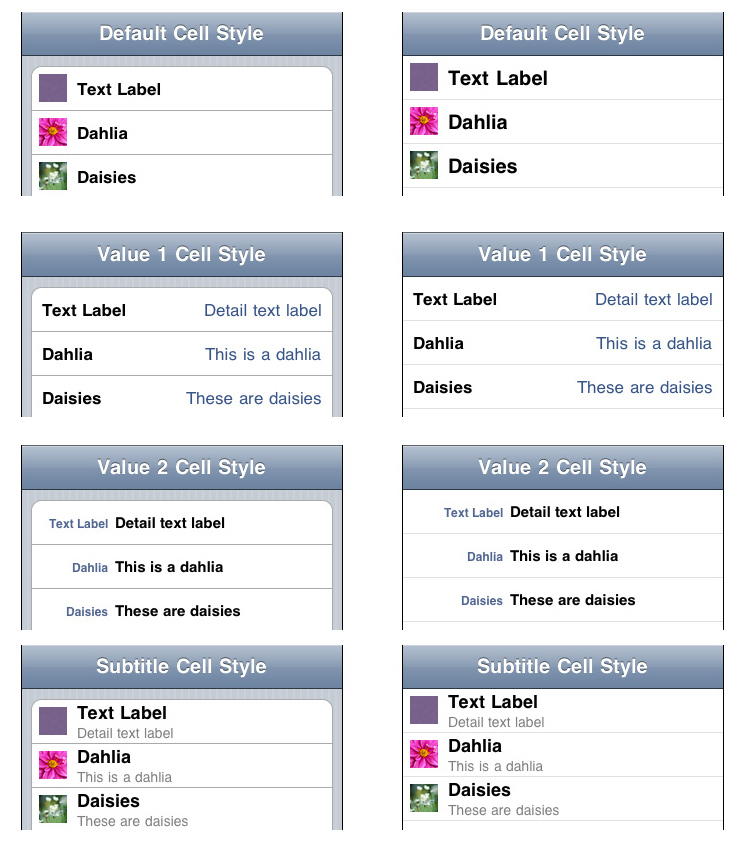
- Using a nib for a tableview cell (UITableView->General)
[permalink]
You can use a nib file for table view cells pretty easily in iOS5.1) Make a nib with a single object at the top, a
UITableViewCell. Lay it out as you wish. I use view tags to get to the objects contained therein.enum { kTermLabelTag = 1, kDetailLabelTag = 2 };2) Register the nib for a cell reuse identifier. I do it in my
-viewDidLoad.static NSString *g_cellReuseIdentifier = @"BWLookupCellReuseIdentifier"; // file global ... UINib *nib = [UINib nibWithNibName: @"BWLookupTableViewCell" bundle: nil]; [self.resultsView registerNib: nib forCellReuseIdentifier: g_cellReuseIdentifier];3) Dequeue the cell as usualUITableViewCell *cell = [tableView dequeueReusableCellWithIdentifier: g_cellReuseIdentifier]; if (!cell) { cell = [[UITableViewCell alloc] initWithStyle: UITableViewCellStyleSubtitle reuseIdentifier: g_cellReuseIdentifier]; }4) Dig into the cell with the tags, and go nutsUILabel *termLabel = (UILabel *)[cell viewWithTag: kTermLabelTag]; UILabel *detailLabel = (UILabel *)[cell viewWithTag: kDetailLabelTag]; termLabel.text = termString; detailLabel.text = definition; - Clipping cell image drawing to rounded corners of grouped tables (UITableView->Hacks)
[permalink]
If you have a grouped UITableView, the top and bottom cells of each group are rounded. If you have an image in the cell, it will obliterate the left-hand corners. There's a number of ways to properly fix this : pre-clip your images with some transparency at the corners. Set up a clipping path before drawing the cell, or playing with the image view's cell layer.Or you can hack it by setting the cell's indent to 1. That scoots the whole cell contents over by 10 pixels, letting you miss the rounded corners. Really handy if you're prototyping, want something to look non-horrible, but don't want to go the full-blown correct solution.
- Preparing for Segue from a UITableView tap (UITableView->Swift)
[permalink]
override func prepare(for segue: UIStoryboardSegue, sender: Any?) { guard let selectedRow = self.tableView.indexPathForSelectedRow else { return } guard let vc = segue.destination as? InfographicViewController else { return } let counter = counters[selectedRow.row] let stats = counter.currentTextStats vc.stats = stats } - UITableView data source (UITableView->Swift)
[permalink]
@IBOutlet var sessionsTableView : UITableView! let cellReuseIdentifier = "Cell" ... override func viewDidLoad() { super.viewDidLoad() self.sessionsTableView.register(UITableViewCell.self, forCellReuseIdentifier: cellReuseIdentifier) } ... extension ViewController : UITableViewDataSource { func numberOfSections(in tableView: UITableView) -> Int { return 1 } func tableView(_ tableView: UITableView, numberOfRowsInSection section: Int) -> Int { return 10 } func tableView(_ tableView: UITableView, cellForRowAt indexPath: IndexPath) -> UITableViewCell { let cell = tableView.dequeueReusableCell(withIdentifier: cellReuseIdentifier, for: indexPath) as UITableViewCell cell.textLabel?.text = "Spork (indexPath.row)" return cell } } - Adding a target/action to a UIButton (UIButton->General)
[permalink]
[playButton addTarget: self action: @selector(play) forControlEvents: UIControlEventTouchUpInside]; - Changing UIButton image (UIButton->General)
[permalink]
[_flobButton setImage:[UIImage imageNamed: @"greezole"] forState: UIControlStateNormal]; - Changing UIButton title (UIButton->General)
[permalink]
[_rejectButton setTitle: @"My Spoon is Too Big" forState: UIControlStateNormal];
- Changing UIButton title color (UIButton->General)
[permalink]
[self.z1Button setTitleColor: [UIColor blackColor] forState: UIControlStateNormal];
- Core Animation layer style properties (Core Animation->General)
[permalink]
I can never remember the link tothe Core Animation Layer Style PropertiesLayer Style Property Animations (probably because Apple keeps moving it)You might need to include this too:
#import <QuartzCore/QuartzCore.h>
- Implicit Core Animation, with cleanup (Core Animation->General)
[permalink]
[UIView animateWithDuration: kZoomAnimationDuration animations: ^{ CGRect frame = self.labelZoomTapView.frame; self.zoomedLabelView.frame = frame; // and change whatever other properties that will lead to animation. } completion: ^(BOOL finished) { // or whatever cleanup you have to do [self.zoomedLabelView removeFromSuperview]; }]; - Rotating a layer by 90 degrees (Core Animation->General)
[permalink]
To rotate a 'flat' layer, gotta convert degrees to radians, and then rotate around a vector along the z axis.hooverLayer.transform = CATransform3DRotate(CATransform3DIdentity, 90.0 * M_PI / 180.0, 0.0f, 0.0f, 1.0f); - Breaking on a particular caller (lldb->General)
[permalink]
Say that we have aborkFunction, and it's called bygreebleFunctionandhooverFunction:greebleFunction (); hooverFunction ();And say that we want to break whenborkFunctionis called by hoover, and not by greeble.(lldb) breakpoint set -n borkFunction Breakpoint created: 1: name = 'borkFunction', locations = 1 (lldb) breakpoint command add --script-type python 1 Enter your Python command(s). Type 'DONE' to end. > thread = frame.GetThread() > caller = thread.GetFrameAtIndex(1) > if caller.GetFunctionName() != "hooverFunction": > process = thread.GetProcess() > process.Continue() > DONE (lldb) run greeble! bork! hoover! Process 9074 stopped * thread #1: tid = 0x2007, 0x0000000100000dff funcs`borkFunction + 15 at funcs.m:7, stop reason = breakpoint 1.1 ... (lldb) thread backtrace frame #0: 0x0000000100000dff funcs`borkFunction + 15 at funcs.m:7 frame #1: 0x0000000100000e5e funcs`hooverFunction + 30 at funcs.m:19 ... - Setting environment variables (lldb->General)
[permalink]
(lldb) settings set target.process.env-vars OOP=ack
- Deserializing with TouchJSON (JSON->General)
[permalink]
#import "CJSONDeserializer.h" NSData *jsonData = [NSData dataWithContentsOfFile: path]; // or from network, or whatever NSError *error; NSArray *playlists = [[CJSONDeserializer deserializer] deserializeAsArray: jsonData error: &error]; - Serializing with TouchJSON (JSON->General)
[permalink]
#import "CJSONSerializer.h" NSArray *allSongs = [self allSongs]; NSString *jsonString = [[CJSONSerializer serializer] serializeObject: allSongs]; NSData *data = [jsonString dataUsingEncoding: NSUTF8StringEncoding]; // write |data| to a file, send over the network, etc - Selecting a row in a UIPickerView (UIPickerView->General)
[permalink]
[_durationPicker selectRow: row inComponent: 0 animated: NO]; - UIPickerView delegate and datasource methods (UIPickerView->General)
[permalink]
- (NSInteger)numberOfComponentsInPickerView:(UIPickerView *)pickerView - (NSInteger) pickerView: (UIPickerView *) picker numberOfRowsInComponent: (NSInteger) component - (NSString *) pickerView: (UIPickerView *) picker titleForRow: (NSInteger) row forComponent: (NSInteger) component - (void) pickerView: (UIPickerView *) picker didSelectRow: (NSInteger) row inComponent: (NSInteger) component - Are we compiling for the device, simulator, or other? (Building->General)
[permalink]
// Are we compiling for the device, simulator, or desktop? #if TARGET_OS_IPHONE && TARGET_IPHONE_SIMULATOR #define GR_TARGET_SIMULATOR 1 #elif TARGET_OS_IPHONE && !TARGET_IPHONE_SIMULATOR #define GR_TARGET_DEVICE 1 #else #define GR_TARGET_DESKTOP 1 #endif
Then I use the GR_TARGET symbols for #if'ing in platform-specific chunklets of code. - Making object subclasses appear in NSSets (NSSet->General)
[permalink]
Have an object you've put into an NSSet, and things don't seem to be working? Make sure you implement-isEqual:and-hash- (BOOL) isEqual: (id) object; - (NSUInteger) hash;
- Getting UILabel to word-wrap in IB. (UILabel->General)
[permalink]
You can get a UILabel to word-wrap its contents in IB. The trick is to set "Line Breaks" to "Word Wrap" and "Lines" to zero. - Adding gesture recognizers (UIView->General)
[permalink]
Gesture recognizers are cool. Here is how you can add them to a UIView, say at init or view loading time:UITapGestureRecognizer *tap = [[UITapGestureRecognizer alloc] initWithTarget: self action: @selector(twoByThreeTap:)]; tap.numberOfTapsRequired = 2; tap.numberOfTouchesRequired = 3; [self addGestureRecognizer: tap]; [tap release];If you're not getting taps, perhaps you're using a default UIImageView, you'll probably need to turn on interaction and multitouch, either in IB or in code:// So we can get the taps. self.userInteractionEnabled = YES; self.multipleTouchEnabled = YES; - Converting touch coordinate to the view (UIView->General)
[permalink]
- (void) touchesEnded: (NSSet *) touches withEvent: (UIEvent *) event { UITouch *touch = [touches anyObject]; CGPoint point = [touch locationInView: self]; if (CGRectContainsPoint(self.bounds, point)) { NSLog (@"YAY!"); } } // touchesEnded - Discriminating single and double tap gesture (UIView->General)
[permalink]
You want a single tap to do something, and a double tap to do something else. You don't want the single tap to fire unless it's fer sher not a double-tap. (assuming you can live for the timeout before your single tap gesture happens). You can make the single-tap recognizer wait until the double-tap one fails:UITapGestureRecognizer *singleTap = [[UITapGestureRecognizer alloc] initWithTarget: self action: @selector(startStop:)]; singleTap.numberOfTapsRequired = 1; singleTap.numberOfTouchesRequired = 1; [self addGestureRecognizer: singleTap]; UITapGestureRecognizer *doubleTap = [[UITapGestureRecognizer alloc] initWithTarget: self action: @selector(resetTimer:)]; doubleTap.numberOfTapsRequired = 2; doubleTap.numberOfTouchesRequired = 1; [self addGestureRecognizer: doubleTap]; [singleTap requireGestureRecognizerToFail: doubleTap]; [singleTap release]; [doubleTap release]; - Displaying stuff on a monitor hooked up to the phone (UIView->General)
[permalink]
BOOL haveSecondScreen = [UIScreen screens].count > 1; if (haveSecondScreen) { UIScreen *screen = [[UIScreen screens] objectAtIndex: 1]; // Figure out the largest screen mode we can use. CGSize max = CGSizeMake (0.0, 0.0); UIScreenMode *maxScreenMode = nil; for (UIScreenMode *mode in [screen availableModes]) { if (mode.size.width * mode.size.height > max.width * max.height) { max = mode.size; maxScreenMode = mode; } } screen.currentMode = maxScreenMode; UIView *view = [[UIView alloc] initWithFrame: screen.bounds]; view.backgroundColor = [UIColor greenColor]; UIWindow *window = [[UIWindow alloc] init]; window.screen = screen; [window addSubview: view]; window.hidden = NO; [view release]; // Stash |window| into an ivar or something. }This doesn't deal with stuff like aspect ratios, etc. - Make a UIView round-cornered with a border (UIView->General)
[permalink]
self.groovyView.layer.cornerRadius = 5; self.groovyView.layer.borderColor = [[UIColor purpleColor] CGColor]; self.groovyView.layer.borderWidth = 1; self.groovyView.layer.masksToBounds = YES; - Put a border around a UITextView (UIView->General)
[permalink]
(or around any UIView for that matter)#import <QuartzCore/QuartzCore.h> // For layer styles ... textview.layer.borderWidth = 1.0f; textview.layer.borderColor = [UIColor blackColor].CGColor;
- The UIResponder touch methods (UIView->General)
[permalink]
- (void) touchesBegan: (NSSet *) touches withEvent: (UIEvent *) event; - (void) touchesMoved: (NSSet *) touches withEvent: (UIEvent *) event; - (void) touchesEnded: (NSSet *) touches withEvent: (UIEvent *) event; - (void) touchesCancelled: (NSSet *) touches withEvent: (UIEvent *) event;
- Unique looking custom placeholder views (UIView->Hacks)
[permalink]
Every now and then I want a placeholder view that just draws itself. In this particular case, I wasn't sure where the contents of various view controllers were being set up, and whether it was re-using views or making them new each time. I added one of these to the view hierarchy. If I saw it, I know where it was created. Because the color is based on the view's address, each view will get a different color, making it easy to see if distinct views are being used or if one is being recycled.@interface BlahView : UIView @end @implementation BlahView - (void) drawRect: (CGRect) rect { CGRect bounds = self.bounds; UIColor *color = [UIColor colorWithRed: (((int)self >> 0) & 0xFF) / 255.0 green: (((int)self >> 8) & 0xFF) / 255.0 blue: (((int)self >> 16) & 0xFF) / 255.0 alpha: 1.0]; [color set]; UIRectFill(bounds); [[UIColor blackColor] set]; UIRectFrame(bounds); } // drawRect @end // BlahView ... CGRect frame = CGRectMake(200, 5, 300, 30); BlahView *view = [[BlahView alloc] initWithFrame: frame]; [viewController.view addSubview:view];And here is the version for Cocoa-non-touch:@interface BlahView : NSView @end @implementation BlahView - (void) drawRect: (CGRect) rect { CGRect bounds = self.bounds; NSColor *color = [NSColor colorWithDeviceRed: (((int)self >> 0) & 0xFF) / 255.0 green: (((int)self >> 8) & 0xFF) / 255.0 blue: (((int)self >> 16) & 0xFF) / 255.0 alpha: 1.0]; [color set]; NSRectFill(bounds); [[NSColor blackColor] set]; NSFrameRect (bounds); } // drawRect @end // BlahViewAnd for Swift/Cocoa-touch:func prettyColor
(thanks to Step Christopher for the translation)(instance: T) -> UIColor { var address = unsafeBitCast(instance, Int.self) let red = CGFloat(address >> 0 & 0xFF) / 255.0 let green = CGFloat(address >> 8 & 0xFF) / 255.0 let blue = CGFloat(address >> 16 & 0xFF) / 255.0 let derivedColor = UIColor(red: red, green: green, blue: blue, alpha: 1.0) return derivedColor } - Block Typedef (Blocks->General)
[permalink]
I can never remember the syntax for function pointer typedefs, and therefore can never remember the syntax for block typedefs:typedef CGRect (^GroovyBlock)(NSInteger spoon, NSString *waffle);
Creates a typedef called GroovyBlock that returns a CGRect and takes an integer and a string. - Block syntax for properties (Blocks->General)
[permalink]
Want to have a block as a@property? This declares a property nameddataUpdaterthat's a block that takes two arguments.@property (copy, nonatomic) void (^dataUpdater)(NSString *key, id newValue);
- Performing one-time initialization (Blocks->General)
[permalink]
You can use libdispatch / Grand Central Dispatch, to execute a block that must run once, and only once, no matter how many threads are knocking at its door.+ (void) initialize { static dispatch_once_t init_predicate; dispatch_once (&init_predicate, ^{ CGColorSpaceRef rgbSpace = CGColorSpaceCreateDeviceRGB (); for (int i = 0; i < 7; i++) { CGFloat components[] = { rawZoneColors[i]._red, rawZoneColors[i]._green, rawZoneColors[i]._blue, rawZoneColors[i]._alpha }; zoneColors[i] = CGColorCreate (rgbSpace, components); } }); } // initialize - Error code -12780 (Audio->General)
[permalink]
Sometimes you get error code -12780, and it's completely undocumented ( rdar://20194243 - please document this stupid code plzkthx).Thanks to Dave DeLong: Its a CoreMedia error: Returned when caller passes incorrect input or output parameters
So it's a paramErr, but for CoreMedia. Something, somewhere, internally went amiss, and it's interpreting an argument as invalid.
Here are situations I've either encountered or seen on the net:
- Passing a nil AVAsset due to a MPMediaItem not being local. Workaround is to download from the cloud. No way to force a download
- Your audio session category is incorrect for whatever it is you're doing
- You may need to convert a path based on NSSearchPathForDirectoriesInDomains explicitly to a file URL
- Consecutive calls to startRecordingToOutputFileURL.
- Recording video with device orientation of UIDeviceOrientationFaceUp, UIDeviceOrientationFaceDown, or UIDeviceOrientationUnknown.
- Trying to play Protected music (even though the AVAsset returns NO from hasProtectedContent. Sigh).
- Got any more? let me know.
- Getting the duration of an audio file (Audio->General)
[permalink]
#import <AudioToolbox/AudioToolbox.h> ... - (NSTimeInterval) voiceCueLength { NSTimeInterval length = 0.0; NSURL *audioURL = [NSURL fileURLWithPath: self.pathToVoiceCue]; OSStatus result = noErr; AudioFileID audioFile = NULL; result = AudioFileOpenURL ((CFURLRef)audioURL, kAudioFileReadPermission, 0, // hint &audioFile); if (result != noErr) goto bailout; //Get file length NSTimeInterval seconds; UInt32 propertySize = sizeof (seconds); result = AudioFileGetProperty (audioFile, kAudioFilePropertyEstimatedDuration, &propertySize, &seconds); if (result != noErr) goto bailout; length = seconds; bailout: if (audioFile) AudioFileClose (audioFile); return length; } // voiceCueLengthAnd Link with the AudioToolbox framework. - Adding a decimal point to the numeric keyboard (UITextField->General)
[permalink]
Apple added a decimal pad keyboard type. As of Xcode 4.1, not exported in the UI, so you have to set it in code:textField.keyboardType = UIKeyboardTypeDecimalPad;
- Bringing up the phone keyboard (UITextField->General)
[permalink]
[self.nameField becomeFirstResponder];
If you want the keyboard to animate in after your view appears, you can call this in your-viewWillAppear: - Dismissing the on-screen keyboard (UITextField->General)
[permalink]
If you know the text field that is being edited, you can tell it to resign first responder:[textField resignFirstResponder];
Otherwise, you can tell the enclosing view to end editing, and it'll figure out who is editing and tell them to resign:[self.view endEditing: YES];
- Getting notified of UITextField changes (UITextField->General)
[permalink]
Easiest way is to hook up the Editing Changed (NOT Value Changed) action. - Handling keyboard return button (UITextField->General)
[permalink]
Notifications about the UITextField keyboard return button come through this delegate method. This one hides the keyboard when the return button is typed.- (BOOL) textFieldShouldReturn: (UITextField *) textField { // Dismiss the keyboard. [self.view endEditing:YES]; return YES; } - Only allowing numbers in a text field (UITextField->General)
[permalink]
Sometimes you need a more general keyboard for a numeric-only text field. You can do something like this in a delegate method:- (BOOL) textField: (UITextField *) textField shouldChangeCharactersInRange: (NSRange) range replacementString: (NSString *) string { NSString *resultingString = [textField.text stringByReplacingCharactersInRange: range withString: string]; if (resultingString.length == 0) return YES; NSScanner *scanner = [NSScanner scannerWithString: resultingString]; float throwaway; BOOL scansFloat = [scanner scanFloat: &throwaway]; BOOL atEnd = [scanner isAtEnd]; return scansFloat && atEnd; } // shouldChangedCharacersInRanges(thanks to Frank Shearer, from a SO post) - Get listing of a class's methods (Python->General)
[permalink]
dir (lldb.SBFrame) - Quick processing of json. (Python->General)
[permalink]
Have a blorb of well-formed json you want to run some quick processing on? I've been using this little python testbed. No error checking or robustness, but real quick to dig in to data.#!/usr/bin/python import json from sys import argv # run with the name of the json file to process. script, filename = argv with open(filename) as json_file: jsoncontents = json.load(json_file) # how to dig into the json: upload = jsoncontents["upload"] metadata = upload["rideMetaData"] # print("planned ride: %s" % metadata["plannedRideMinutes"]) ridedata = upload["rideData"] for blurb in ridedata: if blurb["t"] == "hrt": value = blurb["v"] print(value) - Describe table in sqlite3 (sqlite3->General)
[permalink]
To see the table structure, use.schemasqlite> .schema camp CREATE TABLE camp (code INTEGER, label TEXT, state TEXT, type TEXT, phone TEXT, sites INTEGER, nforg TEXT, lat NUMERIC, lon NUMERIC, elevation NUMERIC, fee TEXT); CREATE INDEX pkdex ON camp (code);
- Seeing entitlement and certification information (Provisioning Hell->Hacks)
[permalink]
Sometimes it's useful to see what certificate was used for signing, and what entitlements are in your app. Thecodesigntool does that. How to use:% cd ~/Library/Developer/Xcode/Archives/$DATE/Campwhere.xcarchive/Products/Applications % codesign -dvvv ./Campwhere.app % codesign -d --entitlements - ./Campwhere.app
- Seeing the signing jazz inside of an IPA (Provisioning Hell->Hacks)
[permalink]
An IPA is actually a zip file. You can extract the contents by unzipping it:% unzip Catalog.ipa
Stuff will appear in a directory called "Payload"Then you can look at signing:
% codesign -dvvv Payload/Catalog.app/ Executable=/Users/markd/junk/Payload/Catalog.app/Catalog Identifier=com.bignerdranch.Catalog Format=bundle with Mach-O thin (armv7) CodeDirectory v=20100 size=2513 flags=0x0(none) hashes=117+5 location=embedded ... Authority=Apple Worldwide Developer Relations Certification Authority Authority=Apple Root CA Signed Time=Aug 30, 2012 5:21:26 PM Info.plist entries=28 Sealed Resources rules=3 files=31 Internal requirements count=1 size=296
as well as entitlements:% codesign -d --entitlements - ./Payload/Catalog.app Executable=/Users/markd/junk/Payload/Catalog.app/Catalog <?xml version="1.0" encoding="UTF-8"?> <!DOCTYPE plist PUBLIC "-//Apple//DTD PLIST 1.0//EN" "http://www.apple.com/DTDs/PropertyList-1.0.dtd"> <plist version="1.0"> <dict> <key>application-identifier</key> ... - Adding a tag (git->Hacks)
[permalink]
Adding a tag in git:% git tag '0.1-demo' -m "Proof of concept demo for initial App47 distribution"
Adds the tag, with the given comment.To push the tag up to github (or wherever)
% git push --tags
- Deleting a remote git branch (git->Hacks)
[permalink]
Say you had a branch name "protocol-play" that's been pushed up to github. To remove it locally you do the usualgit branch -D protocol-play(the capital D if you don't care about the merged status). You might need togit push. too.It's gone locally, but still exists up on github. Nuke it there with:
% git push origin :protocol-play
- Diff added changes (git->Hacks)
[permalink]
You did agit addto stage a change, but now you want to see what that was. Use% git diff --cached
- Git Logging Options (git->Hacks)
[permalink]
git log [options] [--] [path]-
-p— show the diff (patch) -
-#— limit output (e.g.-23to last 23 entries) -
--since / --until— commits more recent (or older) than given date -
--stat— abbreviated stats (adds/deletes, modified files) -
--pretty=thing— Make output pretty. Things include oneline, short, medium, full, fuller, (no fullest), email, raw, format:, tformat:. use tformat if you want a newline at the end of the log --graph— draw those funky git branch gtaphs--author / --committer— filter on specific dude / dudette--grep— filter on keywords in commit messages--all-match— Turn multiple predicates from OR into AND
Format Options
-
%H / %h— hash (shortened) -
%T / %t— tree hash (shortened) -
%P / %p— parent hash (shortened) -
%an / %ae / %ad / %ar— Author name, email, date (relative) -
%cd / %ce / %cd / %cr— Committer name, email, date (relative) -
%n— newline
Date format can be specific (1961-01-13), or relative ("4 years 23 months"). Can replace spaces with dots: 4.years.23.months. The actual format is undocumented (OF COURSE), but you can look at the approxidate code.
-
- Git rollback (git->Hacks)
[permalink]
Commit something (before pushing), and regret it?% git reset --soft "HEAD~1"
- Making a new remote branch (git->Hacks)
[permalink]
Say you cloned something from github, and you're wanting to make your own branch, and have it out on github land for off-site pushesgit branch markd-dev git push -u origin markd-dev
- Moving a git tag to another revision. (git->Hacks)
[permalink]
github releases are based on tags. Sometimes when polishing a release you want to point it to a new tag. This is what I've used before:% git tag -d release-cg-pt3 % git push origin :refs/tags/release-cg-pt3 % git status % git tag release-cg-pt3 7f05a3de66 % git push origin master --tags
And the go to your github release page. It should say that the release has become a draft (due to the tag change). Edit it and republish it. - Moving a tag (git->Hacks)
[permalink]
To move an existing git tag to the current version in your working tree:% git tag --force '0.1-demo' -m "pithy comment" And if you're using github or something % git push --tags
- Password-less github gitting (git->Hacks)
[permalink]
Typing in your username and password for github is annoying. You'll need to do the ssh key dance. instructions here.If your current checkout is via https (you can figure that out by doing
git config -l(ell) and looking at theremote.origin.url). If it'shttpsit's not going to use your ssh keys. You'll need to change it.If it was originally:
remote.origin.url=https://github.com/someuser/GroovyProject.gitYou'd do:
% git config remote.origin.url git@github.com:someuser/GroovyProject.git - Pruning branches (git->Hacks)
[permalink]
After a while, stale branches can pile up, especially if you're pulling and pushing to a busy repo. Get rid of them locally with:% git remote prune --dry-run origin
To see what'll get removed, and then% git remote prune origin
To clean things out. - Pushing only default branch by default (git->Hacks)
[permalink]
By defaultgit pushtries to push all the branches, sometimes eliciting this wonderful response:error: failed to push some refs to 'git@github.com:bignerdranch/roominant.git' hint: Updates were rejected because a pushed branch tip is behind its remote hint: counterpart. If you did not intend to push that branch, you may want to hint: specify branches to push or set the 'push.default' configuration hint: variable to 'current' or 'upstream' to push only the current branch. hint: you might as well just give up. neener neener neener. love, Git
So you can tell git to only push the currently active branch:% git config --global push.default current
- Three faces of git diff (git->Hacks)
[permalink]
git diffshows changes made since the file was last staged. If you make changes, stage them, then make more changes, this only shows you the more changesgit diff --stagedshows changes made to the file when it was staged, diffs against the committed version it's based off of. It doesn't include any changes you've made since staging.git diff HEAD(where HEAD is the name of a commit - HEAD to compare with the latest commit, or a branch name to compare to the tip of that branch. In essence, unionsgit diffandgit diff HEAD - Undo the last commit (git->Hacks)
[permalink]
Accidentally added one too many files to the last commit (or some similar travesty). If you haven't pushed it up to github or somewhere else, you can roll it back withgit reset --soft HEAD~1
- git "revert" (git->Hacks)
[permalink]
To remove uncommitted changes so you can pull without complaint (revert in svn-speak):% git checkout filename-to-revert
This checks the file out from HEAD, removing the local modificaiton. (put--before the file name in case you have a branch named the same as the file) - Directory listing of your container (iCloud->NSFIleManager)
[permalink]
Metadata query not coming back with anything. Is there actually any Stuff up in the cloud? Get a listing of the ubiqutious container dealie:NSFileManager *fm = [NSFileManager defaultManager]; NSURL *ubiquitousFolder = [fm URLForUbiquityContainerIdentifier:nil]; NSLog (@"Location of ubiquitous folder: %@", ubiquitousFolder); // Then use standard ways of iterating, given a URL, such as NSArray *contents = [fm contentsOfDirectoryAtURL: ubiquitousFolder includingPropertiesForKeys: @[] options: 0 error: &error]; if (contents == nil) { NSLog (@"could not contents of %@ - %@", mediaDirectory, error); } - Drawing wrapped text in CoreText (Core Text->General)
[permalink]
Say you have a string, and you just want to draw it pretty plain, but wrapped in a rectangle. CoreText can do that for you:- (void) drawText: (NSString *) text inRect: (CGRect) rect { CTFontRef font = CTFontCreateWithName (CFSTR("Helvetica"), 15.0, NULL); NSDictionary *attributes = @{ (__bridge id)kCTFontAttributeName : (__bridge id) font }; CFAttributedStringRef attrString = CFAttributedStringCreate (kCFAllocatorDefault, (__bridge CFStringRef) text, (__bridge CFDictionaryRef) attributes); CTFramesetterRef fsetter = CTFramesetterCreateWithAttributedString (attrString); CGPathRef path = CGPathCreateWithRect (rect, NULL); CTFrameRef frame = CTFramesetterCreateFrame (fsetter, CFRangeMake (0, 0), path, NULL); CGContextRef context = ...; CGContextSetTextMatrix (context, CGAffineTransformIdentity); CTFrameDraw (frame, context); CFRelease (font); CFRelease (attrString); CFRelease (fsetter); CGPathRelease (path); } // drawTextInRect - Getting wrapped height from CoreText (Core Text->General)
[permalink]
You're drawing wrapped text in a simple rectangle in CoreText, and you want to figure out the height of it. (fixed width, flexible height).CTFramesetterRef fsetter = CTFramesetterCreateWithAttributedString (attrString); CFRange fitRange; CGSize frameSize = CTFramesetterSuggestFrameSizeWithConstraints (fsetter, CFRangeMake (0, 0), NULL, // frame attributes CGSizeMake (rect.size.width, CGFLOAT_MAX), &fitRange);fitRangeis the range of characters that fit in. Given a height of CGFLOAT_MAX, this should be the entire string.frameSizeis the width and height the text will be wrapped in. A{ 0, 0}range means to use the whole string. - Fixing "file is set-id or unreadable" with space-enabled file names (DTrace->General)
[permalink]
You might want to run dtrace against an program, which might has a space in the name:dtrace -n 'objc$target:NSUndoManager*:+alloc:entry' -c `pwd`/eClicker Presenter
And then you get the smackdown:dtrace: failed to execute /Users/markd/Library/Developer/.../eClicker: file is set-id or unreadable [Note: the '-c' option requires a full pathname to the file]
But it's right there! The path must be getting passed around, and needs some extra backslashes:dtrace -v -n 'objc$target:NSUndoManager*:-init*:entry' -c ./eClicker\\\ Presenter
(In case the quickies stripped off the backslashes, it's three backslashes, then a space, thenPresenter) - Fixing DIF offset error (DTrace->General)
[permalink]
Sometimes you might see this error when usingcopyinorcopyinstr:invalid address (0x10c86e3ce) in action #2 at DIF offset
This happens because the page in question hasn't been faulted in yet, or in general isn't available to the kernel or DTrace at this moment. This can happen if you're accessing the data in an:::entryclause before the data is used.To work around this, let the function you're tracing do its work, cause the fault of the data into memory, then access the data in the
:::returnclause. You'll need to hang on the pointer because the function arguments are not passed to:::return:syscall::open:entry { self->filename = arg0; } syscall::open:return /self->filename/ { @files[copyinstr(self->filename)] = count(); self->filename = 0; } END { trunc(@files, 5); } - Seeing what time machine is looking at (DTrace->General)
[permalink]
Curious what Time Machine is looking at while doing backups? This one-liner will show all of the files that are being opened:sudo dtrace -q -n 'syscall::open*:entry/execname=="backupd"/ { self->name = arg0; }' -n 'syscall::open*:return/execname=="backupd"/ { printf ( "%s opening %s\n ", execname, copyinstr(self->name)) ; self->name = 0}'Or in a more readable form:
syscall::open*:entry /execname=="backupd"/ { self->name = arg0; } syscall::open*:return /execname=="backupd"/ { printf ( "%s opening %s\n", execname, copyinstr(self->name)); self->name = 0; }Note that FileValue will cause errors of the kind "invalid user access in action #2 at DIF offset 24". I don't know how to work around that. - So, what's hammering my network / disk? (DTrace->General)
[permalink]
Sometimes your harddrive is cheebling, or maybe your DSL modem lights are lit up like a Christmas Tree. The network activity monitor in Mavericks is beyond useless for figuring out exactly who the guilty party is. DTrace to the rescue. Run this rootstyles:# dtrace -n 'syscall::read:entry { @read[execname] = sum(arg2); }' -n 'syscall::read_nocancel:entry { @read[execname] = sum(arg2); }' dtrace: description 'syscall::read:entry ' matched 1 probe dtrace: description 'syscall::read_nocancel:entry ' matched 1 probe ^C ... mdworker 27699995 dbfseventsd 37756854 ocspd 125588322 storeagent 431376595Sure enough, it's the MacAppStore program, downloading updates even though it's been told not to. - Timing stuff (DTrace->General)
[permalink]
To time stuff in DTrace, get the timestamp (wall-clock time) or vtimestamp (on-CPU time) in theentry. In thereturn, make sure you have a starting timestamp recorded (this avoids race conditions if the script is run if the function is currently in-flight). Then calculate the delta and do something with it (print it, aggregate it, whateva).some:probe:description:entry { self->start = timestamp; } some:probe:description:return /self->start != 0/ { this->delta = timestamp - self->start; trace (this->delta); self->start = 0; } - non-const pointer error (Errors->General)
[permalink]
Got an error that smells like "pointer to non-const type 'GRSpotifyLoginCompletion' (aka 'void (^)(BOOL)') with no explicit ownership"? Check to see you don't have too many stars.For example,
typedef void (^GRSpotifyLoginCompletion) (BOOL loggedIn); @property (strong, nonatomic) NSMutableArray *loginCompletions; ... for (GRSpotifyLoginCompletion *completion in self.loginCompletions) { completion(success); }This generates the error. The problem is the star beforecompletionin the fast-enumeration loop. GRSpotifyLoginCompletion is already a pointers due to its nature of being a block typedef. The code above is saying "hey, this completion thing is a pointer to a pointer", which ARC doesn't know how to handle. - Getting a list of supported compiler flags (llvm->General)
[permalink]
% clang -cc1 --help OVERVIEW: LLVM 'Clang' Compiler: http://clang.llvm.org USAGE: clang -cc1 [options] <inputs> OPTIONS: -Eonly Just run preprocessor, no output (for timings) -E Only run the preprocessor -F <value> Add directory to framework include search path -H Show header includes and nesting depth ...
Unfortunately it doesn't show all the warning flags. - Automating Pitch Bend (Logic->General)
[permalink]
Pitch bend is a MIDI thing rather than an automatable control, so you have to tweak it via the MIDI Editor (formerly known as HyperDraw):- select the region to automate
- show piano roll
- turn on MIDI editor
- choose "Pitch Bend" from the controller
- draw in the foobage with the pencil tool.
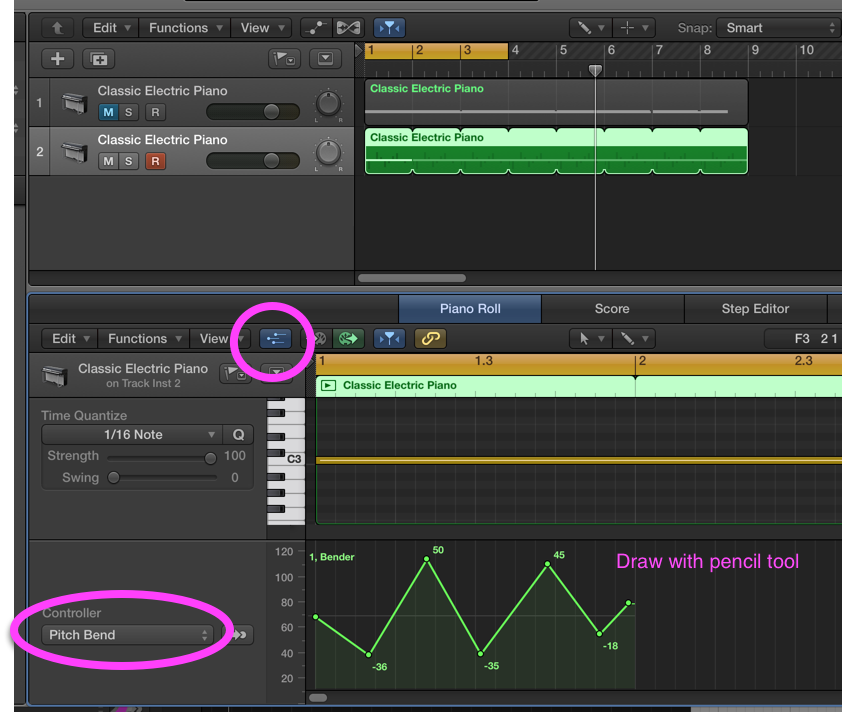
And sounds like this .
- Keep the alligator gates open (Reason->General)
[permalink]
Sometimes you want to use the Alligator as a filter, but don't want the gate action kicking in. Here's a way to turn them off that doesn't require a Matrix and a Spider:- set pattern ID to #60 (although I haven't seen a difference depending on what pattern is selected)
- Turn the Amp Env Decay setting all the way to the right (to 127)
- Flip the rack around, and connect the CVs in a round-robin fashion (output 1 to gate 3, output 2 to gate 1, output 3 to gate 2), or look at the illustration.
This can be kind of twitchy if you change presets. You may need to break the CV (unhook one connection, the reattach it) to get sound flowing again.
(taken from Reason 101's all about the alligator. Get the dude's ebook, it's awesome.)
- BNRTimeBlock in Swift (Swift->General)
[permalink]
This blog post has a little snippet for timing a block. Here's a Swift version:func BNRTimeBlock(_ block: @noescape () -> Void) -> TimeInterval { var info = mach_timebase_info() guard mach_timebase_info(&info) == KERN_SUCCESS else { return -1 } let start = mach_absolute_time() block() let end = mach_absolute_time() let elapsed = end - start let nanos = elapsed * UInt64(info.numer) / UInt64(info.denom) return TimeInterval(nanos) / TimeInterval(NSEC_PER_SEC) }And call it likelet time1 = BNRTimeBlock { print("groovy") // do other work. } print(" took (time1)") - Printable description from Swift thingies (Swift->General)
[permalink]
Tired of default output from your objects when doing a sanity-checkprint?Just adopt
CustomStringConvertibleand implementdescription:extension Weight: CustomStringConvertible { var description: String { return "(pounds) lbs" } }If you're inheriting from NSObject, then you actually already have a description method, and will get an error to the tune of "redundant conformance of blah blah blah". In that case, you'd do this:extension IndoorCyclingClass { override var description: String { return "(title) - (classDescription)" } } - Swift if case let (Swift->General)
[permalink]
Because I can never remember the syntax: Givenenum FilterOptionValue { case oneSided(value: Double) case twoSided(low: Float, high: Double) }You can unpack it piecewise on demand withif case let .twoSided(low, high) = thingieOption.value { minThingie = Int(low) upperThingie = Int(high) } - #if 0 in Swift (Swift->Hacks)
[permalink]
Have a bunch of code to temporarily chop out because of reasons? In C you could use#if 0to tear out chunk of your file.#ifin Swift generally requires the guts of the conditional to be syntactically correct (even if it's semantically nonsense).You can abuse the Swift version check to do something similar to
#if 0:... #if swift(>=666) aj2n42j4n23jnjsdnfjsnfjnunrun unr unwu nudjfn jsnf jn var window: UIWindow? #endif ...The compiler still does some processing of the code, so you might get an error (like if that cat-stomp at the beginning started with a digit, Swift tries interpreting 2n42j4n23jnjsdnfjsnfjnunrun as an integer literal and fails)(Thanks to Jeremy Sherman for the idea)
- Doing Notifications Swiftstyle (Swift->Random)
[permalink]
Posting endNotificationCenter.default.post(name: Notification.Name("FishBattery"), object: tour)Receiving endNotificationCenter.default.addObserver( forName: Notification.Name("FishBattery"), object: tour, queue: OperationQueue.main) { [weak self] notification in guard let tour = notification.object as? Tour else { return } if tour == self?.tour { self?.uploadIfNeeded() } } - Running swift code in LLDB (Swift->lldb)
[permalink]
(lldb) expr -l swift -- let $ook = "verb" (lldb) expr -l swift -- print("I seem to be a ($ook)") I seem to be a verbAnd if you want to call your own stuff (say the project name isC-Interop):(lldb) expr -l swift -- import C_Interop (lldb) expr -l swift -- SomeClass().useAnother()
This creates a new instance ofSomeClassand calls theuseAnothermethod.(Thanks to Zach Waldowski for this one.)
- Instantiate a new view controller from a storyboard (UIKit->General)
[permalink]
let detailVC = self.storyboard?.instantiateViewController(withIdentifier: "PlaylistDetailsViewController") as! PlaylistDetailsViewController detailVC.playlist = playlist self.present(detailVC, animated: true, completion: nil) - Using UIAlertController (UIKit->Swift)
[permalink]
Here's some moving parts for UIAlertController and friends, also does the username/password alert jazz.func showLoginPanel() { let alertTitle = "Please enter your Equifax username and password" let message = "We will only use this information for good, not evil." let alertController = UIAlertController.init(title: alertTitle, message: message, preferredStyle: .alert) alertController.addTextField { textfield in textfield.placeholder = "Equifax Username" } alertController.addTextField { textfield in textfield.placeholder = "Password" textfield.isSecureTextEntry = true } let stopAction = UIAlertAction(title: "Login", style: .default) { action in guard let login = alertController.textFields?.first, let password = alertController.textFields?.last else { print("This is wholly unexpected") return } print("Do things with: (login.text!)") } alertController.addAction(stopAction) let cancelAction = UIAlertAction(title: "Cancel", style: .cancel, handler: nil) alertController.addAction(cancelAction) present(alertController, animated: true) } - Scroll to a particular collection view item. (UIContainerView->General)
[permalink]
- (void) viewDidLayoutSubviews { // doing this in viewDidAppear might not work well b/c the collection view might // not have completed layout yet [super viewDidLayoutSubviews]; NSIndexPath *indexPath = [NSIndexPath indexPathForItem: self.currentPatchNumber inSection: 0]; UICollectionViewScrollPosition scrollPosition = UICollectionViewScrollPositionCenteredVertically; // maybe also horizontally if you want [self.collectionView scrollToItemAtIndexPath: indexPath atScrollPosition: scrollPosition animated: NO]; } // viewDidLayoutSubviews - Adding a new environment value (SwiftUI->Random)
[permalink]
private struct ScreamAtMeKey: EnvironmentKey { static let defaultValue = false } // Set via .environent(\.screamAtMe, true) extension EnvironmentValues { var screamAtMe: Bool { get { self[ScreamAtMeKey.self] } set { self[ScreamAtMeKey.self] = newValue } } } // Set via .screamAtMe(true) extension View { func screamAtMe(_ aaaaaah: Bool) -> some View { environment(.screamAtMe, aaaaaah) } } - Basic Tab View (SwiftUI->Random)
[permalink]
struct ContentView: View { var body: some View { TabView { SimplePlan() .badge(23) .tabItem { Label("Simple Plan", systemImage: "house") } MultiPlan() .tabItem { Label("Simple Plan", systemImage: "house.lodge") } } } } - Default to a particular tab bar tab (SwiftUI->Random)
[permalink]
enum Tab: Hashable { case simplePlan case complicatedPlan case multiPlan var id: Self { self } } struct ContentView: View { @State private var tab = Tab.complicatedPlan var body: some View { TabView(selection: $tab) { SimplePlan(captureModel: SimpleCaptureModel.shared) .tabItem { Label("Simple Plan", systemImage: "house") } .tag(Tab.simplePlan) CompliPlan(captureModel: CompliCaptureModel.shared) .tabItem { Label("Complicated Plan", systemImage: "house.circle.fill") } .tag(Tab.complicatedPlan) MultiPlan() .tabItem { Label("Multi Plan", systemImage: "house.lodge") } .tag(Tab.multiPlan) } } } - Easily giving buttons a border/background (SwiftUI->Random)
[permalink]
I still dislike the iOS 7 "here's some random blue text. Really, it's a button". I like buttons to look like buttons. You can add a `.buttonStyle` to a view, and it'll apply the style to al the buttons inside. Here's the different out of the box styles. You can also make your own custom button style..buttonStyle(.bordered) // gray filled oval .buttonStyle(.borderedProminent) // blue filled oval .buttonStyle(.borderless) // default (I think) - free floating random blue text .buttonStyle(.plain) // free floating random plain text. that's also a button - Making a custom button style (SwiftUI->Random)
[permalink]
struct CustomButtonStyle: ButtonStyle { func makeBody(configuration: Configuration) -> some View { configuration.label .padding() .background(.purple) .foregroundStyle(.green) .clipShape(RoundedRectangle(cornerRadius: 25, style: .continuous)) .scaleEffect(configuration.isPressed ? 2.0 : 1) .animation(.easeOut(duration: 0.05), value: configuration.isPressed) } }(please don't actually make buttons with this style...) And then attach it to something (say an individual button, or a top-level view) like.buttonStyle(CustomButtonStyle()) - Making a simple button (SwiftUI->Random)
[permalink]
Button("Button Text") { print("Snorgle") } - Wrapping a UIView (SwiftUI->Random)
[permalink]
Given a UIView, add it to SwiftUI via UIViewRepresentable.struct PlaceholderContainerView: UIViewRepresentable { func makeUIView(context: Context) -> PlaceholderUIView { return PlaceholderUIView() } func updateUIView(_ uIView: PlaceholderUIView, context: Context) { print("update ui view (context)") } }